
How to Place a Bet on BettorEdge
Place a bet on BettorEdge in under a minute: pick a game, tap a price, enter your amount, confirm your location and place the order. Every price is another bettor on the other side.
Before you start
- •Sign in to your BettorEdge account. You can browse every market without one, but placing a bet needs an account.
- •Prices show in cents, American odds or percent, whichever you pick in Account > Trading preferences.
- •This walkthrough uses a market order, which takes the best price on the board now. To name your own price, switch the ticket to a limit order.
Prerequisites
- •A BettorEdge account with money in your wallet.
- •Location turned on. BettorEdge confirms you're in a state where real-money play is available before you place an order.
- 1
Open Markets and pick a game
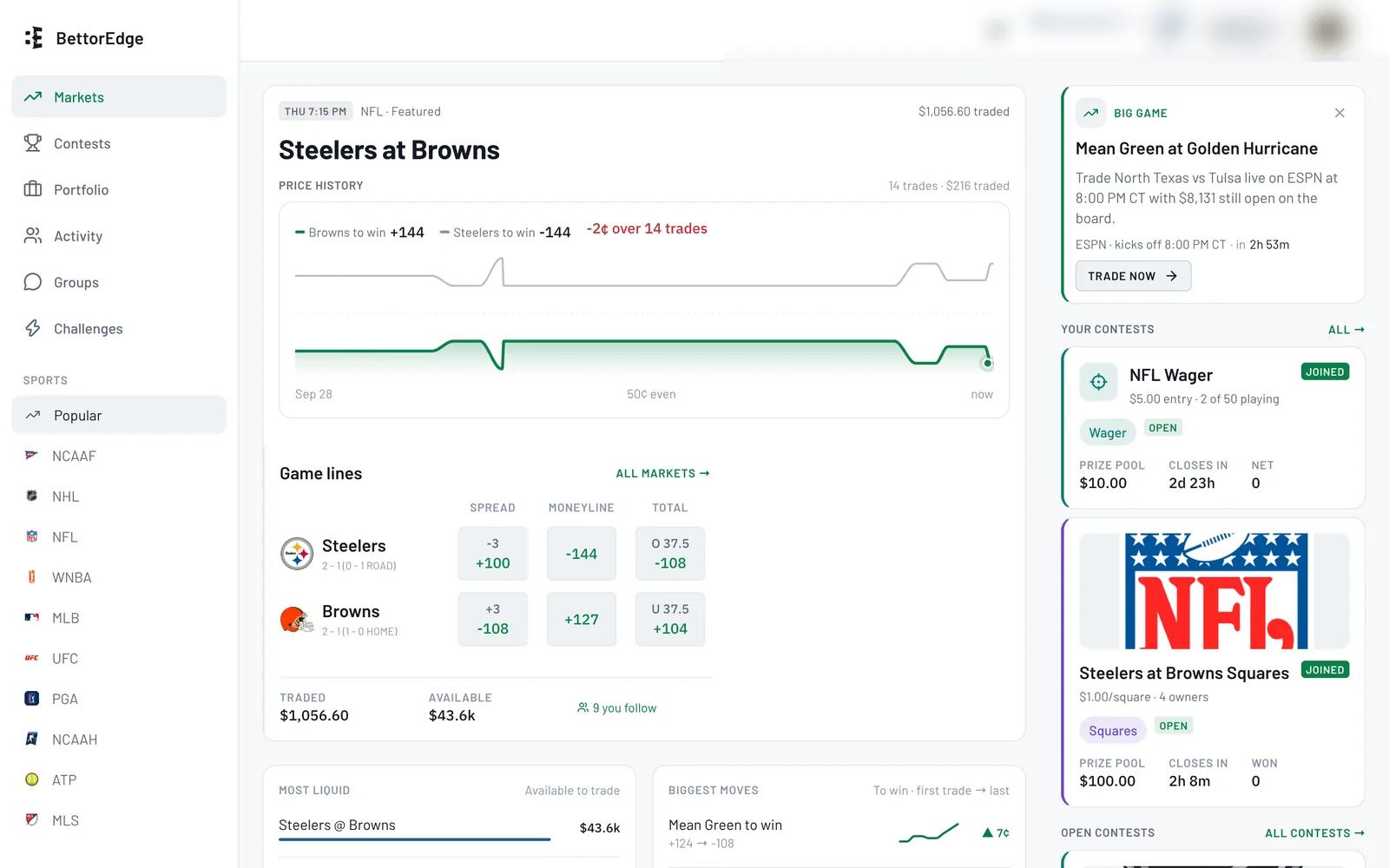
Go to Markets. Popular shows where the action is across every league, or pick a sport on the left. Click a game to open it.
- 2
Tap the price for your side
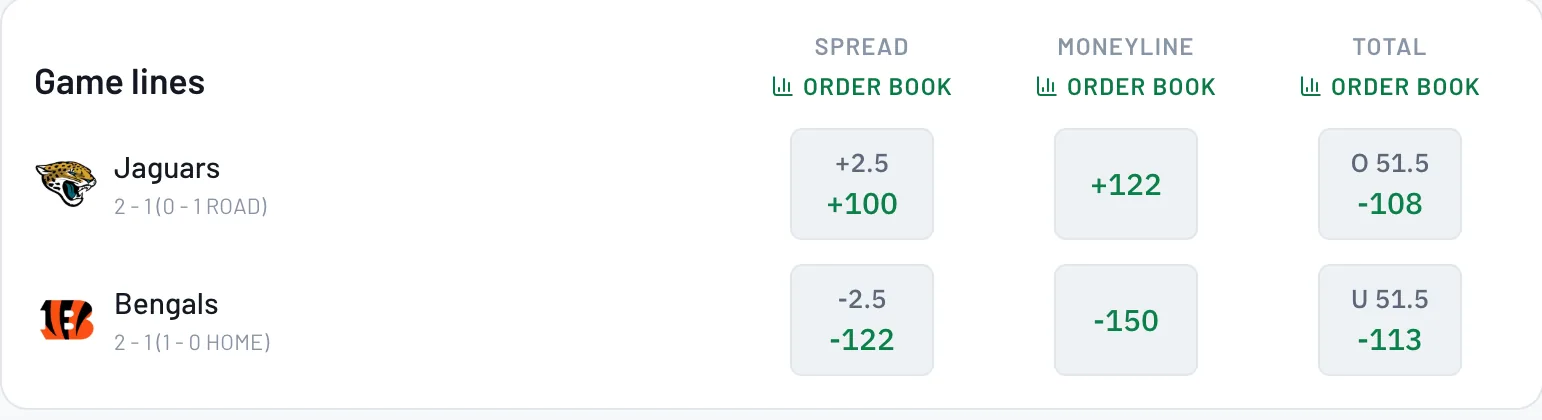
Under Game lines, tap the price for the side you want: the spread, the moneyline or the total. Player props are further down the same page.
- 3
Enter your amount and confirm your location
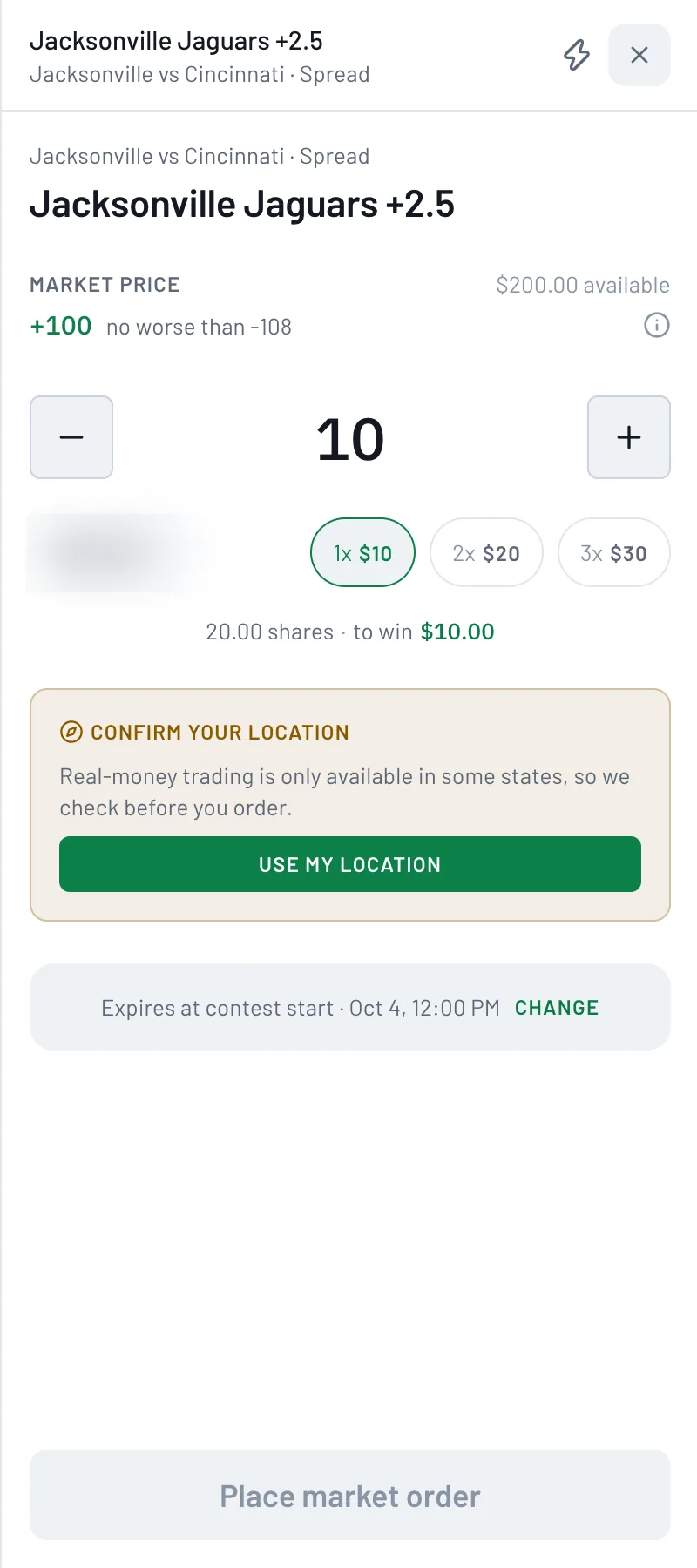
The order ticket shows the market price, the worst price it can fill at, and how much is available. Type an amount or tap 1x, 2x or 3x; the ticket shows your shares and what you'd win. The first time, tap Use my location so BettorEdge can confirm you're in a state where real-money play is available.
- 4
Check when the order expires
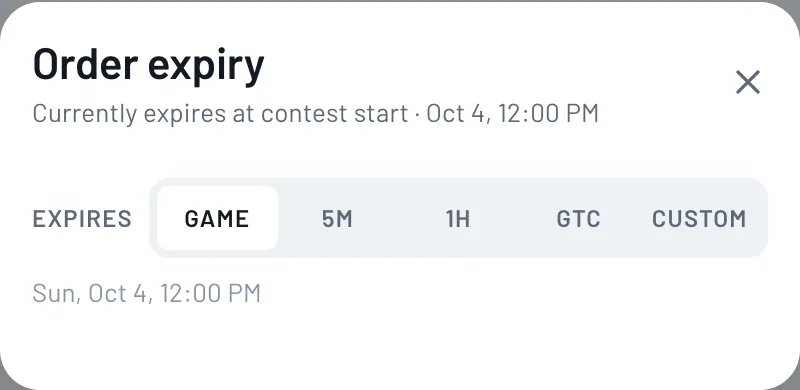
Orders expire at game start by default. Tap Change to pick 5 minutes, 1 hour, GTC (stays open until you cancel it) or a custom time. Anything unfilled when it expires goes back to your wallet.
- 5
Place your market order
Tap Place market order at the bottom of the ticket. It's matched with bettors on the other side right away, up to the ceiling price.
- 6
Find it in Portfolio
Open Portfolio to see the position, what it's worth now and what it pays. Anything still working is listed there too, where you can manage or cancel it.
Tips
- •The 1x, 2x and 3x buttons fill in multiples of your unit size. Set your usual amount in Account > Trading preferences.
- •A market order can fill a little past the price you see, up to the ceiling shown on the ticket (2% by default), and never worse than that.
- •Not filled yet? Check Portfolio. Working orders can be managed or cancelled there.
Questions
What's the difference between a market order and a limit order?+
A market order takes the best price on the board now. A limit order names your price and waits on the order book until someone takes it or it expires.
Why does the ticket say "no worse than"?+
Prices move in real time, so a market order keeps filling past the price you saw, up to that ceiling, and never worse. Want a hard cap? Use a limit order.
Why does it ask for my location?+
Real-money trading is only available in some states, so BettorEdge checks before you order.
Expected outcome
You'll place a market order on the side you picked, and it will show up in your Portfolio.
Try it on BettorEdge.
Create your account and follow along in the app. Sign up for a shot at up to $100. No deposit needed.
Questions? Ask on r/BettorEdge, where the BettorEdge team answers.