
How to Use the Calcutta Auction Value Calculator
A practical walkthrough of BettorEdge's Calcutta Value Calculator workspace using the 2025 March Madness demo data to set payouts, price teams, and track live auction value.
Before you start
- •Open the workspace on desktop web for the clearest table view.
- •Use the 2025 March Madness Tournament preset if you want the same demo setup described in this guide.
- •Have your target pot size and payout ladder ready before entering live auction prices.
Prerequisites
- •Basic familiarity with how Calcutta auctions work.
- •A target pot size or room estimate.
- •A payout ladder that totals 100% of the pot.
- 1
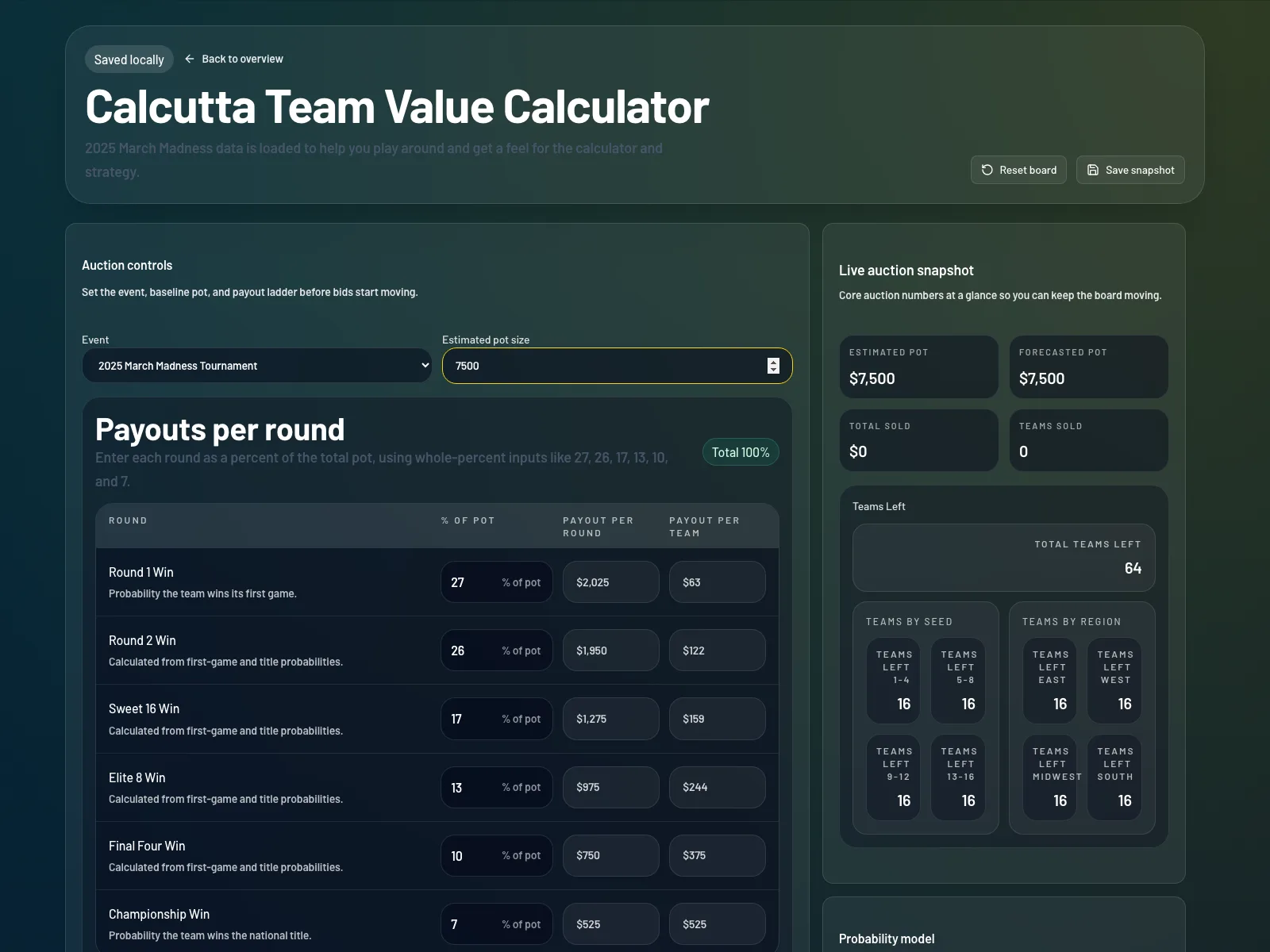
Open the Calcutta workspace and confirm the loaded event
Go to the Calcutta Value Calculator workspace. For this walkthrough, set the Event selector to 2025 March Madness Tournament so the demo teams and probabilities match the guide.
- 2
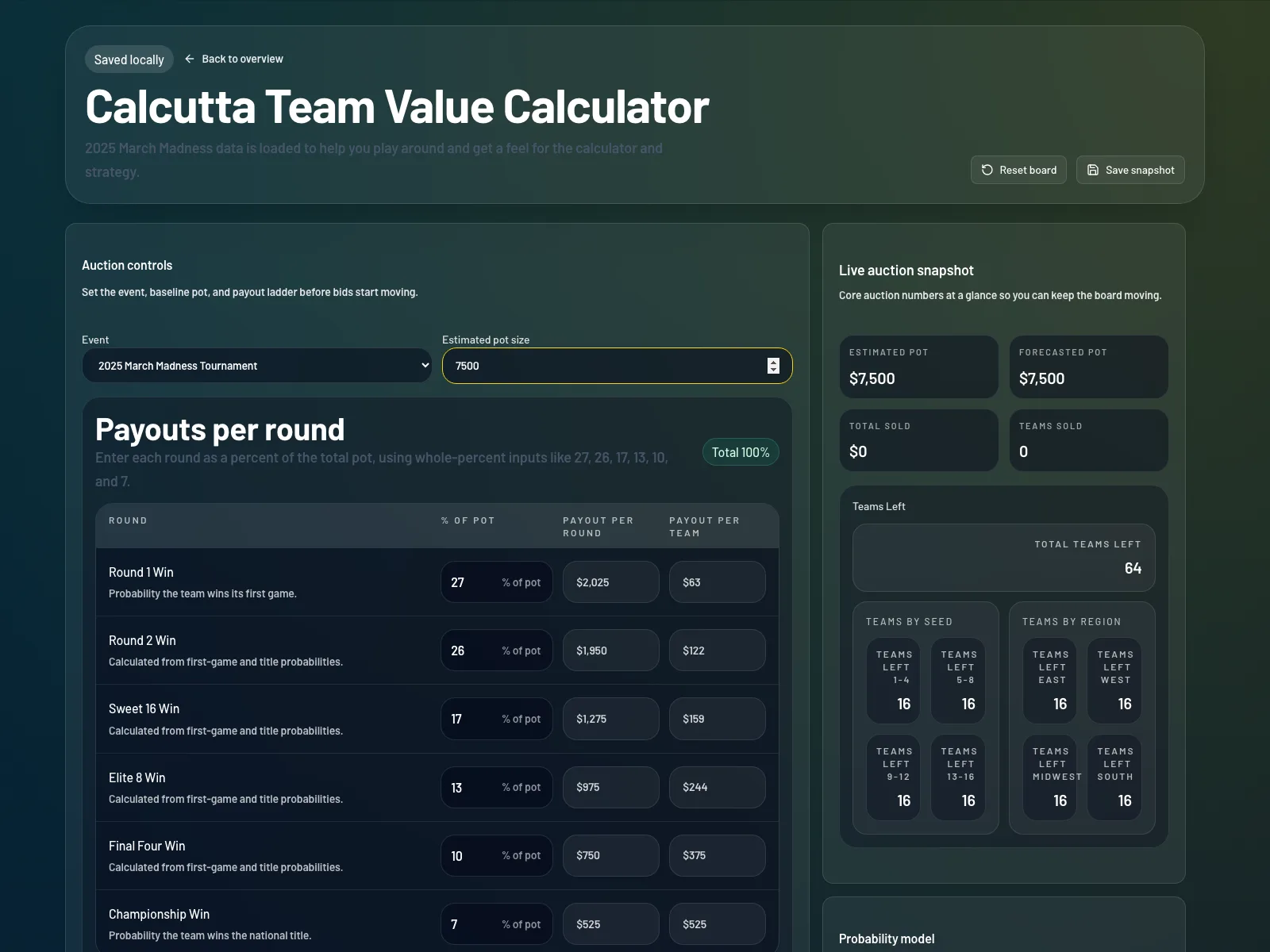
Set your estimated pot size before bidding starts
In Auction controls, enter the pot size you expect your room to reach. BettorEdge uses this number to calculate each team's expected price before live auction results create a stronger forecast.
- 3
Review or edit the payout ladder so it totals 100%
Use the Payouts per round section to enter each round's percentage of the pot. The total should equal 100%. The workspace also shows payout per round and payout per team so you can sanity-check the structure before the auction begins.
- 4
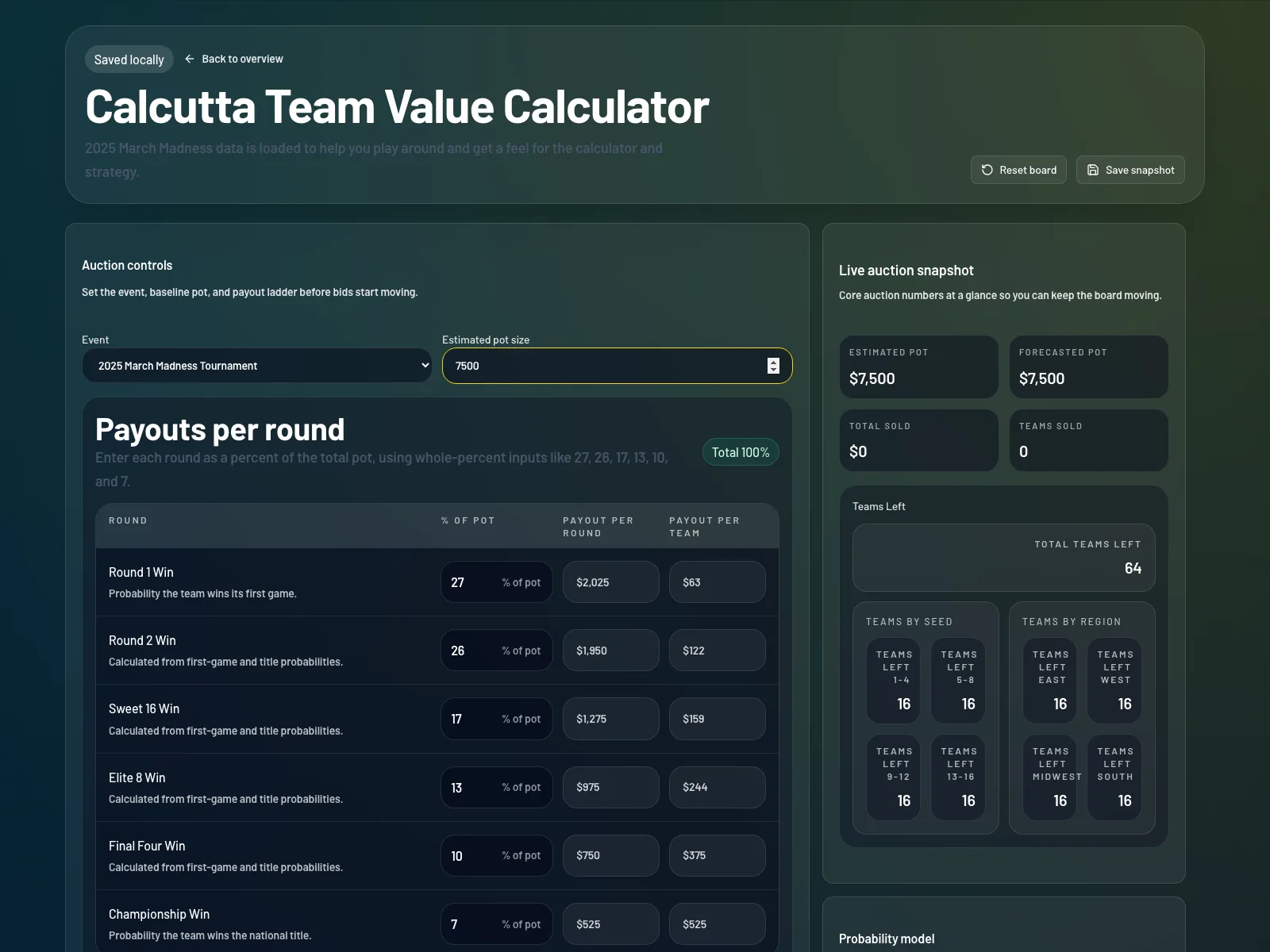
Use the live auction snapshot to monitor the room
Watch the Estimated Pot, Forecasted Pot, Total Sold, and Teams Sold cards as the board fills in. The Teams Left panels help you quickly see how much high-seed and region-specific inventory is still available.
- 5
Understand how the March Madness probability model works
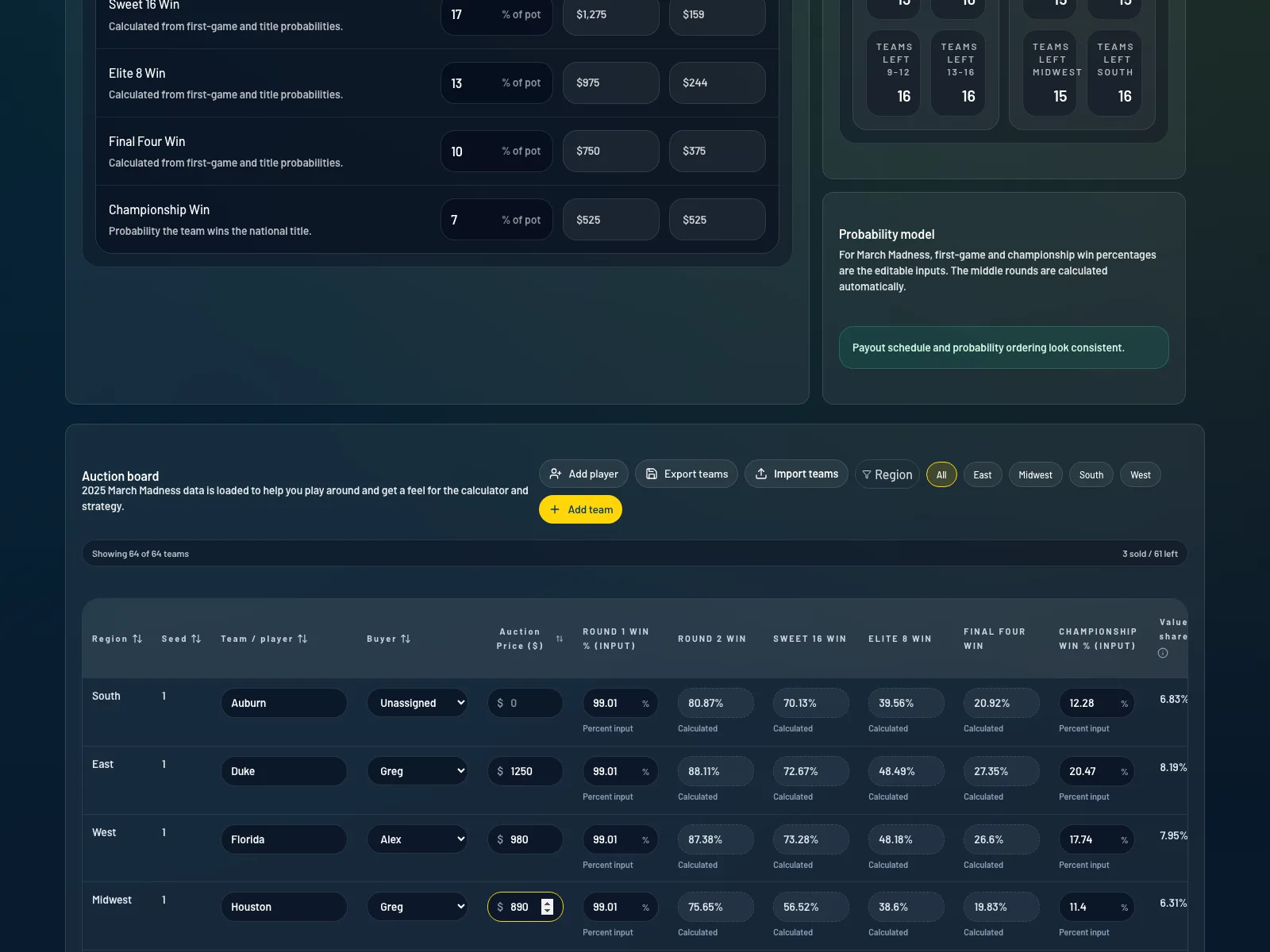
For the 2025 March Madness demo, BettorEdge treats first-game win and championship win as the direct inputs. The middle rounds are derived automatically so you can model team value faster without manually filling every round.
- 6
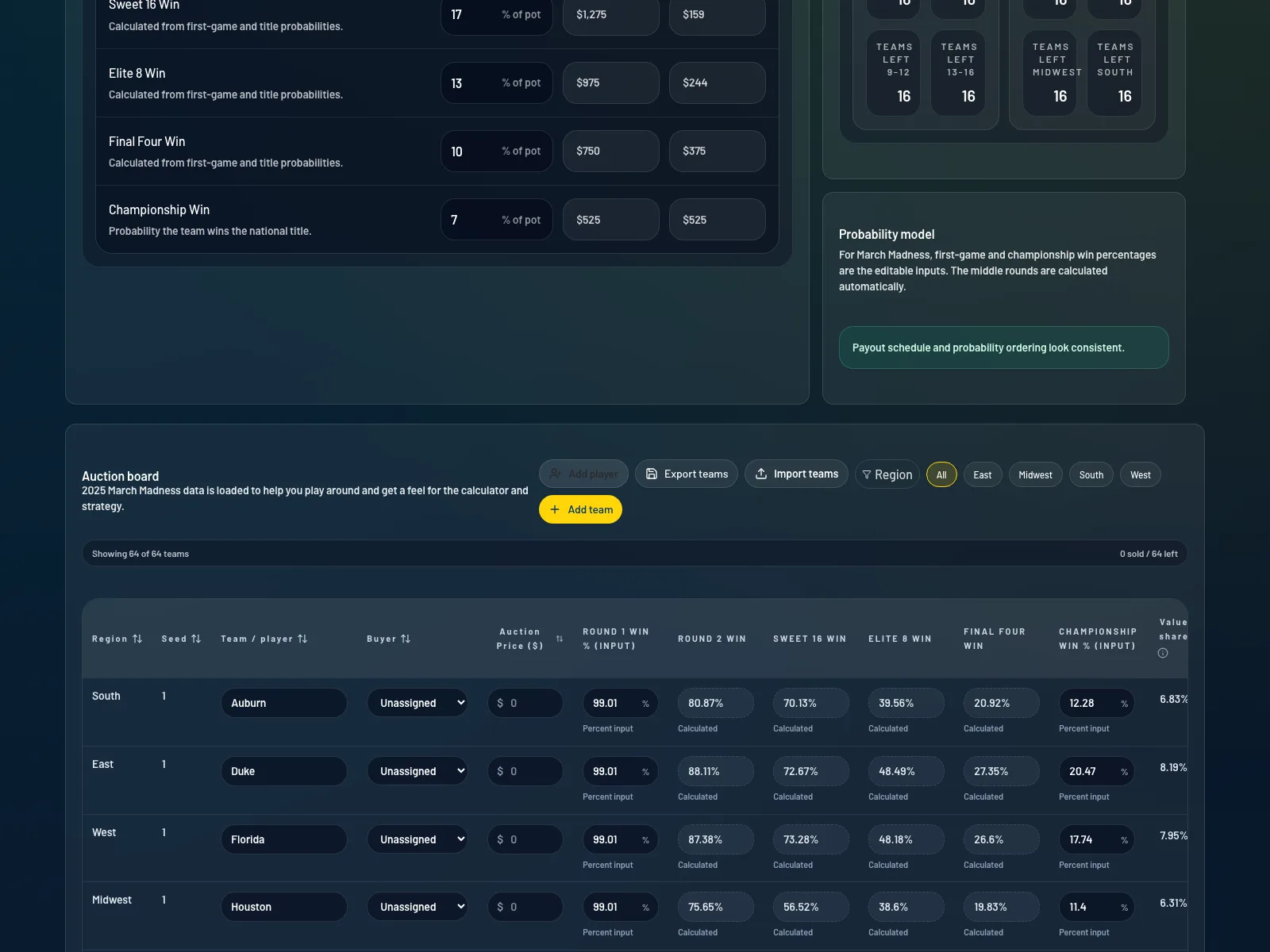
Enter buyer names and sold prices on the auction board
In the Auction board table, assign a buyer, enter the sold price, and update any probabilities you want to change from the loaded demo values. This is the main working area during a live Calcutta auction.
- 7
Compare value share, expected price, and ROI for each team
Use the Value share, Expected price estimated, Expected price forecast, Forecasted ROI, and Implied pot columns to judge whether a team is overpriced or underpriced relative to BettorEdge's model.
- 8
Filter, export, or import the board as needed
Use Region filters to isolate part of the bracket, Export teams to download the auction board as CSV, or Import teams to continue from an existing board. This is especially useful if you are hosting the auction or want a shareable backup.
- 9
Use Player Summary to track spend by buyer
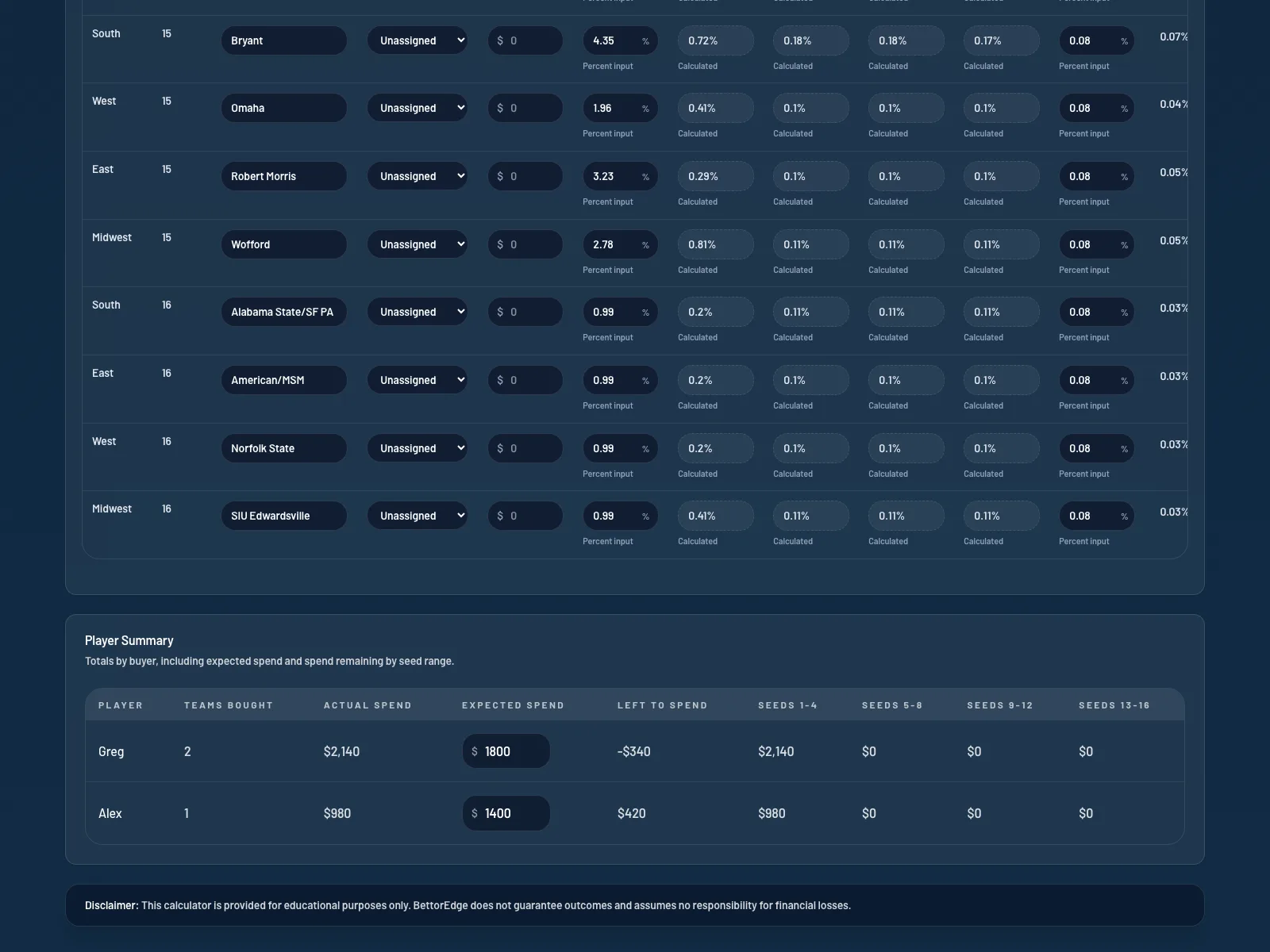
Once teams start selling, the Player Summary section shows how many teams each buyer has purchased, how much they have spent, and how their spend breaks down across seed ranges. This helps you understand room behavior and remaining buying power.
- 10
Save a snapshot or reset the board for a fresh model
Use Save snapshot to keep your local board state in the browser, and Reset board when you want to clear the current auction setup while staying in the same event template.
Tips
- •For March Madness, only the first-game win and championship win inputs are directly editable. BettorEdge calculates the middle rounds automatically unless you override them.
- •Use the Forecasted ROI column to stay disciplined when room prices drift above modeled value.
- •Export the board before or after the auction if you want a CSV backup or want to share the model with other bidders.
Expected outcome
You will know how to use BettorEdge's Calcutta workspace to model team values, enter auction prices, and spot overbids or value opportunities during a live March Madness Calcutta.
Open the Calcutta workspace.
Load an event, set your pot and payouts, and price every team live during the auction. Free.
Questions? Ask on r/BettorEdge, where the BettorEdge team answers.