
Pick'em competitions for your group
Start a contest, share an invite code, and let the leaderboard keep score.
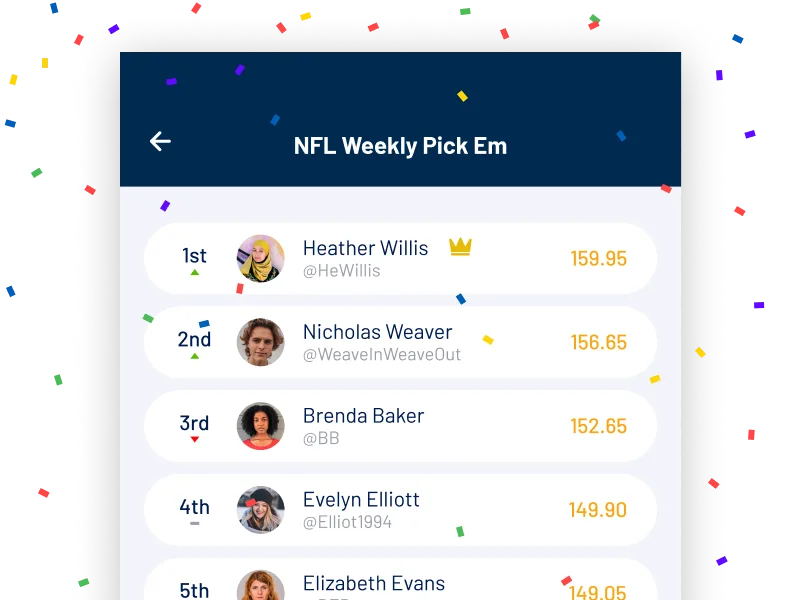
Get up to $100→An office pick'em runs on paper sheets, a group text and one person who grades everything on Tuesday. BettorEdge competitions move the pool into the app. You start a pick'em contest, your group joins with an invite code, and everyone follows the same leaderboard. Public pick'em contests are open to join as well, across more sports than football.
How it works
Start a contest
Open Competitions, tap the plus button and set up a pick'em for the games your group cares about.
Share the invite code
Friends join your private contest with the code. No sheets to hand out or collect.
Follow the leaderboard
Everyone sees the same standings, so nobody has to add up a column on Tuesday.
Why it matters
Related reads
Pick'em Competitions FAQ
How do I start a pick'em on BettorEdge?+
Open the Competitions tab and tap the plus button to create a contest, then share its invite code with your group.
How do friends join my pick'em?+
They open Competitions, choose Join Private Contest and enter the invite code you shared.
Can I still use a printable sheet?+
Yes. BettorEdge posts a free printable NFL and college football pick'em sheet with spreads every week, and the same pool can move into the app whenever your group is ready.