
How to Deposit on BettorEdge
Add funds to your BettorEdge wallet with a bank account, PayPal or a card, see what each method costs before you confirm, and understand your deposit limits.
Before you start
- •Your account must be verified before you can deposit.
- •Location must be on: BettorEdge confirms your state before taking a deposit.
- •Banks can receive withdrawals; PayPal and cards are deposit only.
Prerequisites
- •A verified BettorEdge account.
- •A bank account, PayPal account or card in your name.
- 1
Open your wallet
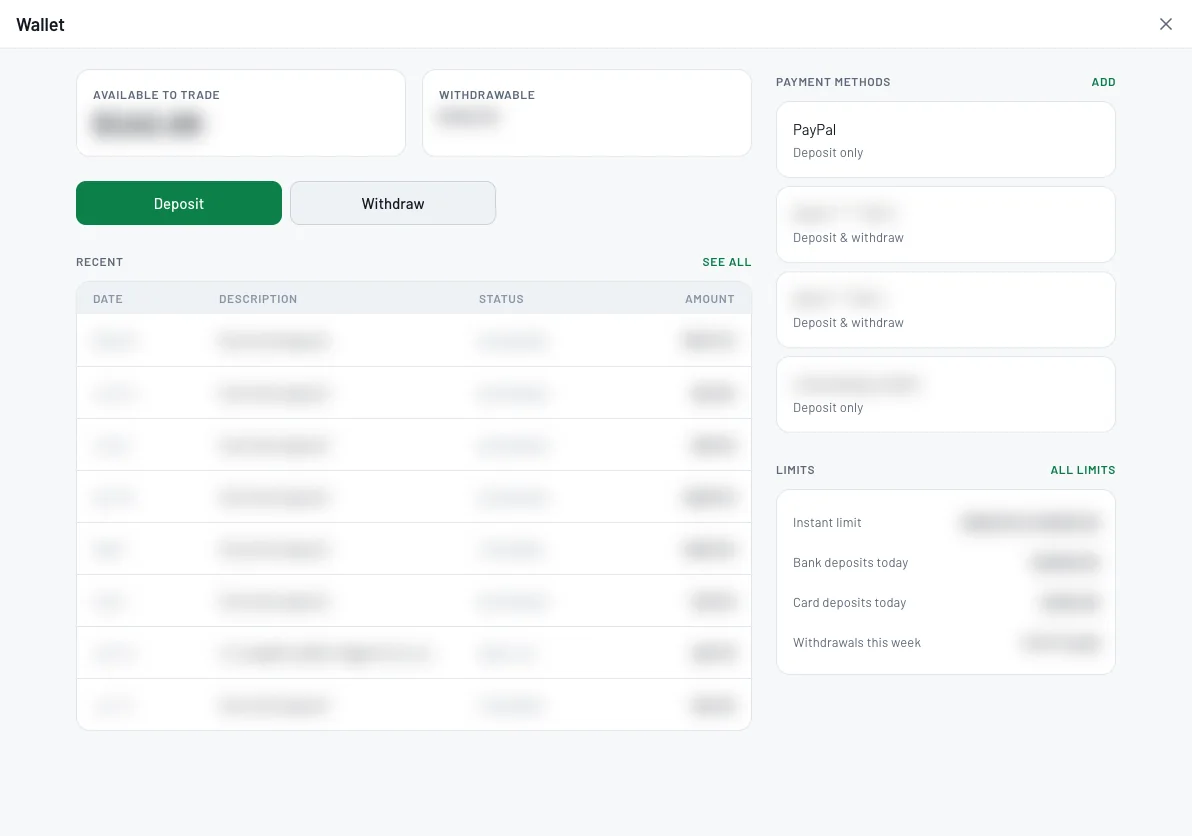
Tap your balance at the top of the screen and choose Open wallet. The wallet shows what's available to trade, what's withdrawable, your recent transactions, payment methods and limits.
- 2
Tap Deposit and choose an amount
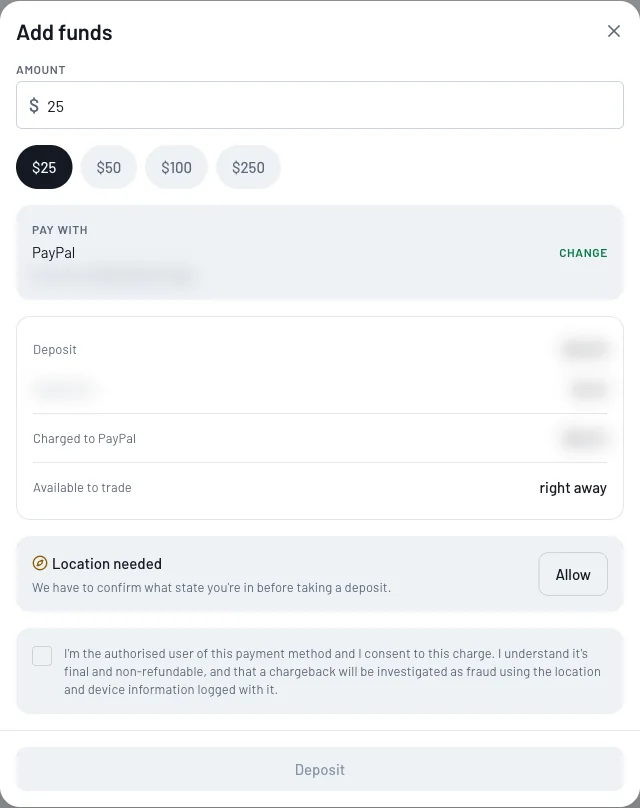
Tap Deposit, then type an amount or tap one of the quick amounts. The summary below shows the deposit, any fee for the payment method, the total charged, and when the money is available to trade.
- 3
Pick how to pay, or add an account
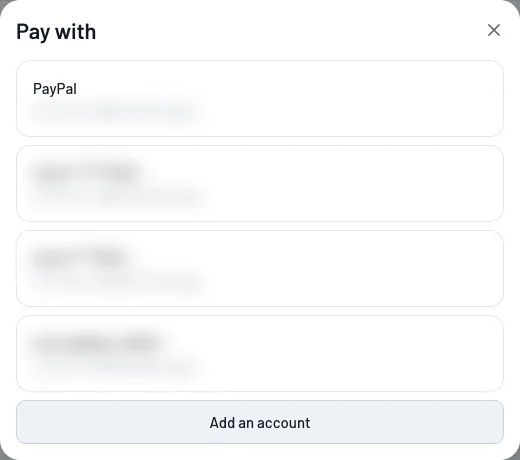
Under Pay with, tap Change to choose a saved bank account, PayPal or card. Each shows its fee and how much more you can add today. To link a new bank or card, tap Add an account.
- 4
Confirm your location and the charge
Allow location if asked: BettorEdge has to confirm your state before taking a deposit. Then tick the box confirming you're the authorized user of the payment method (deposits are final, and chargebacks are investigated as fraud), and tap Deposit.
- 5
Check your limits
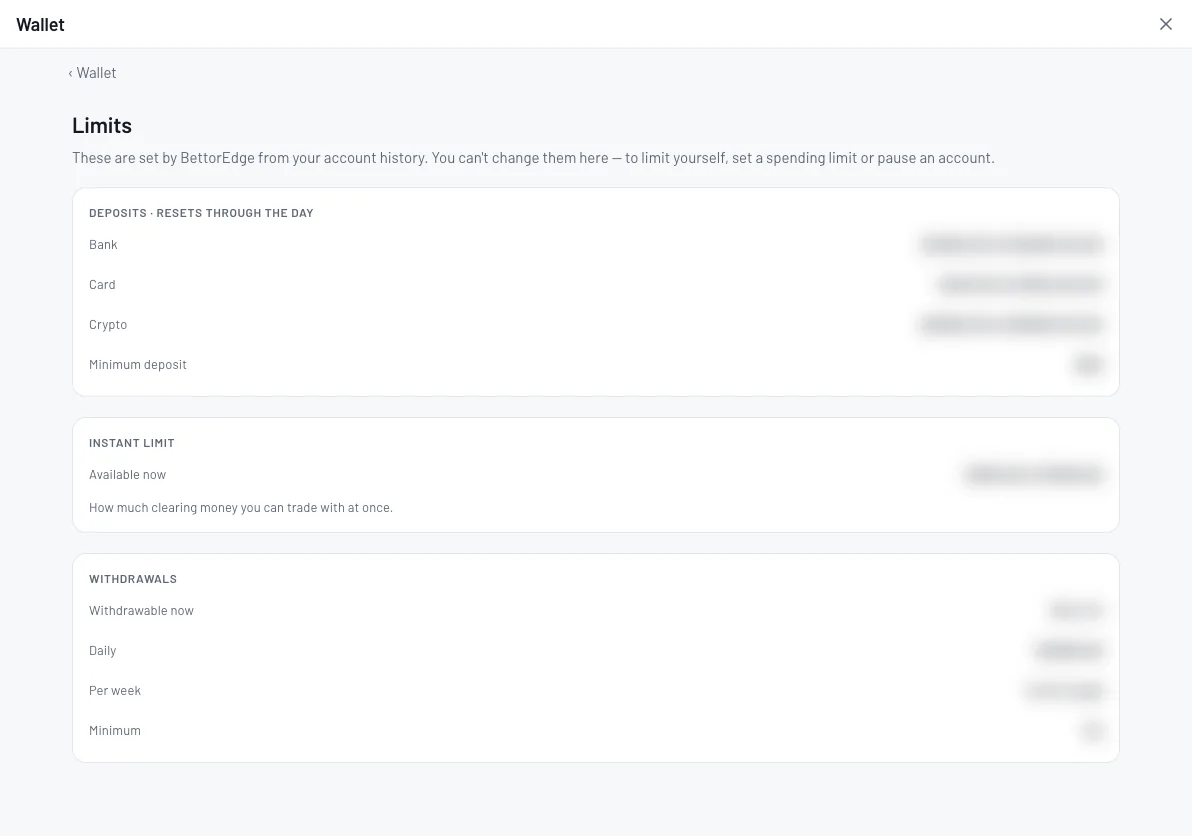
In the wallet, tap All limits. You'll see how much you can deposit today by bank and card (resets through the day), the minimum deposit, and your instant limit: how much clearing money you can trade with at once.
Tips
- •The Add funds screen shows the deposit, any fee for the method you picked, and the total charged before you confirm. Compare methods with Change.
- •If you plan to withdraw winnings, add a bank account: PayPal and cards can't receive withdrawals.
- •Want to limit yourself? Set a spending limit or pause your account. BettorEdge's own limits are set from your account history.
Questions
Which payment methods can I use?+
Bank accounts, PayPal and cards. Banks work for deposits and withdrawals; PayPal and cards are deposit only.
Is there a fee to deposit?+
It depends on the method. The Add funds screen shows any fee and the total charged before you confirm, and Change lets you compare methods.
What is the instant limit?+
How much of your deposited money you can trade with while it's still clearing. Your Limits page shows your current amount; BettorEdge sets it from your account history.
Can I cancel a deposit?+
Deposits are final once you confirm. If something looks wrong, contact support from Account → Email support.
Expected outcome
Funds are in your BettorEdge wallet and you know which payment method fits, how much you can add today, and when the money is available to trade.
Try it on BettorEdge.
Create your account and follow along in the app. Sign up for a shot at up to $100. No deposit needed.
Questions? Ask on r/BettorEdge, where the BettorEdge team answers.