
How to Host Your Own Calcutta Auction on BettorEdge
Create a Calcutta competition on BettorEdge, configure auction settings and payout rules, activate it, invite participants, and start the auction.
Before you start
- •Sign in to your BettorEdge account before starting the setup flow.
- •Know which event or template you want to use for the Calcutta.
- •Decide whether your auction will run as a sealed bid, live auction, or sweepstakes format.
Prerequisites
- •You need access to the Competitions section in BettorEdge.
- •You should know your minimum bid, bid increments, and entry fee before you begin.
- •Participants should be ready to deposit and transfer funds into Calcutta Escrow before the auction starts.
- 1
Go to Competitions
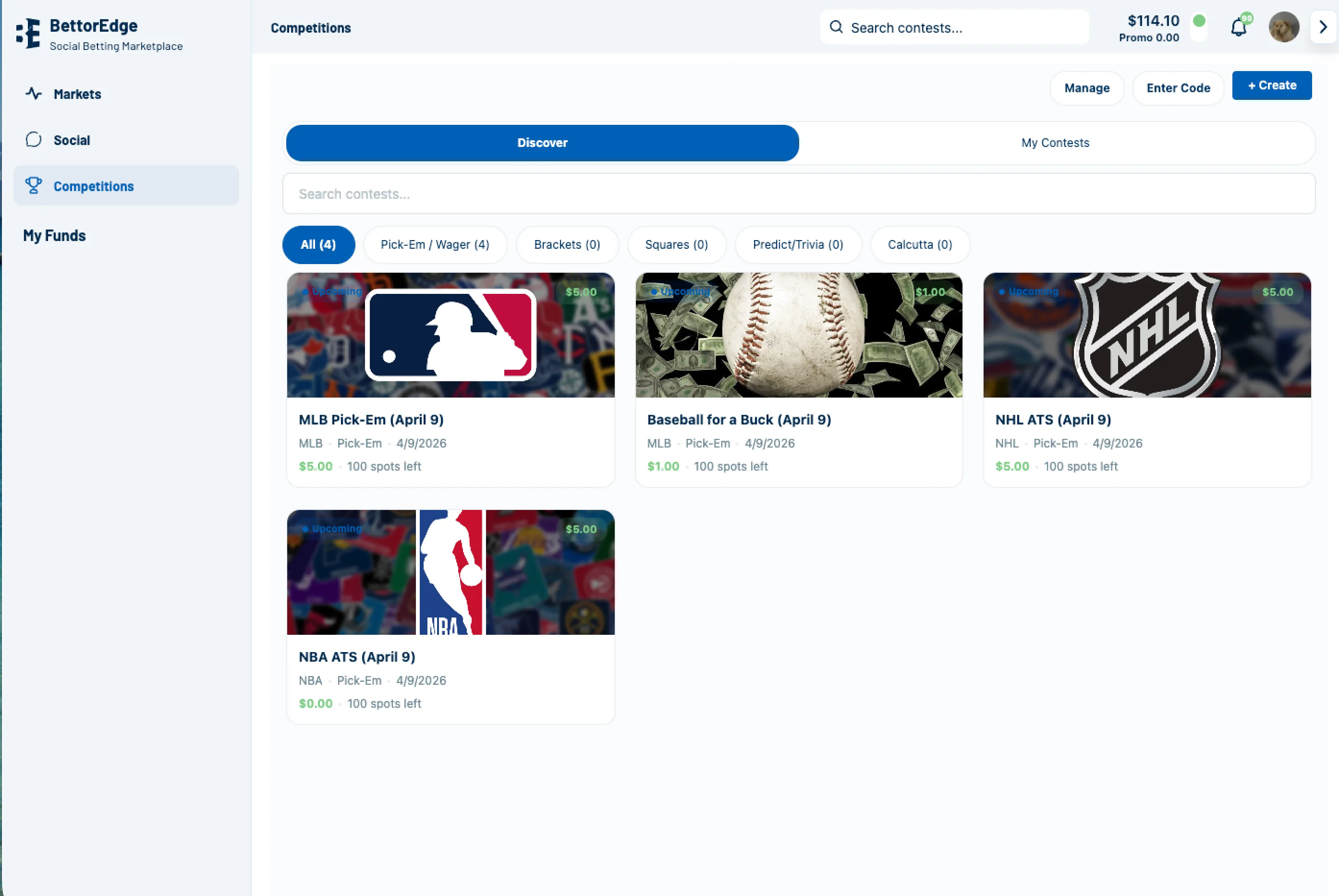
Open BettorEdge and go to the Competitions tab to begin creating your Calcutta.
- 2
Click the plus button to create a competition
On the Competitions screen, click the plus button or create action to start a new competition.
- 3
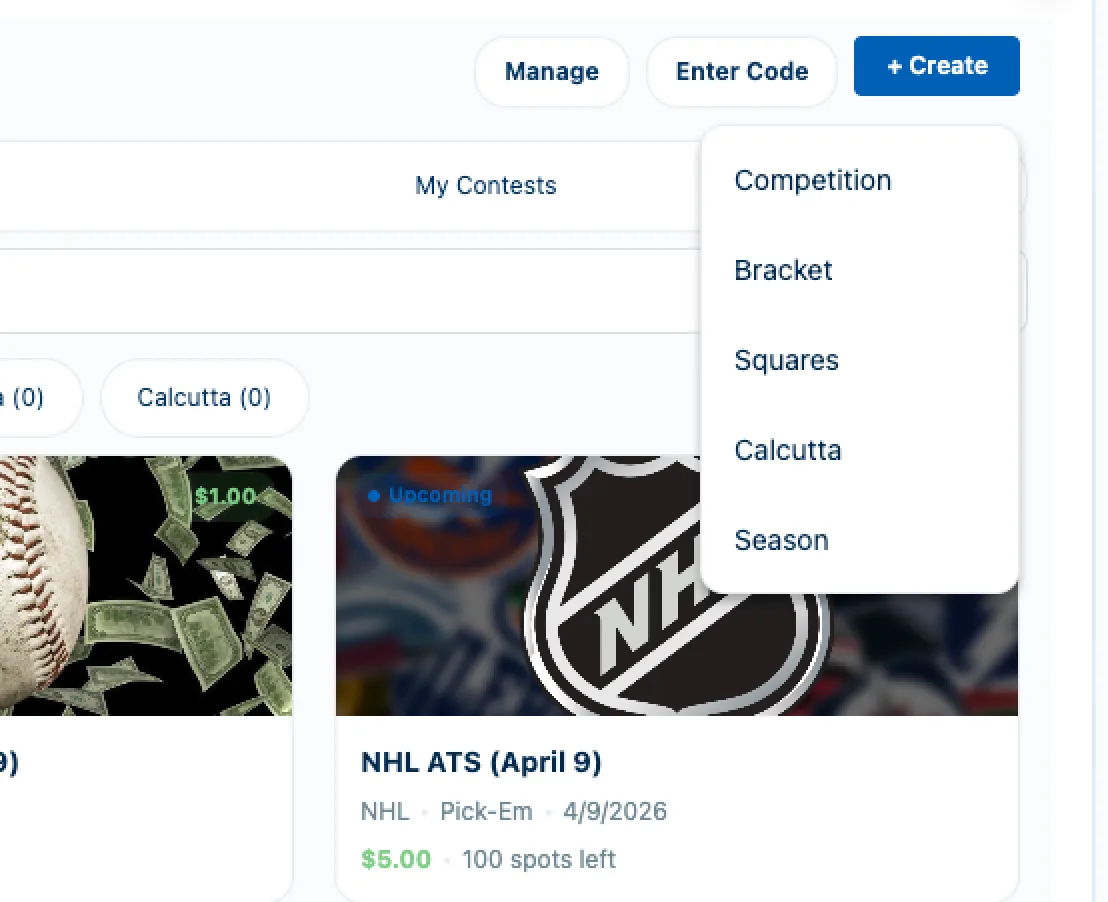
Select Calcutta as the competition type
Choose Calcutta as the competition format. If you want custom branding, you can also add an image for the competition during setup.
- 4
Select the template or event
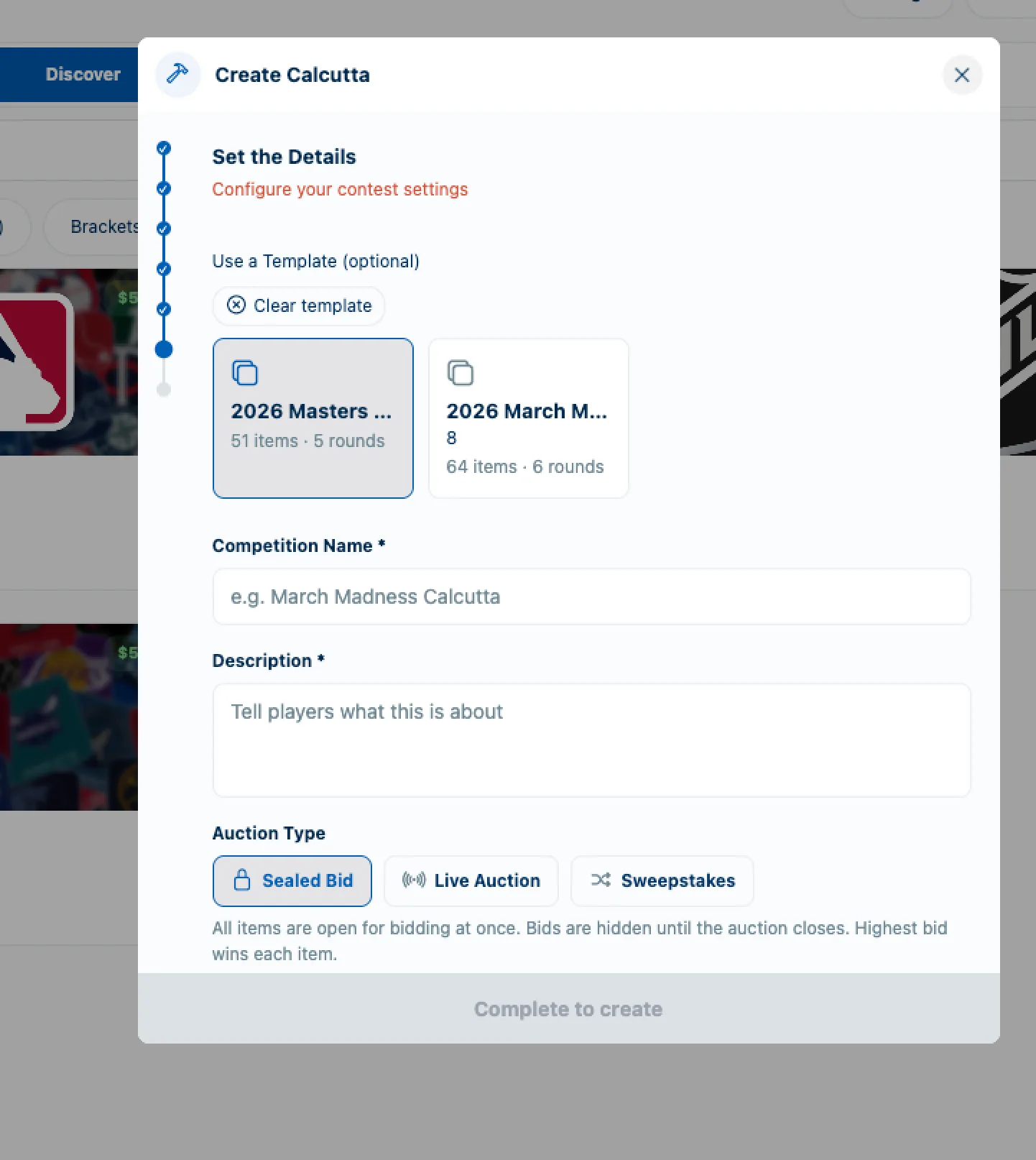
Choose the Calcutta template or event you want to host, such as the specific tournament tied to your auction.
- 5
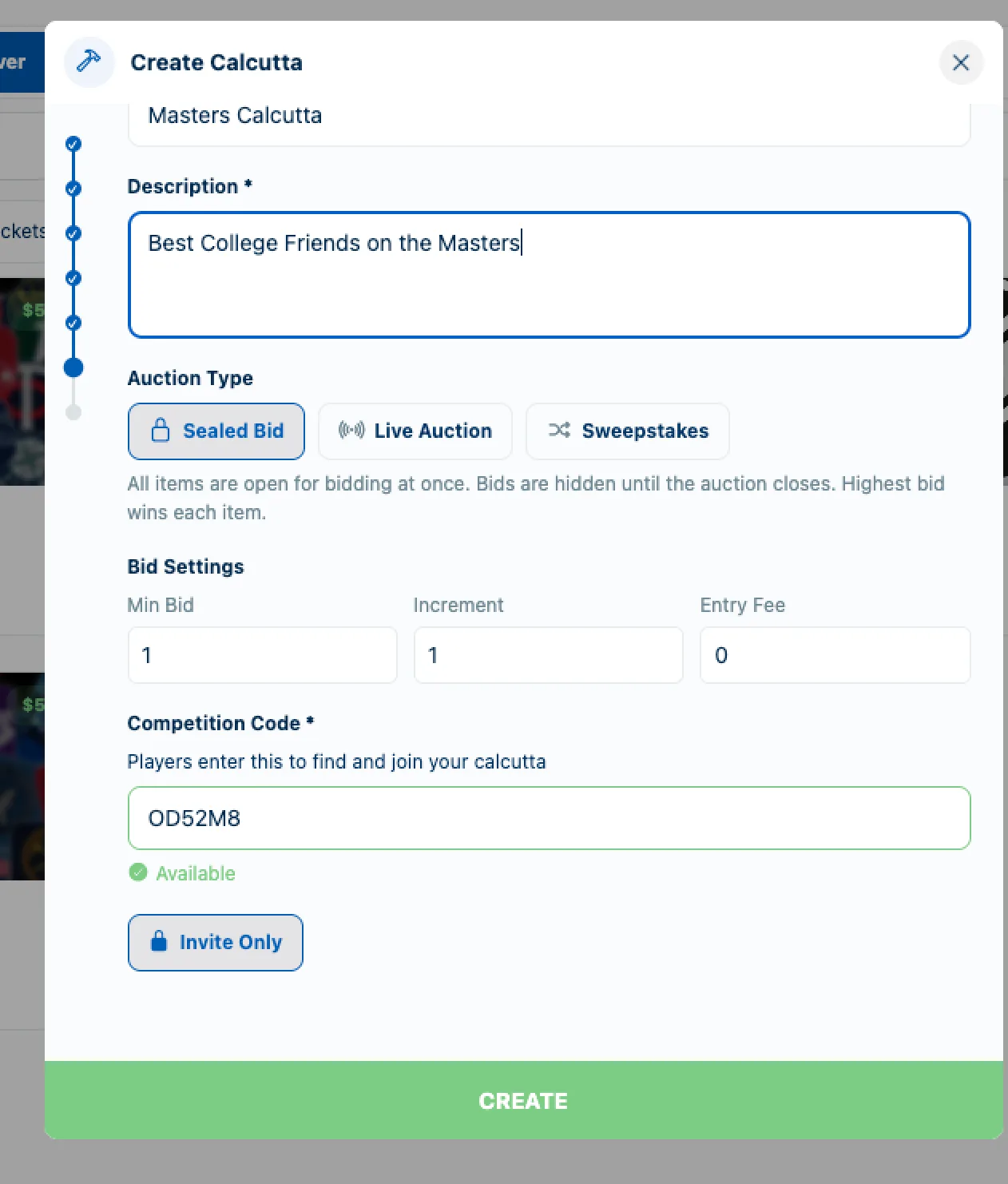
Add the competition name and description
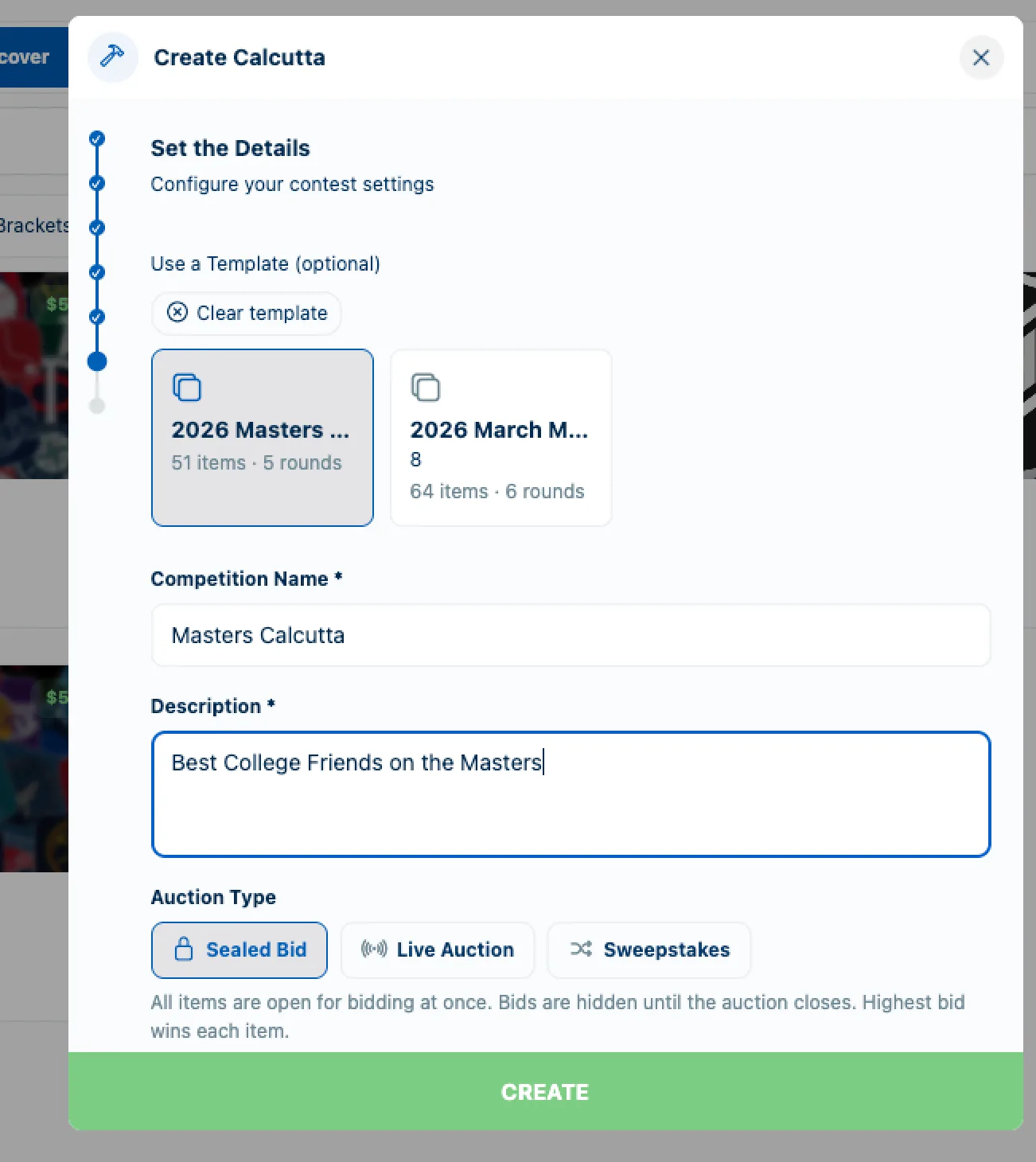
Enter a name and description that tell participants exactly what auction they are joining.
- 6
Enter the Calcutta details
Set the auction type to Sealed Bid, Live Auction, or Sweepstakes, then enter the bid settings such as minimum bid, bid increments, and entry fee.
- 7
Create the competition and open the engagement
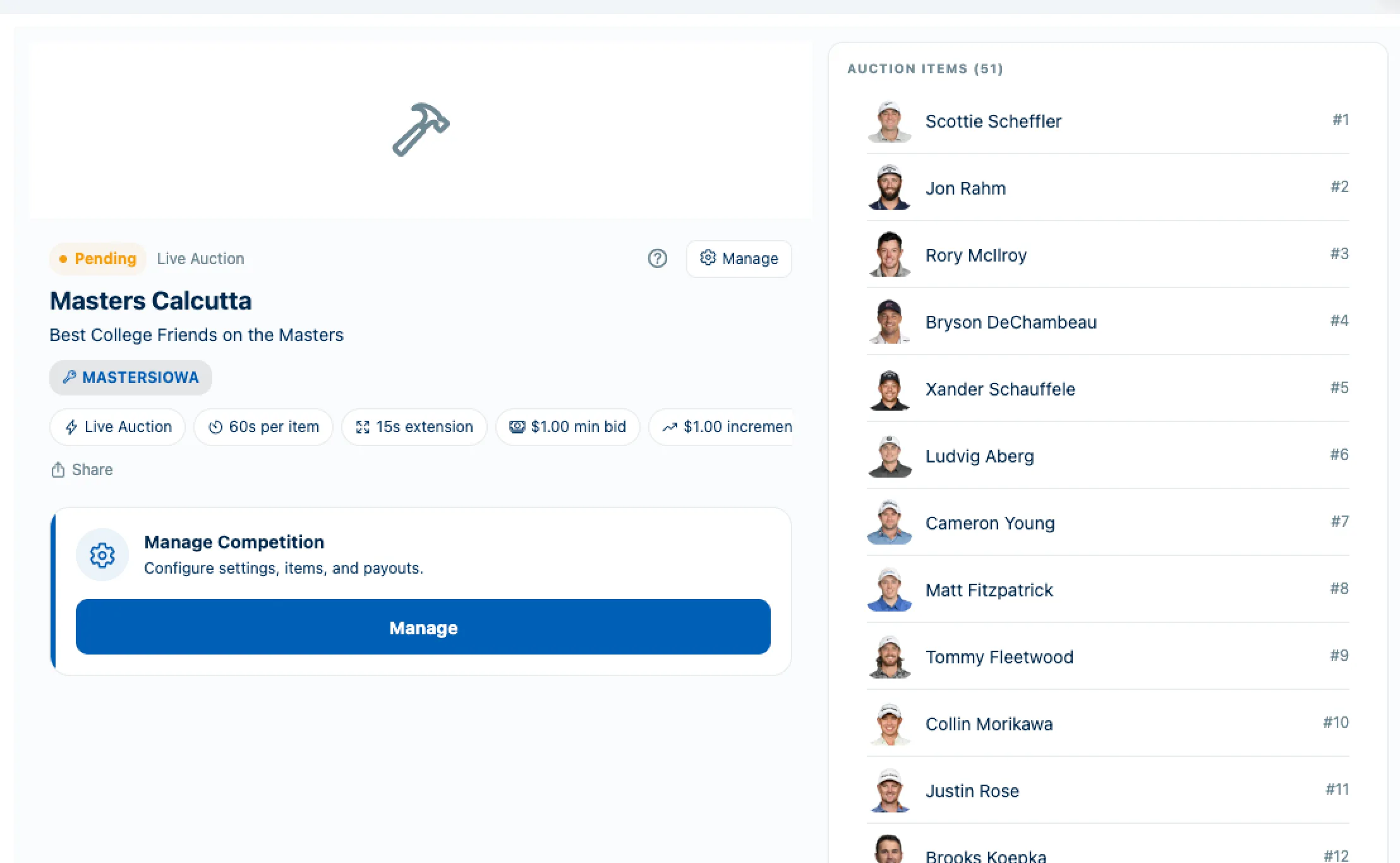
Click Create, then open the new Calcutta engagement so you can finish the auction setup.
- 8
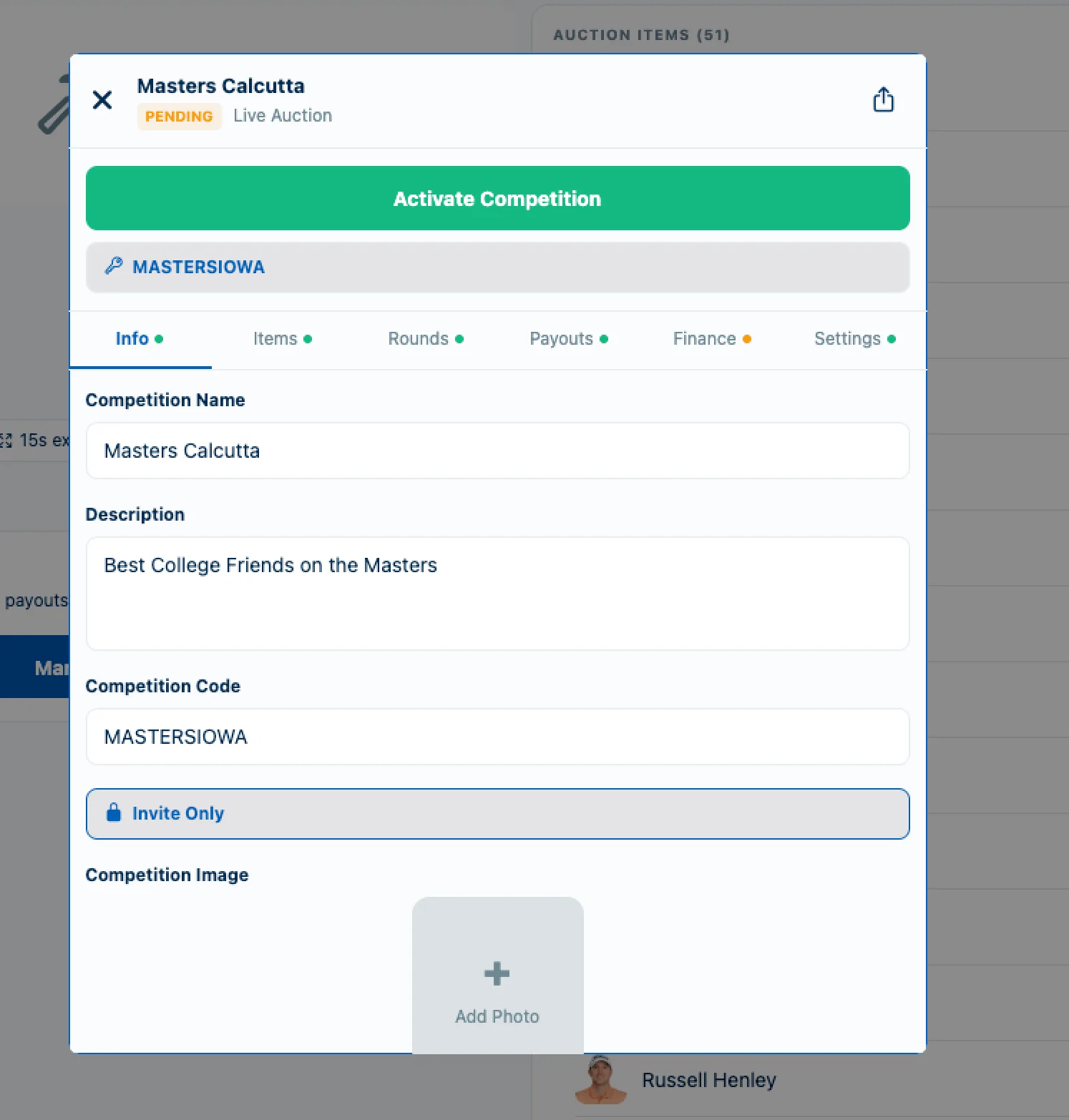
Open Manage and configure the payout settings
Click Manage on the Calcutta engagement, then review or generate the payout rules you want to use for the auction.
- 9
Activate the competition
Once the event setup and payout rules look correct, click Activate Competition to make the Calcutta ready for participants.
- 10
Send the Calcutta to your friends
Share the Calcutta with participants and make sure they have deposited and transferred funds into Calcutta Escrow before the auction begins.
- 11
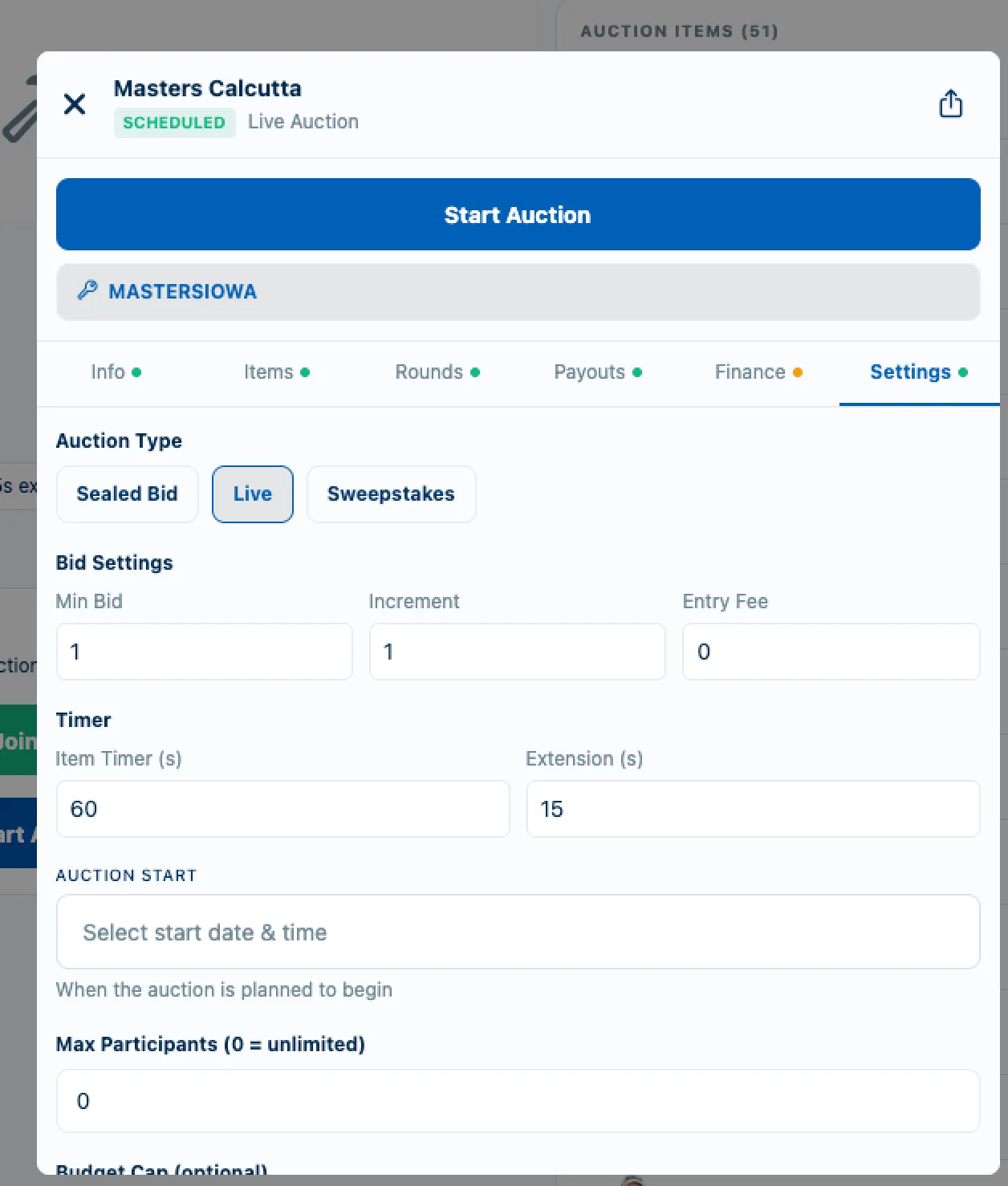
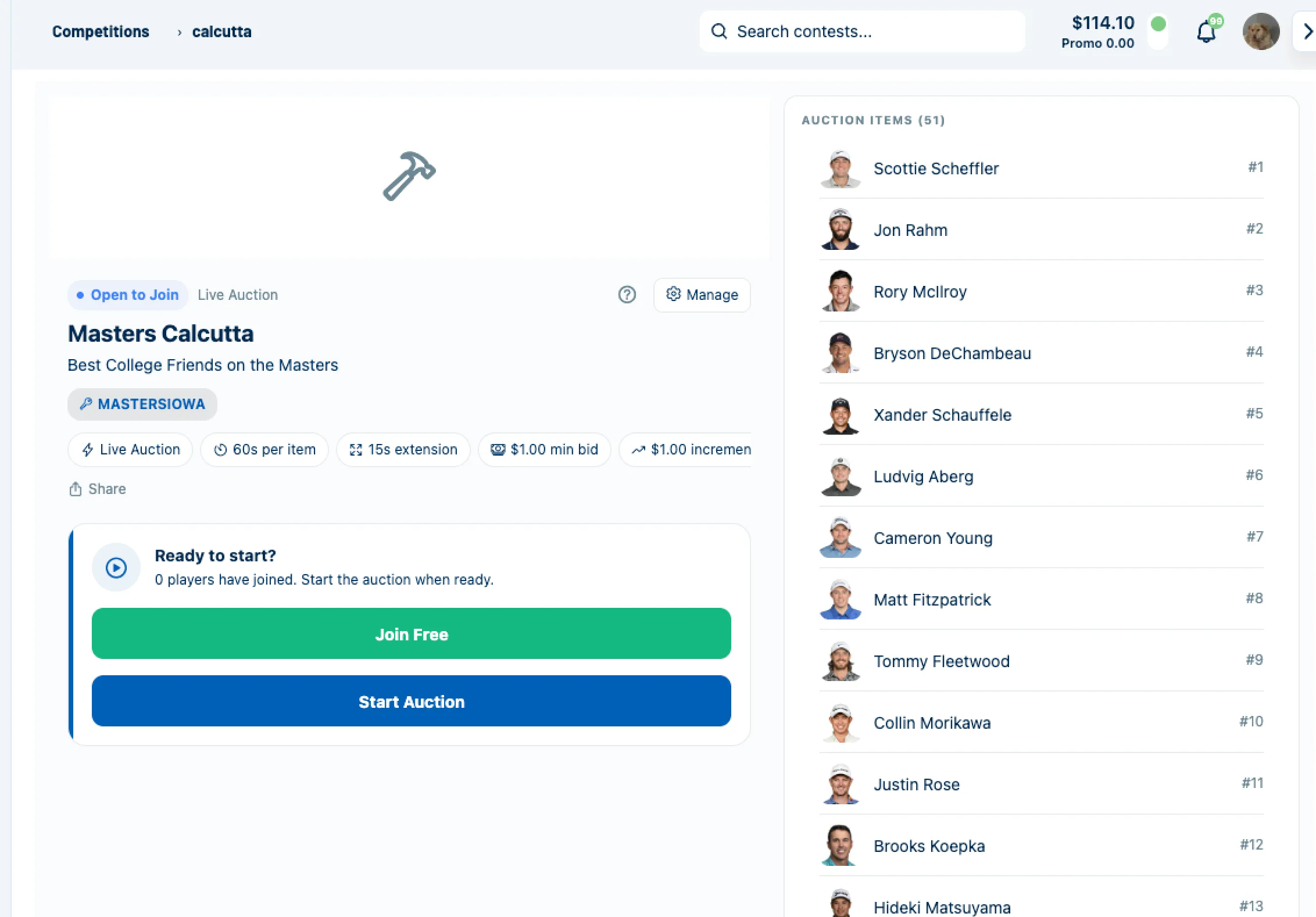
Start the auction at auction time
When it is time to run the room, return to the engagement and click Start Auction to begin.
Tips
- •Use a clear competition name so invitees can recognize the event immediately.
- •Double-check your payout rules before activation so the auction does not need to be reworked later.
- •If you are running a live room, confirm escrow funding before you press Start Auction.
Expected outcome
You will create a Calcutta competition, configure the payout settings, activate it, invite participants, and be ready to start the auction.
Try it on BettorEdge.
Create your account and follow along in the app. Sign up for a shot at up to $100. No deposit needed.
Questions? Ask on r/BettorEdge, where the BettorEdge team answers.