
- 1
Sign in
Go to play.bettoredge.com and sign in to your account.
- 2
Open your account
Click your profile picture, then choose Account.
- 3
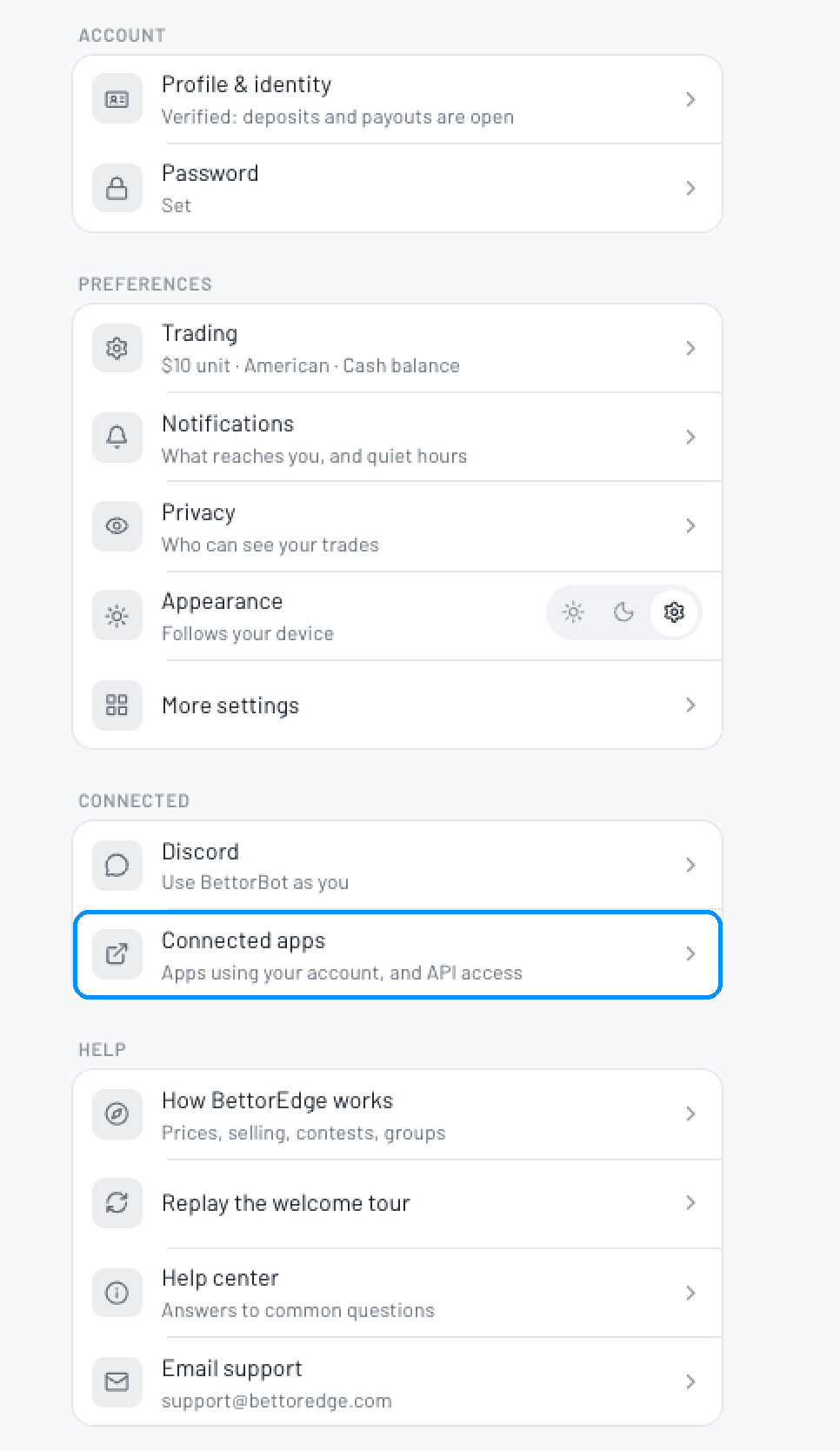
Open Connected apps
Scroll to the Connected section and tap Connected apps. This is where you manage apps using your account, and your API access.
- 4
Set up your token
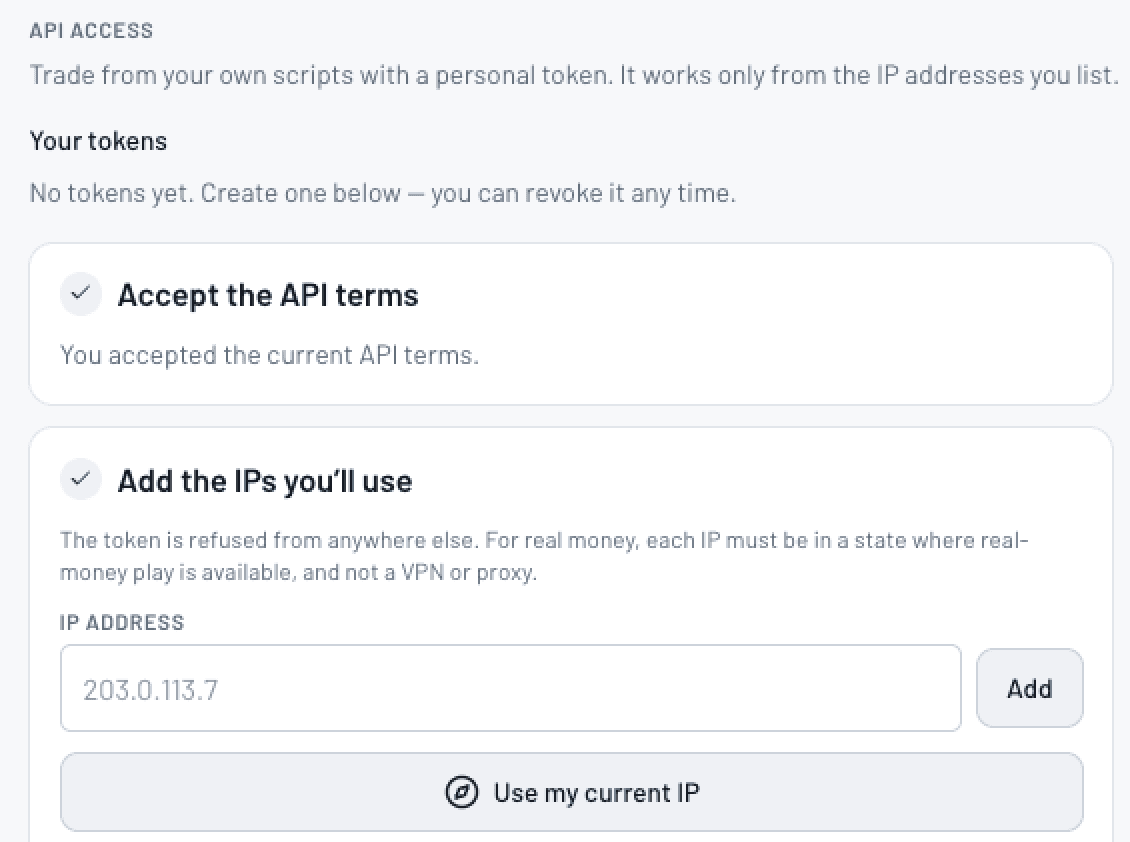
Under API Access:
- Accept the API terms.
- Add the IP addresses you will call from, or use Use my current IP. Your token is refused from any other address. For real-money trading, each IP has to be in a state where real-money play is available, and cannot be a VPN or proxy.
- Create your token. You can revoke it at any time.
- 5
Start building with Pulse
Pulse is the home of the BettorEdge API. Head to pulse.bettoredge.com for the API docs, code examples, and an explorer where you can try requests with your token before you write any code.
Don't see API Access?
It needs to be turned on for your account. Email support@bettoredge.com with your BettorEdge username and we'll enable it.