
How to Add a Sports Betting Bot to Discord
Add the free BettorEdge sports betting bot to your Discord in under a minute, then use it for live odds, right-click odds on any message, the best bet in a league, and a daily best-bet drop.
Before you start
- •Have Discord open on desktop, web or mobile. Every step works in the regular Discord app.
- •To add the bot to a server you need the Manage Server permission there. If you don't run the server, use Add to My Apps instead.
- •Seeing odds needs no BettorEdge account. You only link one when you want to place a bet.
Prerequisites
- •A Discord account.
- •For server-wide features like /notify: the Manage Server permission in that server.
- 1
Open bettoredge.com/discord and click Add the bot
Go to the BettorEdge Discord bot page and click Add the bot to your server. The button opens Discord's own install screen; nothing to download.
- 2
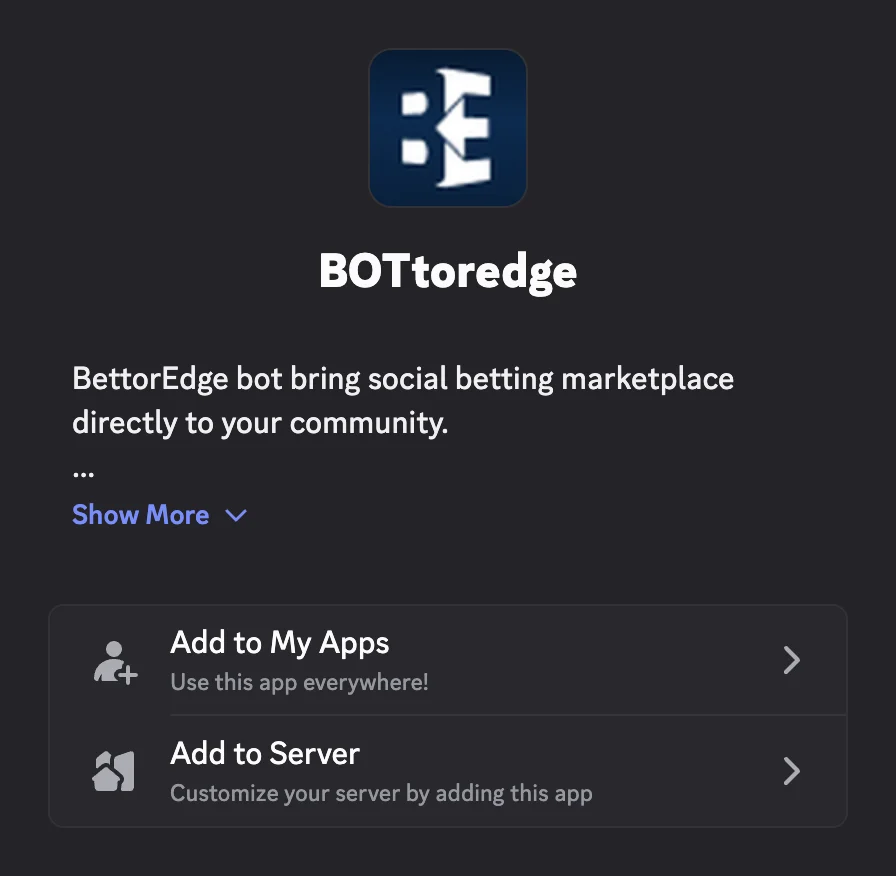
Choose Add to Server, then pick your server
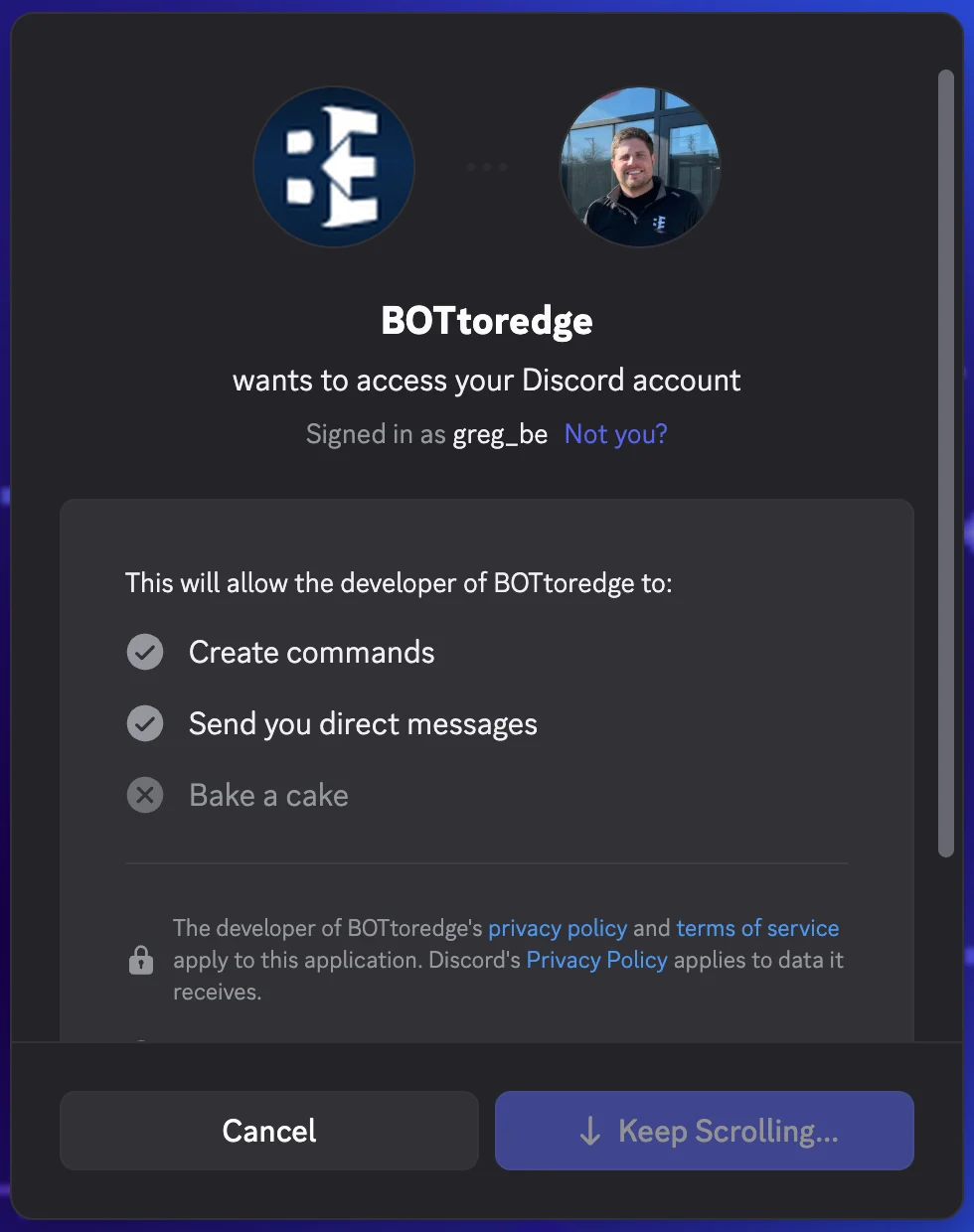
Discord asks where to add BOTteredge. Choose Add to Server, pick the server you manage, and authorize it. It needs permission to post in your channels so it can drop odds and embeds.
- 3
Or choose Add to My Apps to use it anywhere
Don't run the server? Choose Add to My Apps. The bot's commands then follow you into any server or DM, no admin needed.
- 4
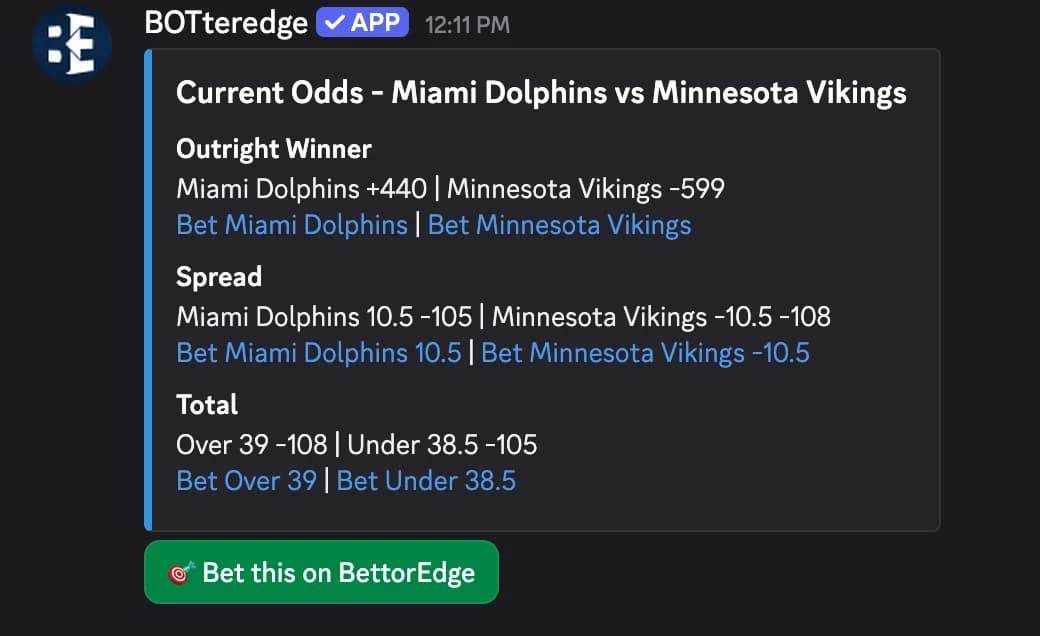
Type /odds and a team
In any channel, type /odds and a team or player, then pick the game. The bot posts live odds right in the channel: the winner, the spread and the total. Odds are free and nobody needs an account to see them.
- 5
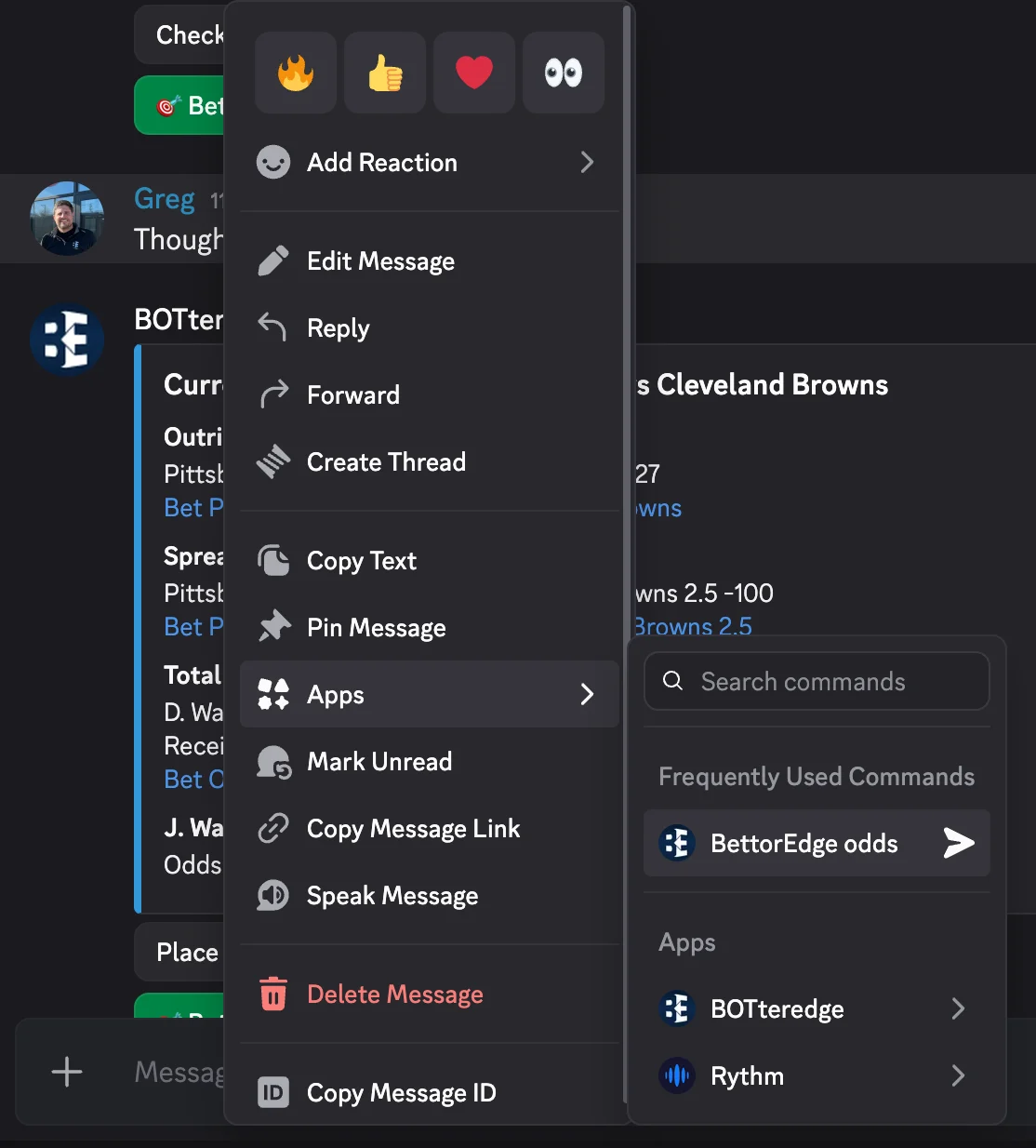
Right-click a message about a game
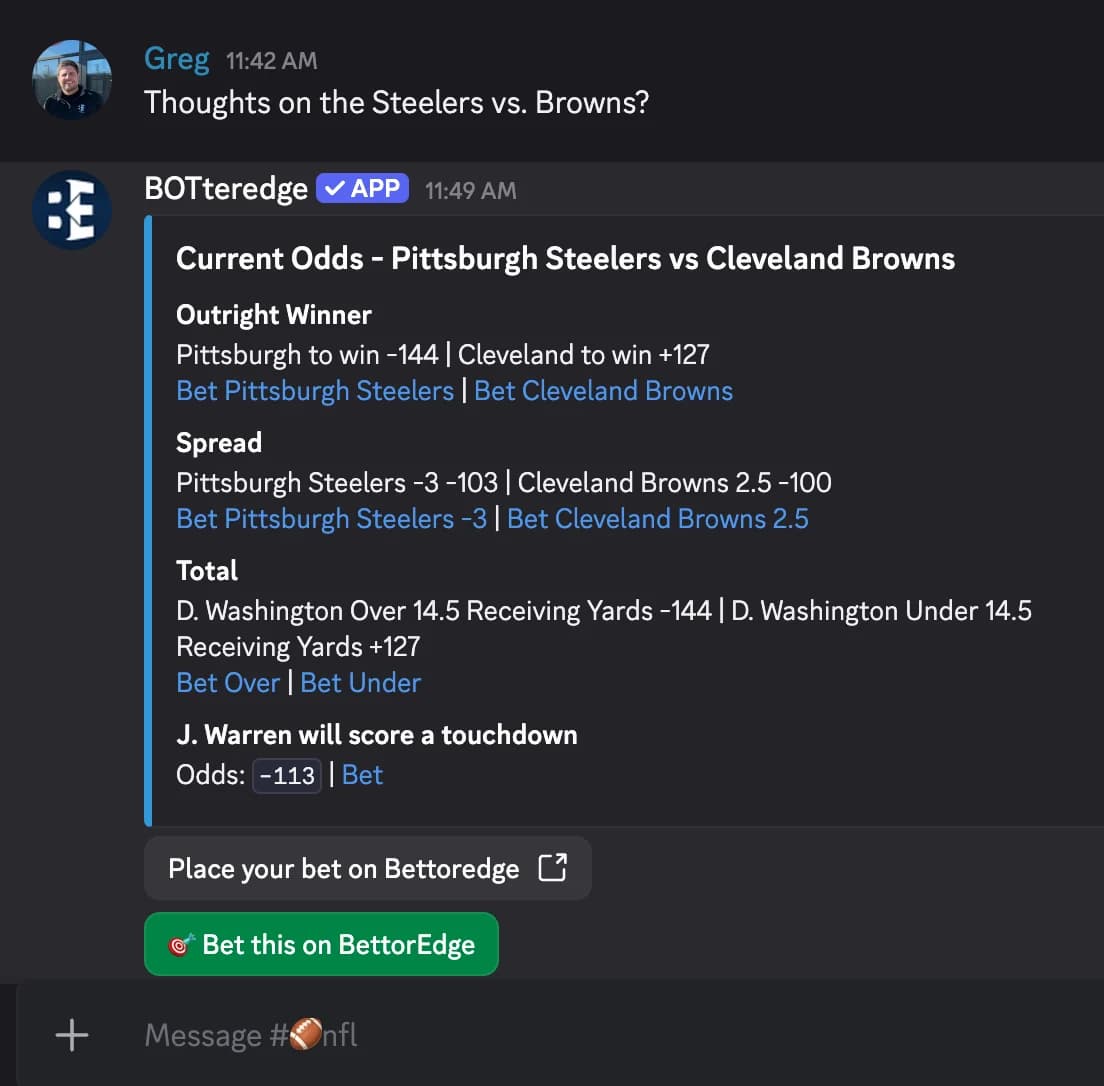
Somebody asking about a game? Right-click their message (long-press on mobile), choose Apps, then BettorEdge odds.
- 6
The bot answers with the line
The bot spots the teams in the message and answers with that game's odds, so the conversation keeps going with real numbers in it.
- 7
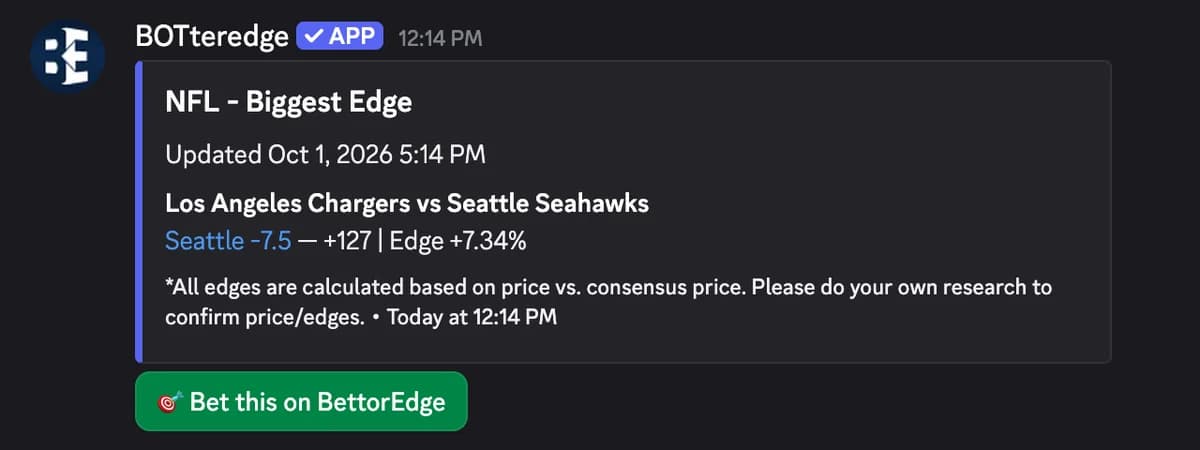
Use /bestbet for the biggest edge in a league
Type /bestbet and a league, like NFL. The bot posts the bet with the biggest edge versus the consensus price right now.
- 8
Schedule a daily best bet with /notify
Server admins can run /notify set with a league, a channel, a time (24-hour) and a timezone. The bot then drops that league's best bet in the channel every day at that time.

- 9
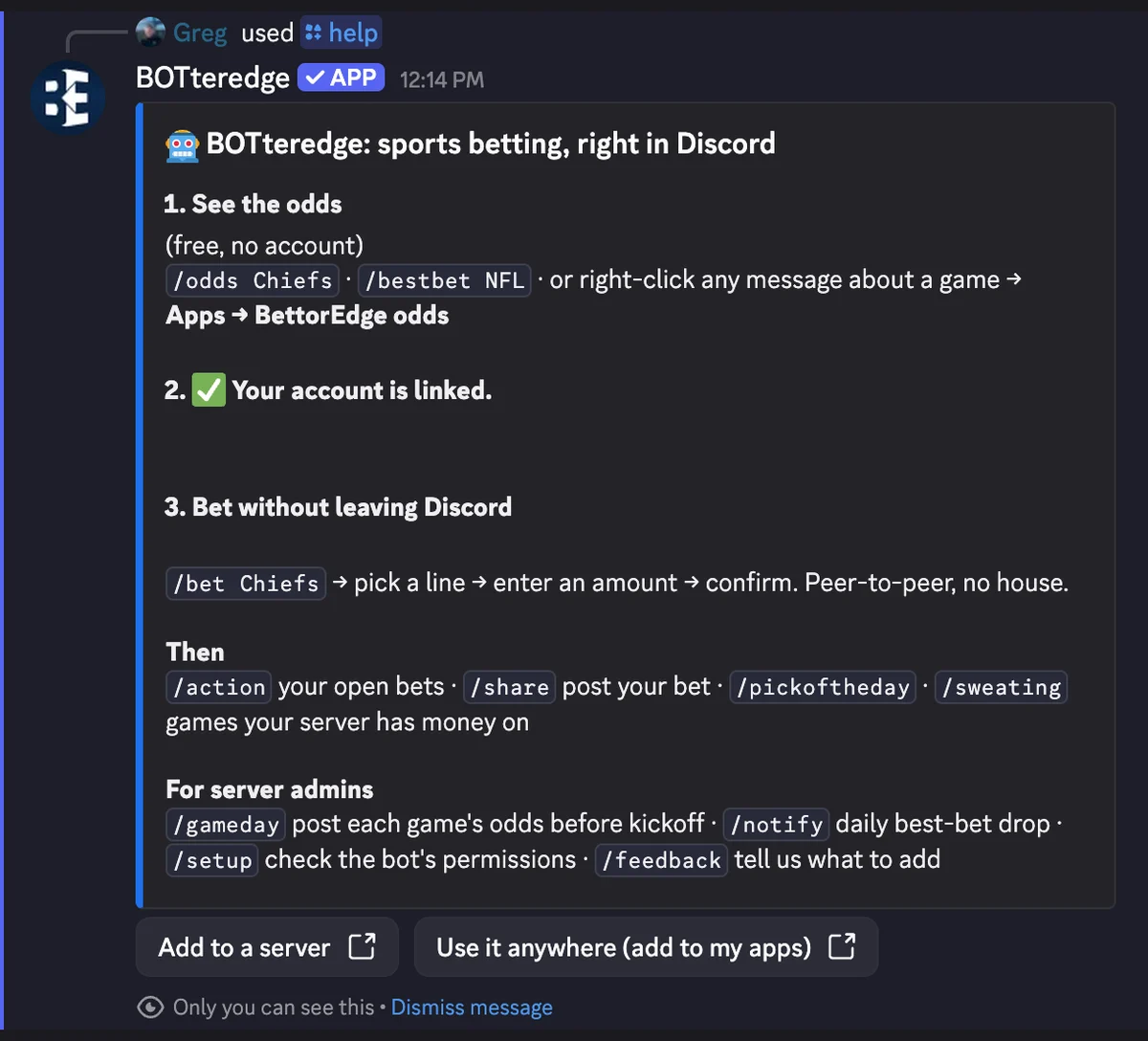
Type /help to see every command
/help shows the whole bot in one card: odds, linking your account, and betting. When your crew wants action, run /connect to link a free BettorEdge account and tap Bet this on any odds post.
Tips
- •Add to My Apps puts the bot's commands on your own account, so they work in any server or DM, even ones that never installed it.
- •If the bot says Missing Permissions or doesn't respond in a channel, run /setup there. It checks the bot's permissions and tells you what to fix.
- •Odds posts carry a Bet this button. Anyone who taps it is walked through the bet privately, matched peer to peer with other people, not a house.
Questions
Is the BettorEdge Discord bot free?+
Yes. Adding it is free, and /odds, /bestbet and right-click odds work for everyone with no account. You only need a BettorEdge account to place a bet.
Do I need to be a server admin?+
To add it to a server, you need the Manage Server permission there. Anyone can choose Add to My Apps and use the commands in any server or DM.
How do bets work from Discord?+
Tap Bet this on an odds post. The bot walks you through it privately in the chat, and your bet is matched peer to peer with other people on BettorEdge, not against a house.
The bot isn't responding. What do I do?+
Run /setup in that channel. It checks the bot's permissions there and tells you exactly what to change.
Expected outcome
The BettorEdge bot is in your server or on your account, and you can pull live odds, answer "who should I take?" with the line, find the best bet in a league and schedule a daily drop.
Add the bot to your server.
Free to add. Live odds in chat for everyone, bets for anyone who links an account.
Questions? Ask on r/BettorEdge, where the BettorEdge team answers.