
How to Link Your BettorEdge Account to Discord
Link BettorEdge to Discord in about a minute: get a code in the app, paste it with /connect in Discord, and confirm it's you. Then bet from any server with the BettorEdge bot.
Before you start
- •You only need to link to place bets from Discord. Seeing odds with /odds, /bestbet and right-click odds works for anyone, no account needed.
- •Have the BettorEdge app (or play.bettoredge.com) and Discord open side by side, or on your phone and computer.
- •The bot appears in Discord as BOTteredge; the app calls it BettorBot. Same bot.
Prerequisites
- •A BettorEdge account. New? Sign up first (free, up to $100 for new players).
- •Discord, in a server that has the BettorEdge bot, or a DM with the bot.
- 1
In BettorEdge, open Account, then Discord
Open the BettorEdge app or play.bettoredge.com, go to Account and tap Discord under Connected.

- 2
Tap Get my code
The Discord screen shows three steps. Tap Get my code. You'll see a box that says Run this in Discord with your /connect command and a copy button. The code is good for 10 minutes.
- 3
In Discord, run /connect and paste the code
In any server with the BettorEdge bot (or a DM with it), type /connect, paste your code into the code box and press Enter. The bot replies privately: Code accepted.

- 4
Back in BettorEdge, confirm it's you
The app's Discord screen moves on by itself once the bot sees your code. Check that the Discord account shown is yours, then confirm. If it isn't yours, cancel: someone else used your code.
- 5
You're linked. Place a bet from Discord
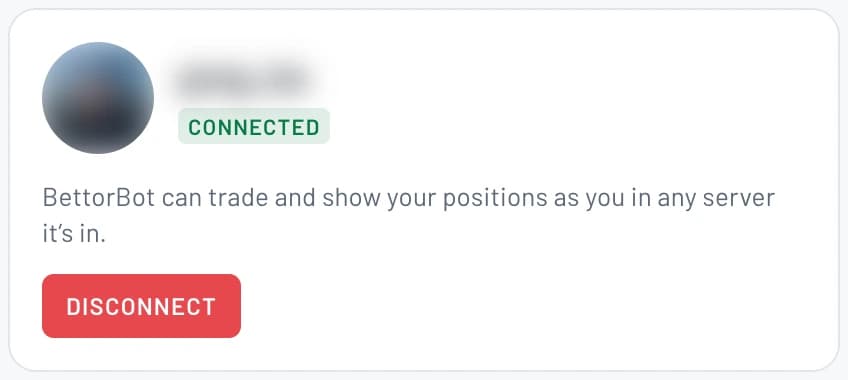
The Discord screen now shows Connected. In Discord, type /bet and a team, or tap Bet this on any odds post, and your bet goes through as you.
Tips
- •Codes are good for 10 minutes. If one expires, tap Get my code again for a fresh one.
- •You can run /connect in any server with the bot, or in a DM with it.
- •Run /status in Discord any time to check whether you're linked.
- •Once linked: /action shows your live bets, /share posts your last bet for the server to tail, and /help lists every command.
- •To unlink, open Account, then Discord in the app and tap Disconnect, or run /disconnect in Discord.
Questions
Do I need to link my account to use the bot?+
No. Odds, best bets and right-click odds work for everyone. Linking is only for placing bets from Discord.
My code didn't work. What now?+
Codes last 10 minutes. In the app, open Account, then Discord and tap Get my code for a fresh one, then run /connect again.
The bot isn't in my server.+
Run /connect in a DM with the bot instead, or add it to your own account with Add to My Apps on bettoredge.com/discord.
Is it safe?+
Linking only lets the bot place bets and show your positions as you. You confirm the Discord account in the app before anything is linked, and you can disconnect any time.
How do I unlink?+
In the app, open Account, then Discord and tap Disconnect, or run /disconnect in Discord.
Expected outcome
Your Discord account is linked to BettorEdge, and /bet and the Bet this button place bets as you without leaving Discord.
New to BettorEdge?
Create your free account first, then link it to Discord in a minute. New players can get up to $100.
Questions? Ask on r/BettorEdge, where the BettorEdge team answers.