
How to Run Football Squares on BettorEdge
Run an auction squares board for any football game on BettorEdge: choose the game, set the minimum bid, pick open or silent bidding and the payout schedule, and let the board settle each period.
Before you start
- •BettorEdge squares are auction squares: players bid on squares instead of a random draw.
- •Each board is for one game, because squares pay out on that game's period scores.
- •Real-money boards need a verified account.
Prerequisites
- •A BettorEdge account (verified for real money).
- •A game to run the board on.
- 1
Find squares in Contests
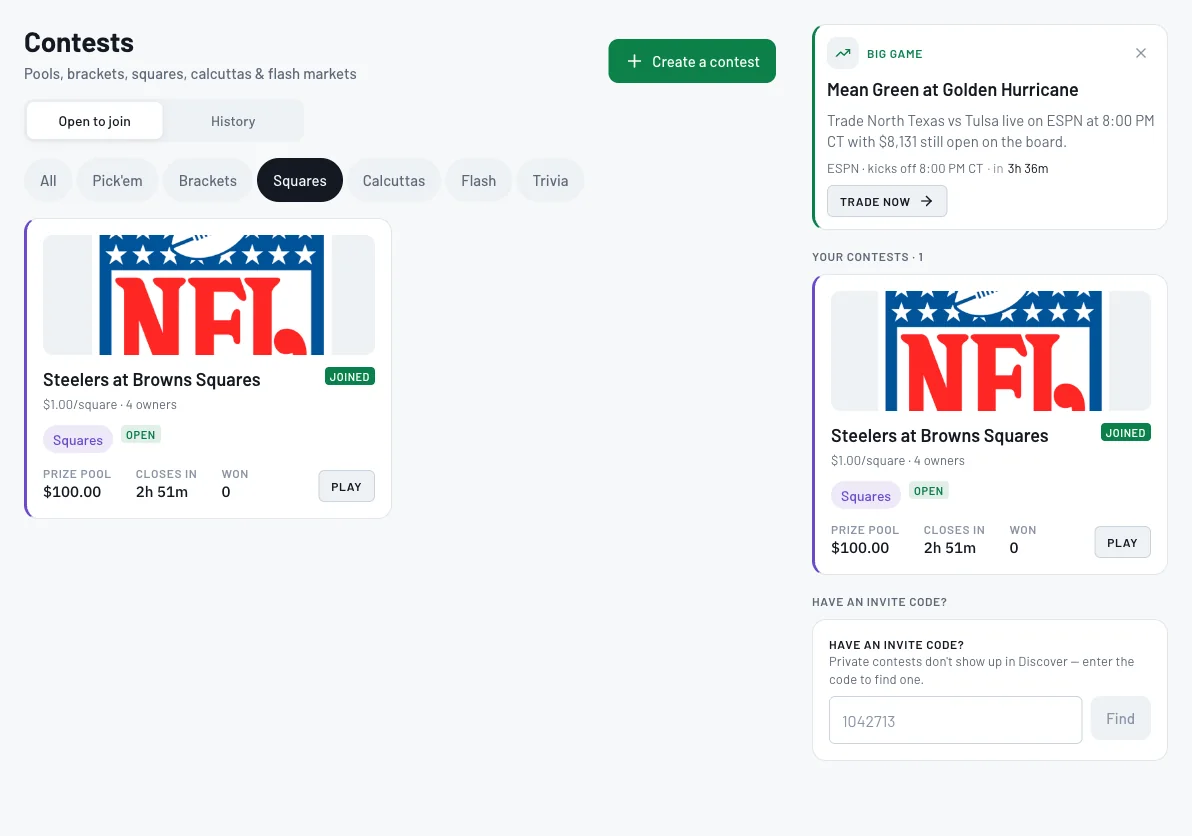
Open Contests and filter by Squares to see open boards. To run your own, click Create a contest and choose Auction Squares: a 100-square board auctioned off that pays out on each period's score.
- 2
Choose the game
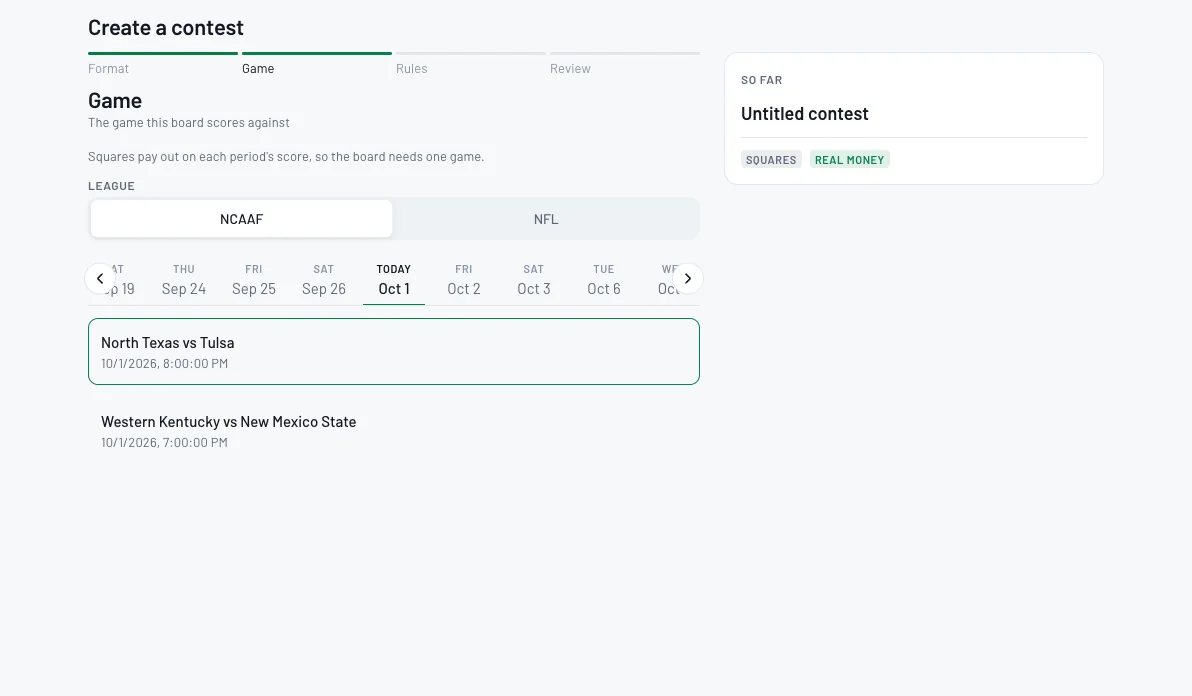
Pick the league and date, then the game. Squares pay out on each period's score, so the board needs one game.
- 3
Name the board
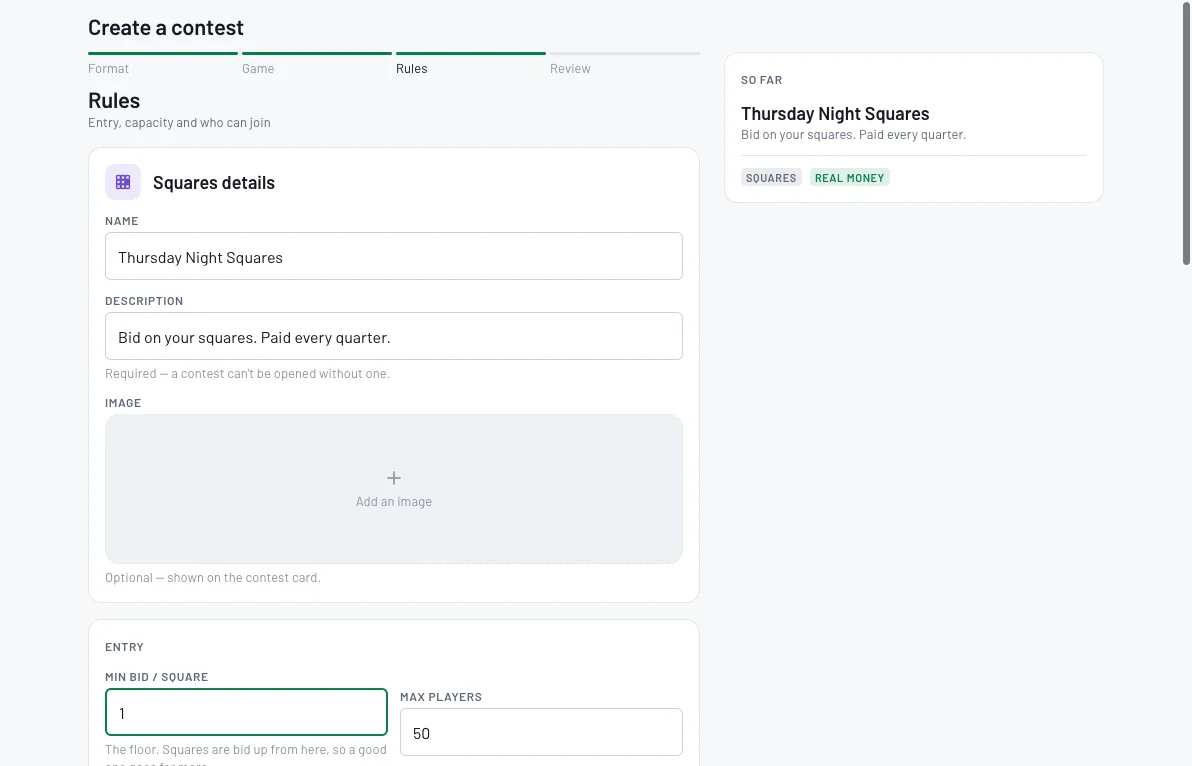
Give the board a name and a description (required), and add an image if you like.
- 4
Set the minimum bid and when bidding closes
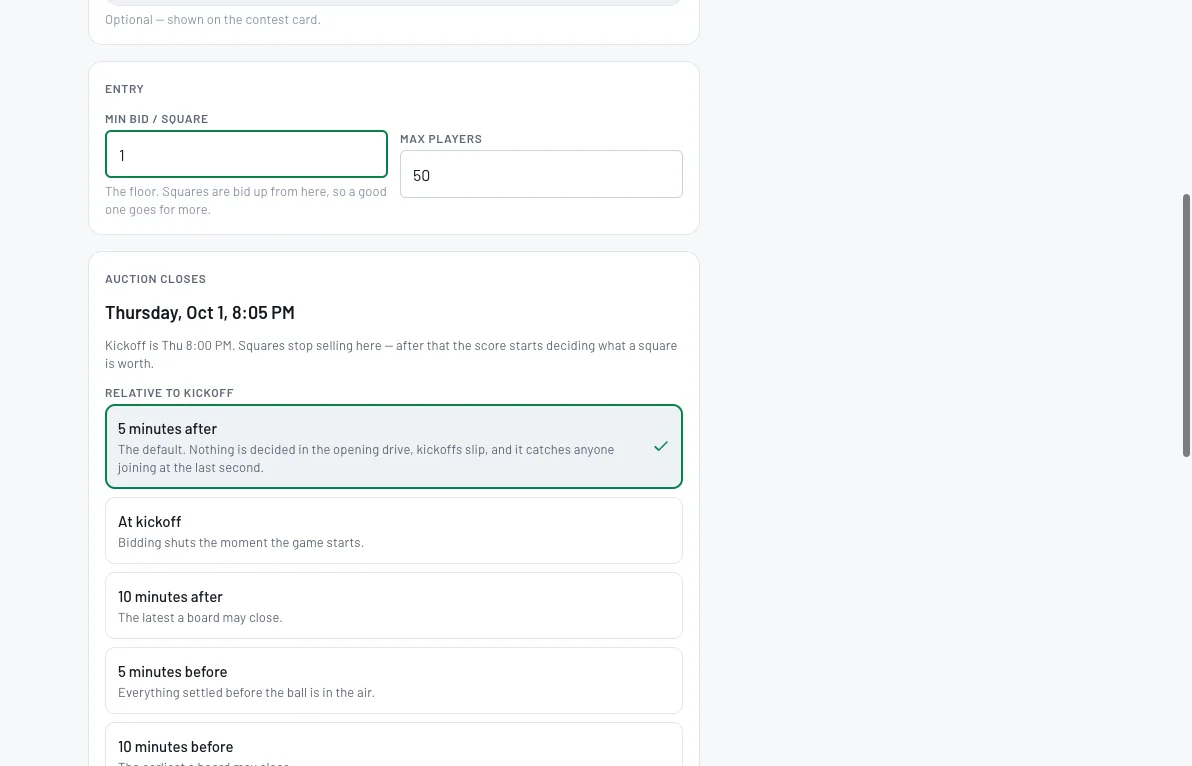
Set the minimum bid per square, the floor squares are bid up from, and the max players. Then choose when the auction closes relative to kickoff: 5 minutes after (the default), at kickoff, 10 minutes after, or 5 or 10 minutes before.
- 5
Choose the auction type and payouts
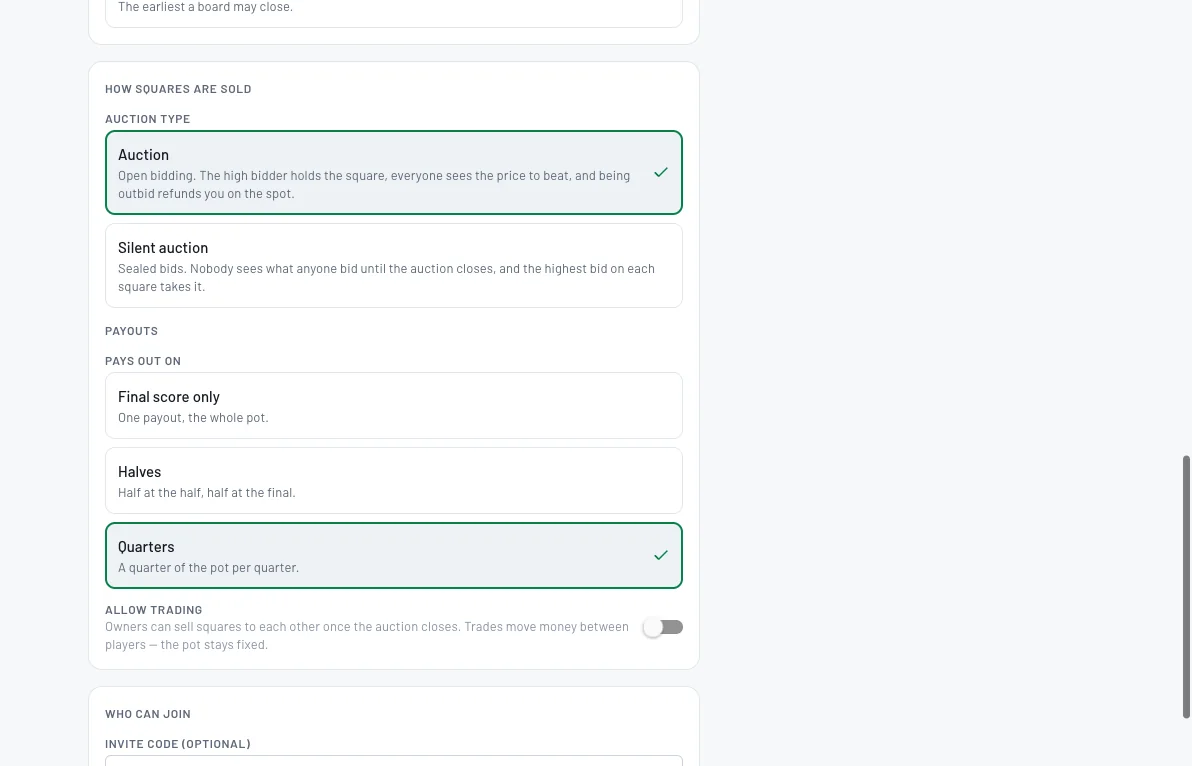
Auction: open bidding, the high bidder holds the square and outbid players are refunded right away. Silent auction: sealed bids, highest bid on each square takes it when the auction closes. Then choose payouts: final score only, halves or quarters, and whether owners can trade squares after the auction.
- 6
Add an invite code, review and open
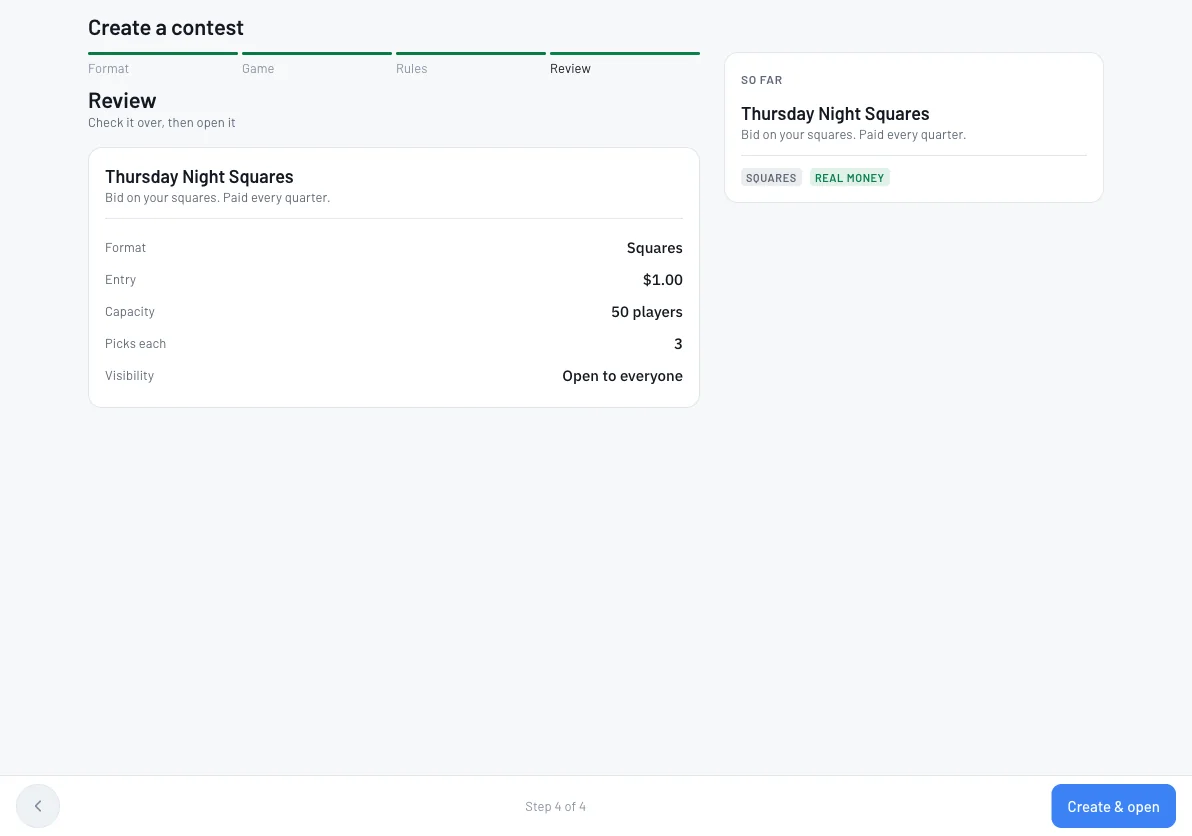
Set an invite code and turn on Invite only to keep it private, then review and click Create & open.
- 7
Bid, track and settle the board
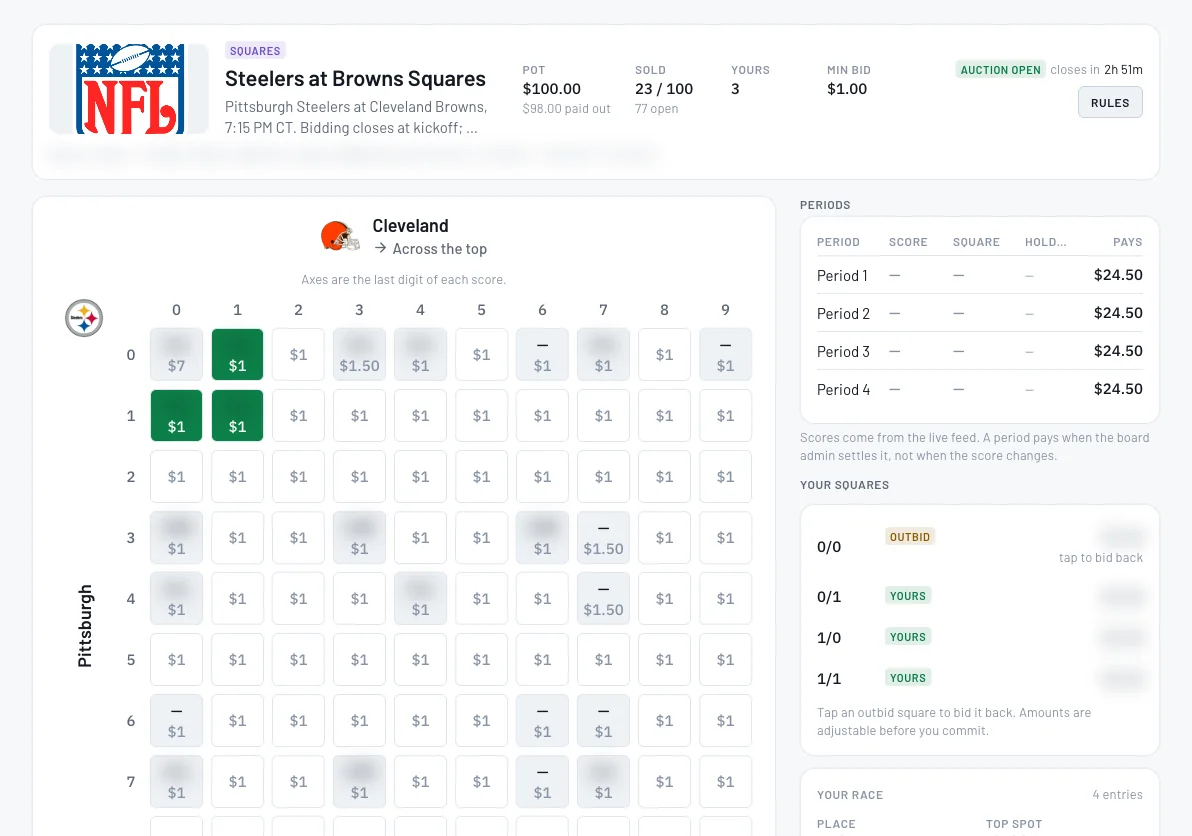
The board's axes are the last digit of each team's score. Players bid on open squares, and your squares and any you've been outbid on show on the right. Each period pays when the board admin settles it, not the moment the score changes.
Tips
- •In an open auction, being outbid refunds you on the spot, and everyone sees the price to beat.
- •Allow trading lets owners sell squares to each other after the auction closes. Trades move money between players; the pot stays fixed.
- •Need a paper board instead? Our free printable squares grids work for any game.
Questions
How do auction squares work?+
Instead of a random draw, players bid on squares. In an open auction the high bidder holds each square and anyone outbid is refunded right away; in a silent auction the highest sealed bid takes each square when bidding closes.
When does bidding close?+
You choose, relative to kickoff: from 10 minutes before up to 10 minutes after. The default is 5 minutes after kickoff.
How do squares pay out?+
On the final score only, at halftime and the final, or every quarter. The holder of the square matching the last digit of each team's score wins that period.
Does BettorEdge take a cut?+
Any fee is shown in the board's rules before anyone bids.
Expected outcome
Your squares board is open for bidding, closes around kickoff, and pays the holder of the winning square each period you chose.
Try it on BettorEdge.
Create your account and follow along in the app. Sign up for a shot at up to $100. No deposit needed.
Questions? Ask on r/BettorEdge, where the BettorEdge team answers.