
How to Start a Betting Pool With Friends on BettorEdge
Run a pick'em betting pool with friends on BettorEdge: pick the games and markets, set the entry, choose how the pot is split, and share an invite code. BettorEdge tracks picks and pays the winners.
Before you start
- •Pools can be free to enter or have a real-money entry. Real-money pools need a verified account.
- •Pick the games before you start: entries close when there aren't enough games left to make every pick.
Prerequisites
- •A BettorEdge account.
- •For a paid pool: a verified account and location in an eligible state.
- 1
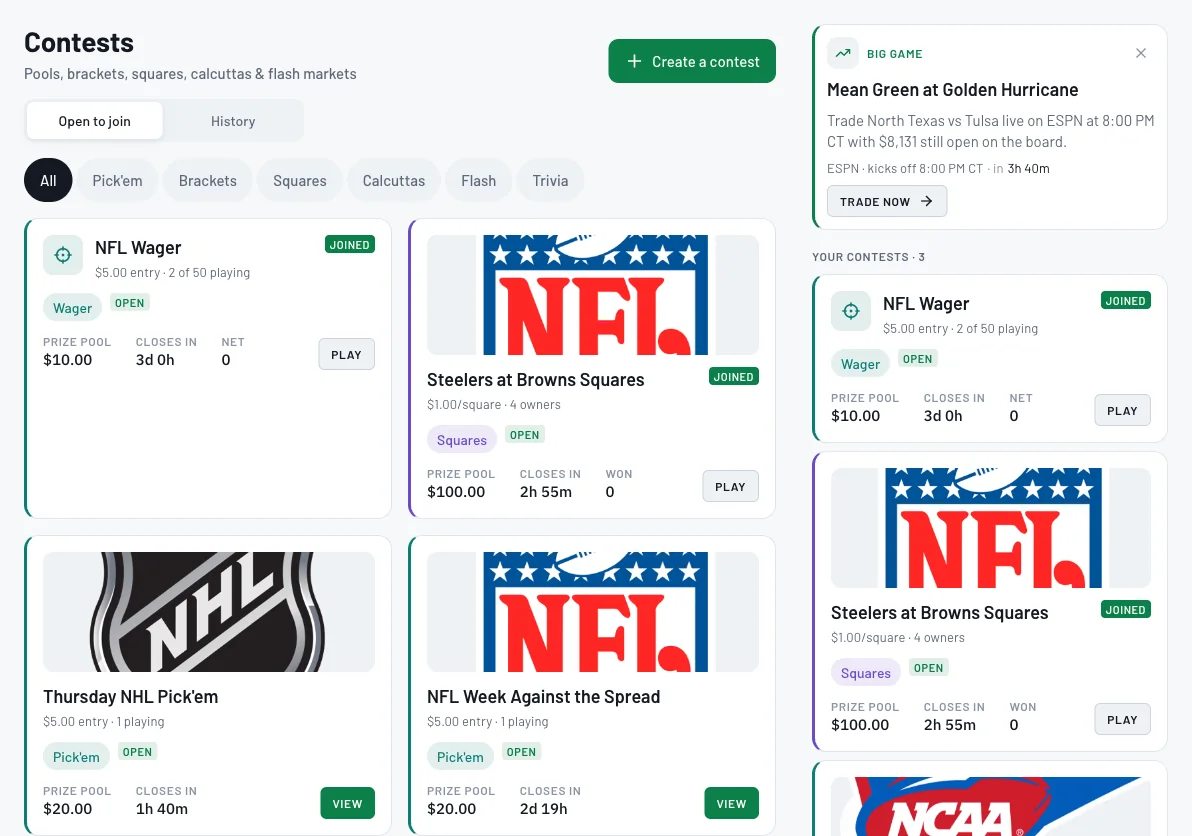
Go to Contests and click Create a contest
Open Contests (pools, brackets, squares, calcuttas and more) and click Create a contest. Friends with an invite code join from Have an invite code? on this same page.
- 2
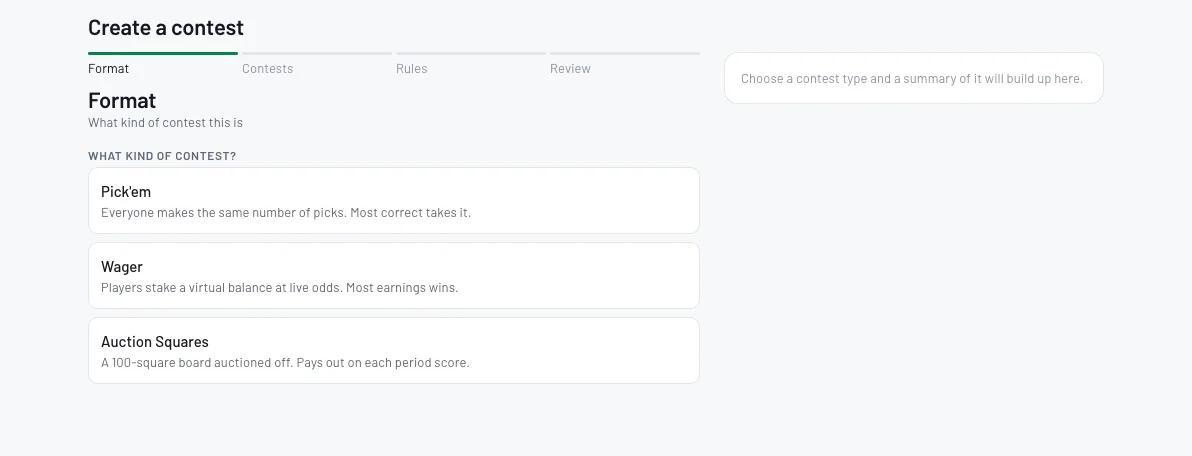
Choose Pick'em
Pick the format. Pick'em: everyone makes the same number of picks and most correct takes it. Wager: players stake a virtual balance at live odds. Auction Squares: a 100-square board.
- 3
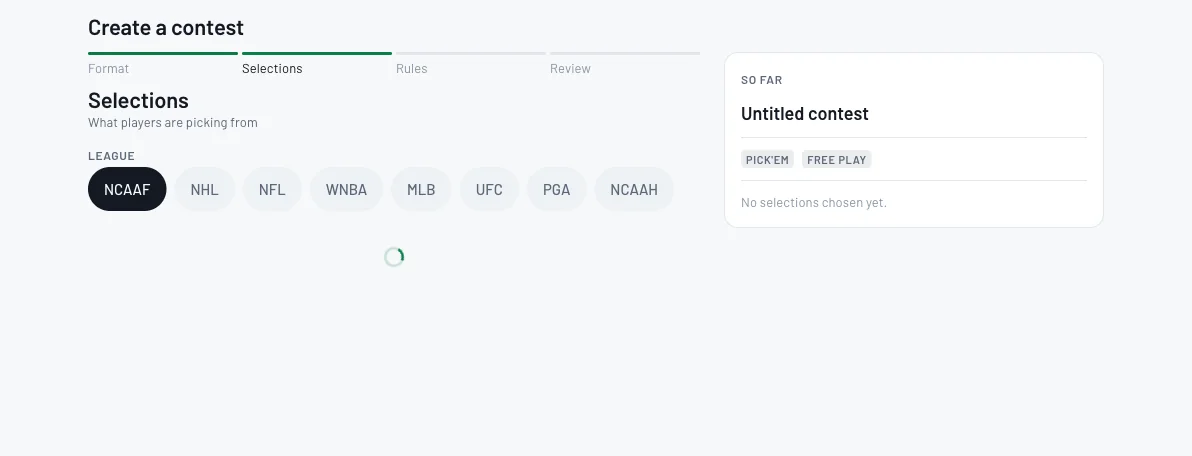
Choose the league
Under Selections, choose the league: NFL, college football, NHL, MLB and more.
- 4
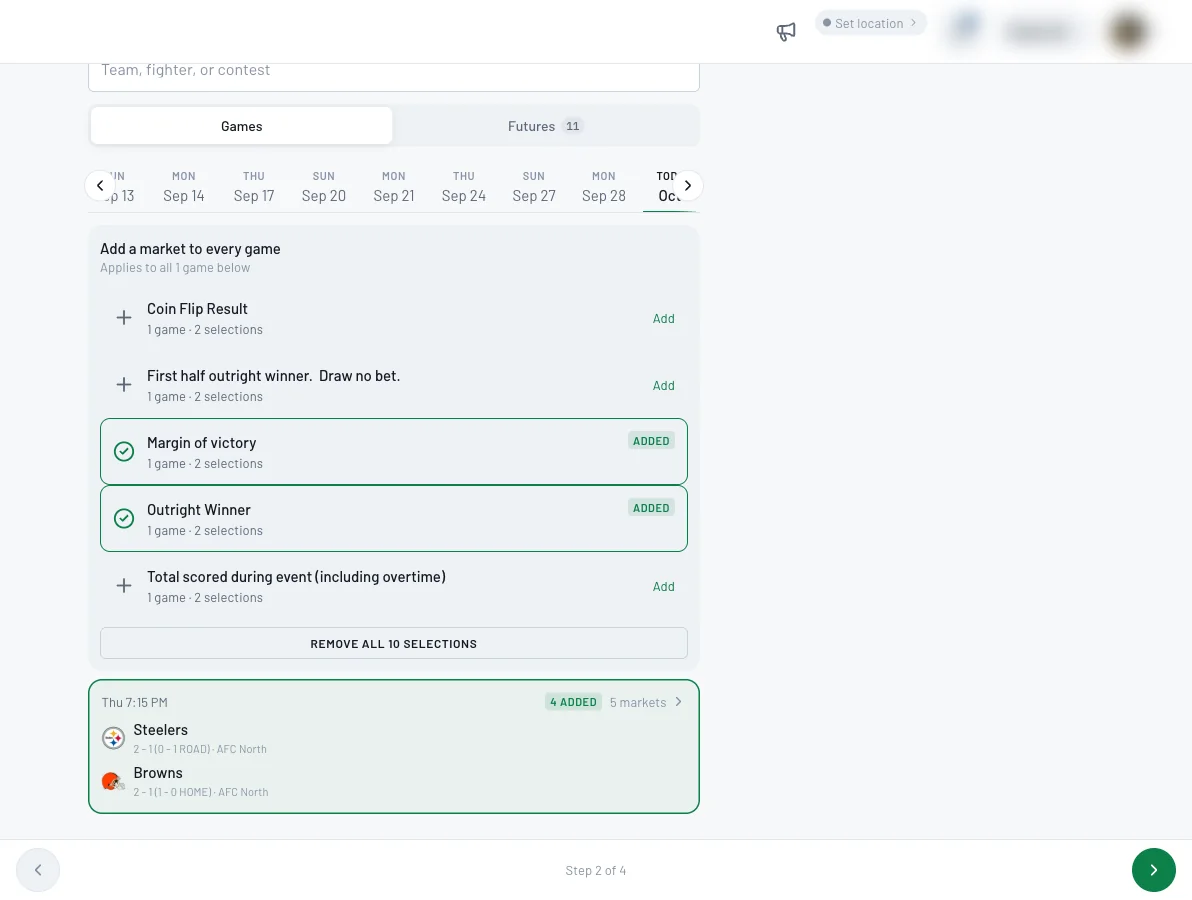
Add markets for every game
Pick the day, then add the markets players will pick from, like Outright Winner or Margin of victory. Add a market to every game applies it to all the games below. The panel on the right builds a summary as you go.
- 5
Name it and set the entry
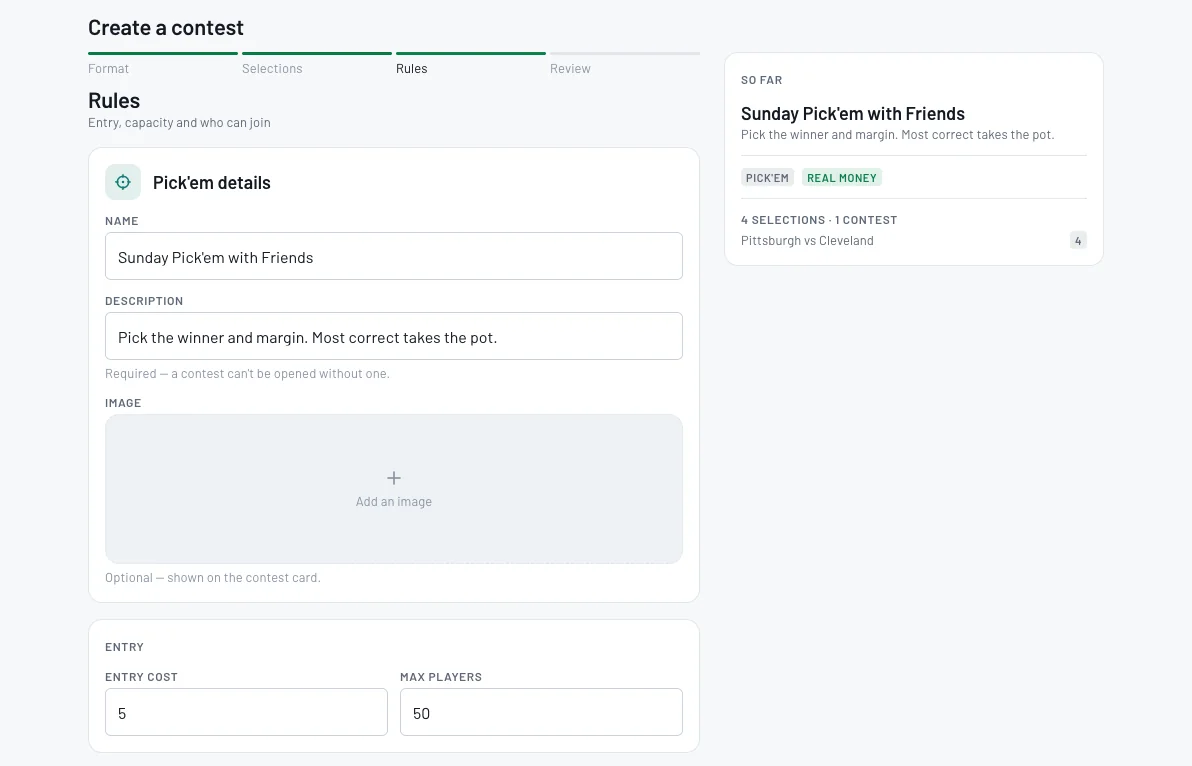
Give the pool a name and a description (required). Add an image if you like. Set the entry cost (0 means free to enter) and the maximum number of players.
- 6
Choose when entries close, how the pot splits, and who can join
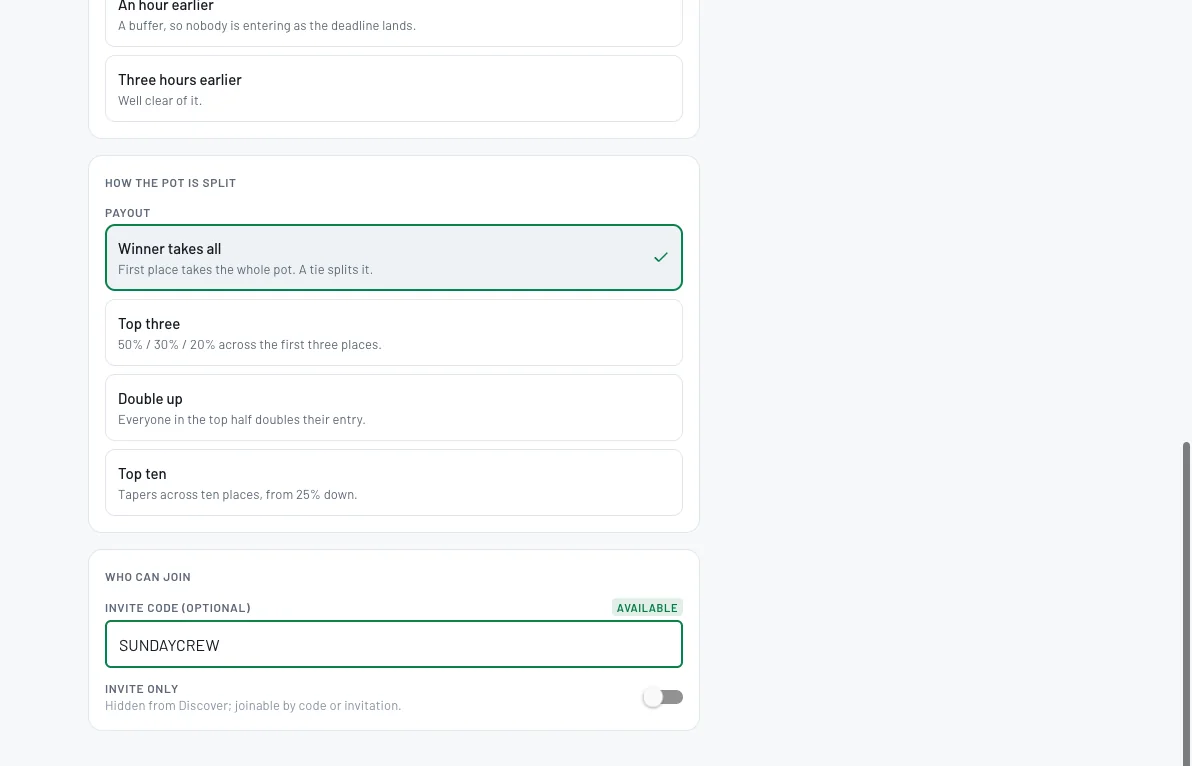
Close entries as late as possible, an hour earlier or three hours earlier. Split the pot Winner takes all, Top three (50 / 30 / 20), Double up (top half doubles their entry) or Top ten. Then add an invite code and turn on Invite only to keep it private.
- 7
Review, then Create & open
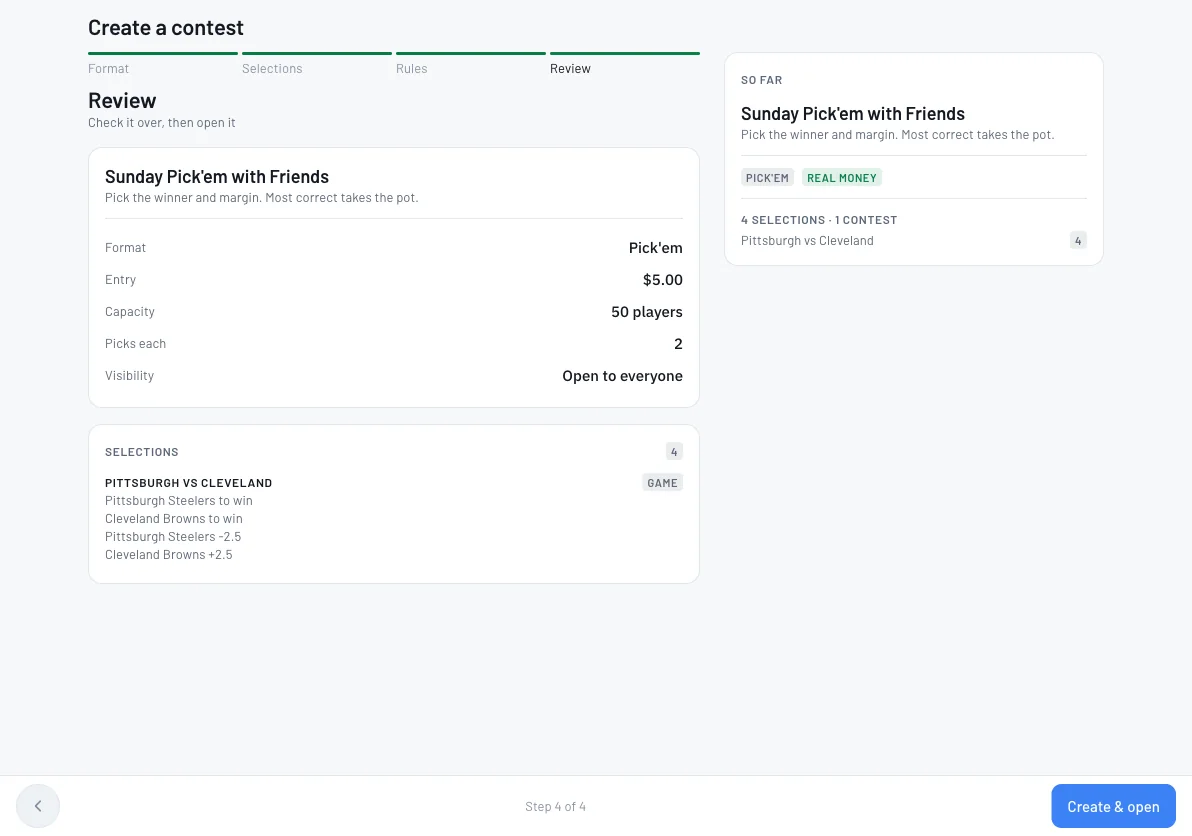
Check the format, entry, capacity, picks per player, visibility and selections, then click Create & open.
- 8
Invite your friends
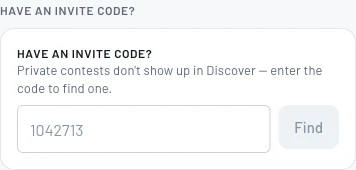
Send your invite code to your friends: text it, drop it in the group chat or post it in your league's channel. They open Contests, type the code under Have an invite code? and click Find, then join from the contest page. Invite only pools don't show up in Discover, so the code is how people get in.
Tips
- •Make it private: turn on Invite only and it's hidden from Discover, joinable only by code or invitation.
- •An invite code is letters and numbers only and isn't case sensitive.
- •Want odds-weighted scoring instead? Choose Wager: players stake a virtual balance at live odds and most earnings wins.
Questions
Can I run a free betting pool?+
Yes. Set the entry cost to 0 and it's free to enter. Paid pools need a verified account.
How do friends join a private pool?+
Turn on Invite only and set an invite code. Friends enter the code under Have an invite code? on the Contests page.
How is the pot split?+
You choose: Winner takes all, Top three (50 / 30 / 20), Double up (everyone in the top half doubles their entry) or Top ten (tapers from 25% down). A tie splits it.
Does BettorEdge take a cut of the pot?+
Any fee is shown in a contest's rules before anyone joins.
Expected outcome
Your pool is open, your friends can join with your invite code, and BettorEdge keeps score and splits the pot the way you chose.
Try it on BettorEdge.
Create your account and follow along in the app. Sign up for a shot at up to $100. No deposit needed.
Questions? Ask on r/BettorEdge, where the BettorEdge team answers.