
How to Set Your BettorEdge Trading Preferences
Choose how prices show (cents, American odds or percent), your default bet size, how far a market order may fill, which balance you trade with, and whether tickets open as market or limit orders.
Before you start
- •Everything here is a default. You can still change any of it on an individual order ticket.
- •Trading preferences live under your account menu: Account > Trading.
Prerequisites
- 1
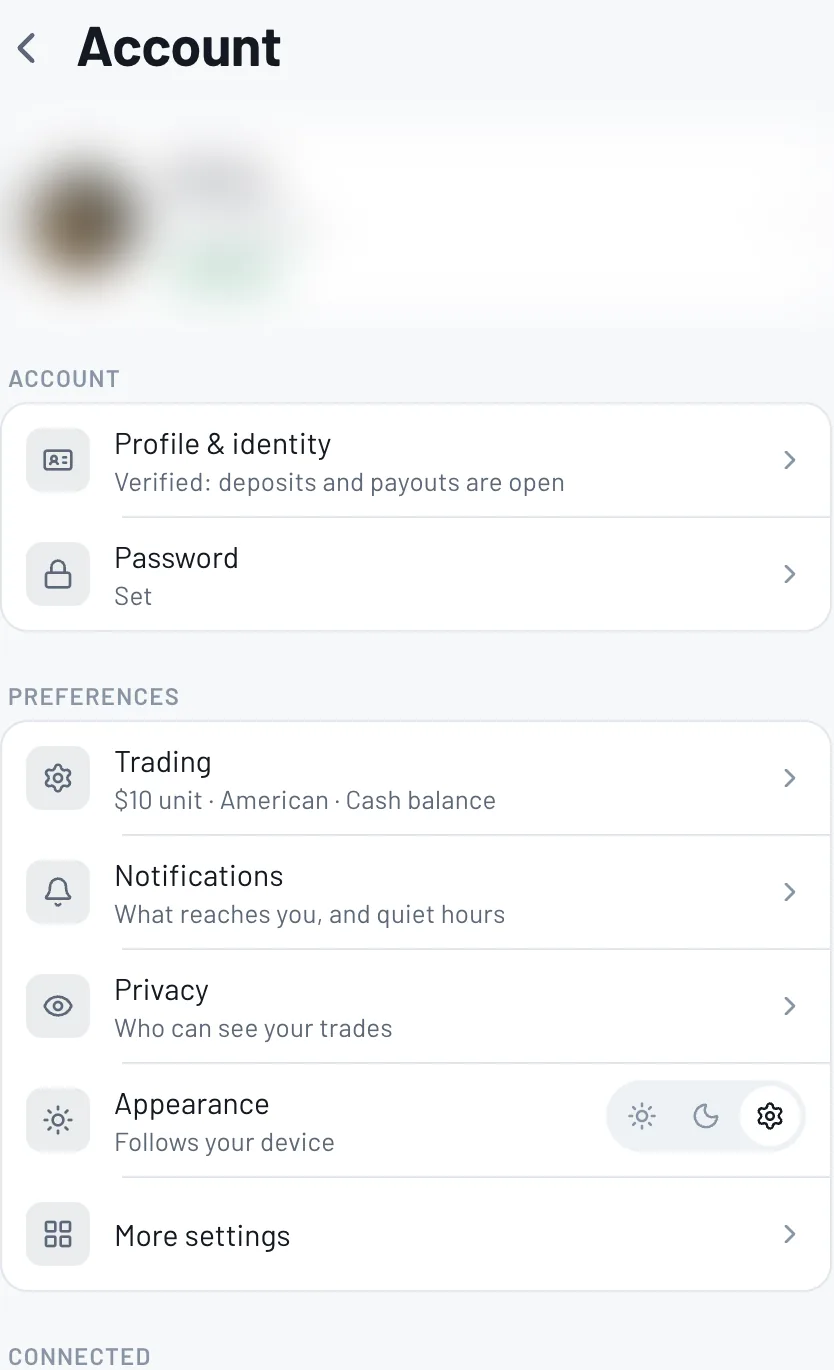
Open Account, then Trading
Open your account menu and choose Account. Under Preferences, tap Trading. The row shows your current setup, like your unit size, price format and balance.
- 2
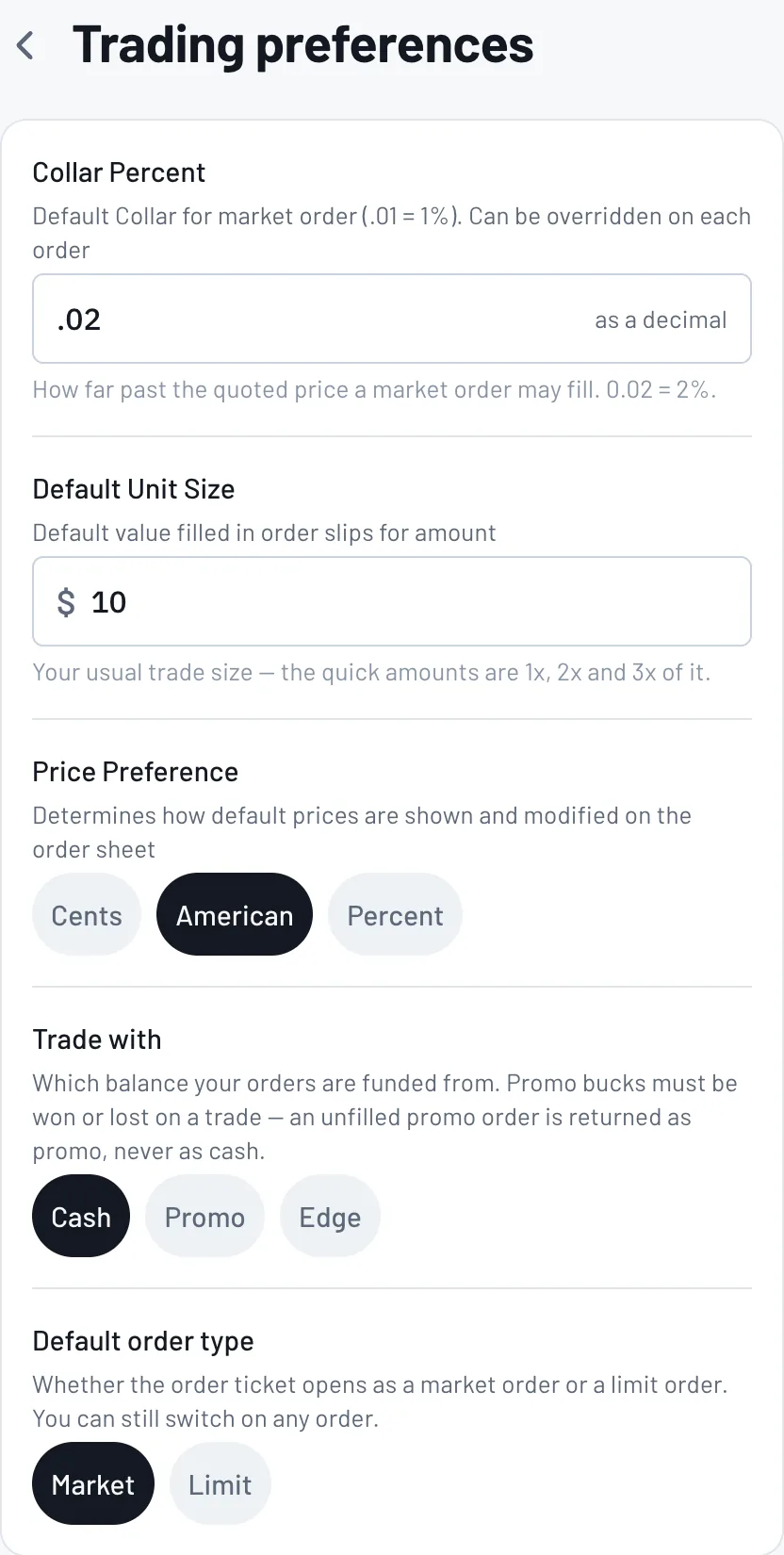
Pick your defaults
Collar Percent: how far past the quoted price a market order may fill (0.02 = 2%). Default Unit Size: the amount filled in on order tickets. Price Preference: cents, American or percent. Trade with: which balance funds your orders (cash, promo or Edge). Default order type: market or limit.
Tips
- •Coming from a sportsbook? Switch Price Preference to American to see familiar odds like -110 and +150.
- •Set Default Unit Size to your usual bet. The 1x, 2x and 3x buttons on every ticket are multiples of it.
- •Leave the collar at 2% unless you have a reason. Lower means fewer surprise fills; higher means market orders fill more often.
Questions
How do I see American odds instead of cents?+
Account > Trading > Price Preference, then choose American.
What does Trade with promo mean?+
Your orders are funded from your promo balance. Promo must be won or lost on a trade: an unfilled promo order comes back as promo, never as cash.
What is the collar?+
It caps how far past the quoted price a market order can fill. 0.02 means up to 2% worse than the price you saw, never more.
Expected outcome
Order tickets open the way you like: your odds format, your usual amount and your preferred order type.
Try it on BettorEdge.
Create your account and follow along in the app. Sign up for a shot at up to $100. No deposit needed.
Questions? Ask on r/BettorEdge, where the BettorEdge team answers.