
How to Read an Order Book on BettorEdge
Read a betting order book: what's waiting at each price, what the spread means, how depth works, and how market orders, limit orders and expirations fit in.
Before you start
- •Order books are open to everyone, no account needed.
- •On BettorEdge every price comes from another bettor, so the order book is the whole market: who's offering what, and how much.
- •The examples here are in cents. Signed in, you can show prices as American odds or percent instead (Account > Trading preferences); the order book works the same way.
Prerequisites
- •Nothing. Open any game on play.bettoredge.com.
- 1
Open the order book from any line
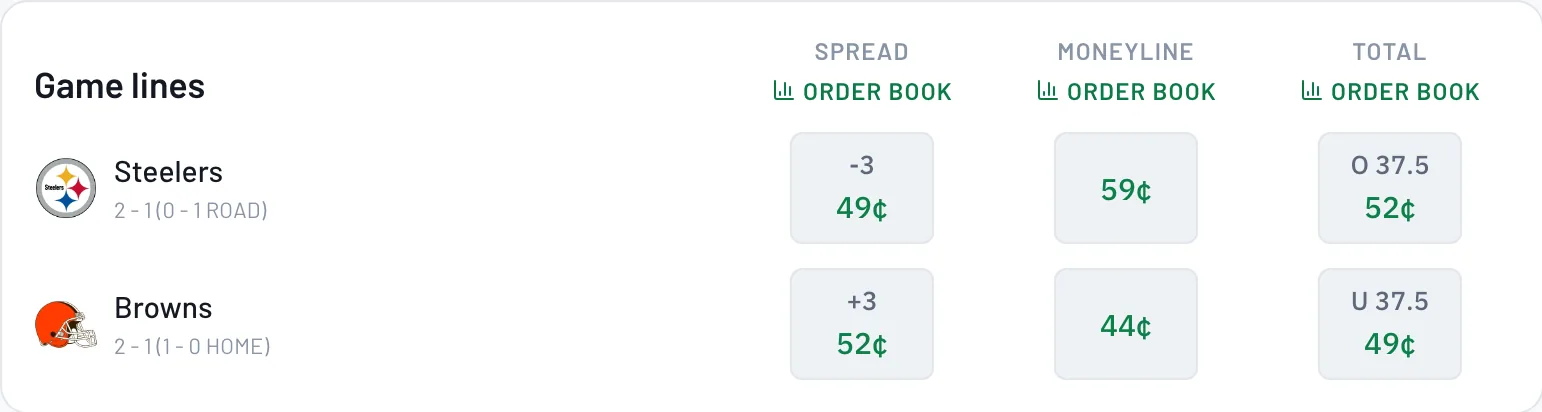
On a game page, click Order book above the spread, moneyline or total. Player props and futures have a chart icon on each row that opens the same view.
- 2
Pick the line and see both sides
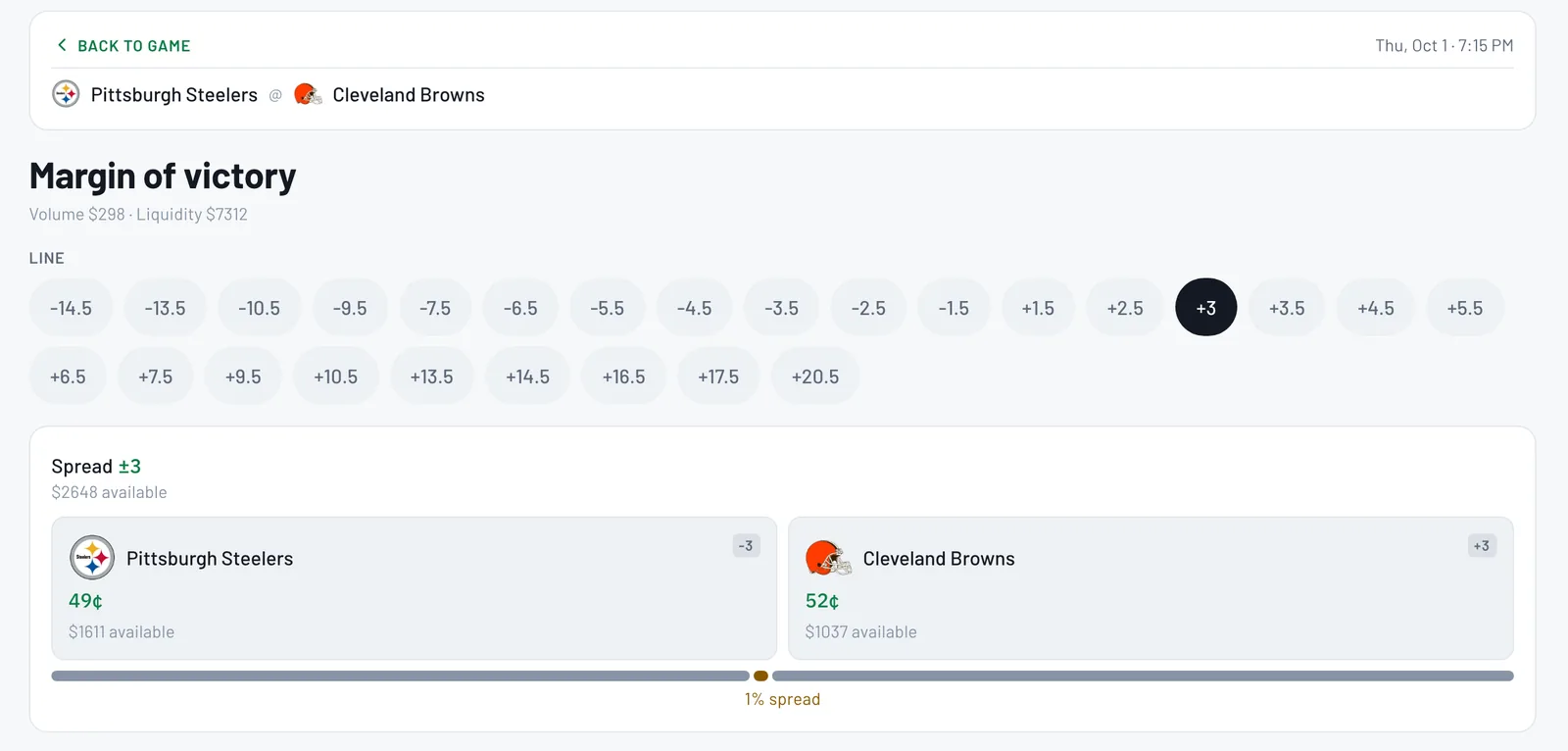
The chips across the top are every line with prices. Below them are the two sides with their best price and how much is available. The bar underneath shows the spread: how far the two best prices add up past 100¢.
- 3
Read the order book
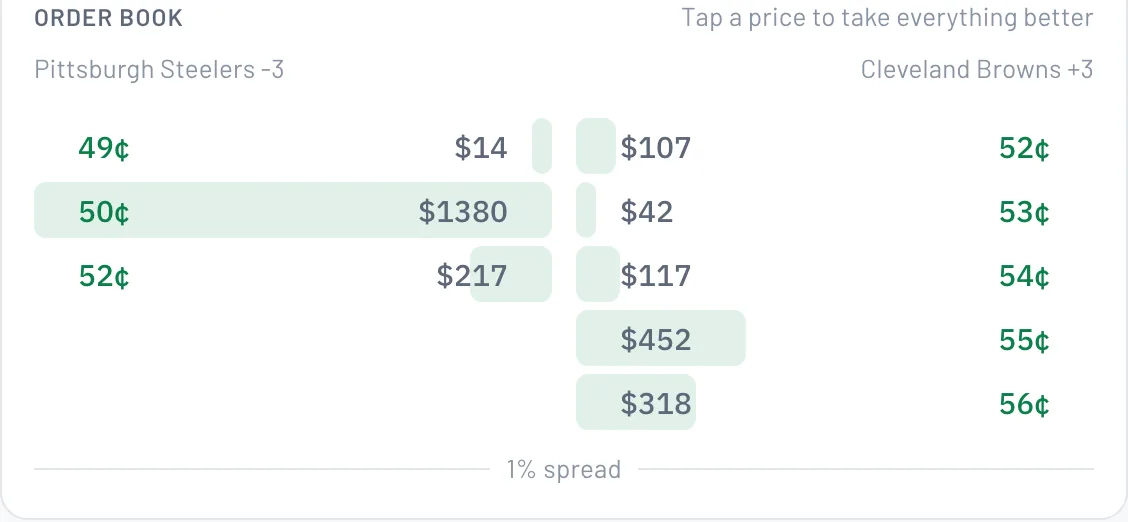
Each side lists its prices with the dollars waiting at each one. The highlighted row is the best price. Tapping a price takes everything at that price and better.
- 4
Check the depth
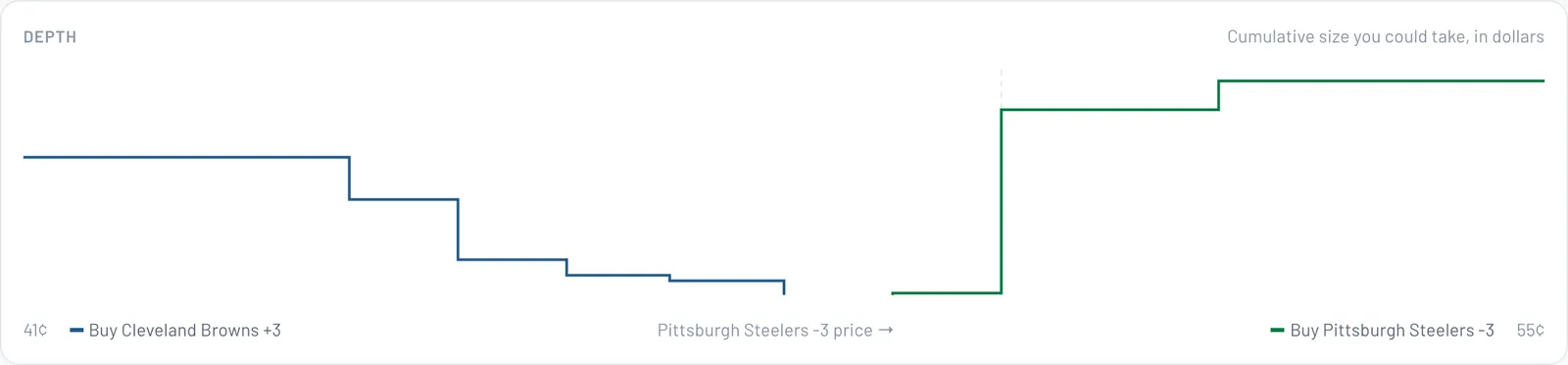
Depth adds it up: the cumulative dollars you could take on each side as you move away from the best price. A steep step means a lot of money waiting at one price.
- 5
Compare every line and recent trades
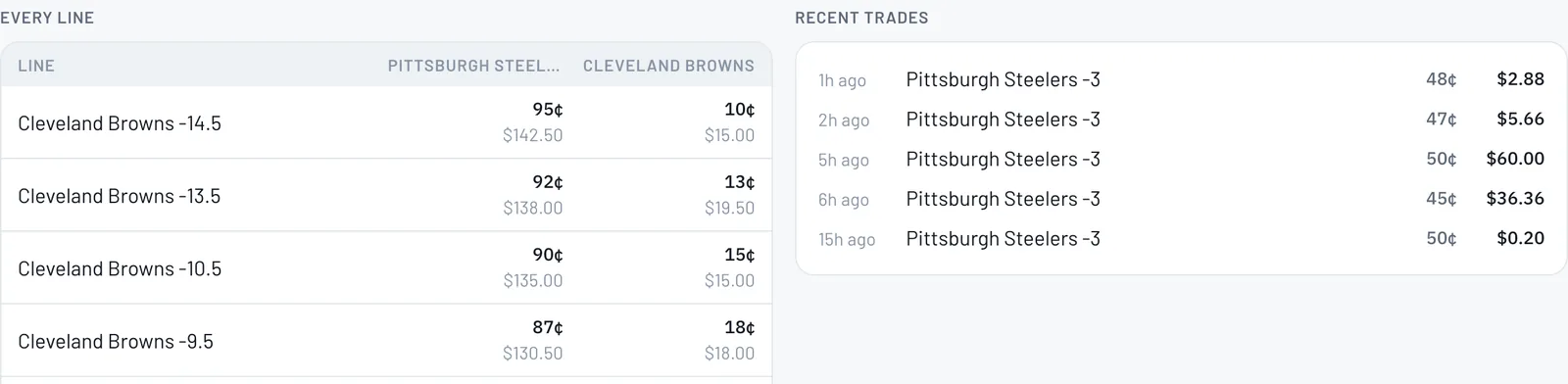
Every line shows the prices and sizes at each alternate line side by side. Recent trades show what actually traded, when, and for how much.
- 6
Know what a market order will pay
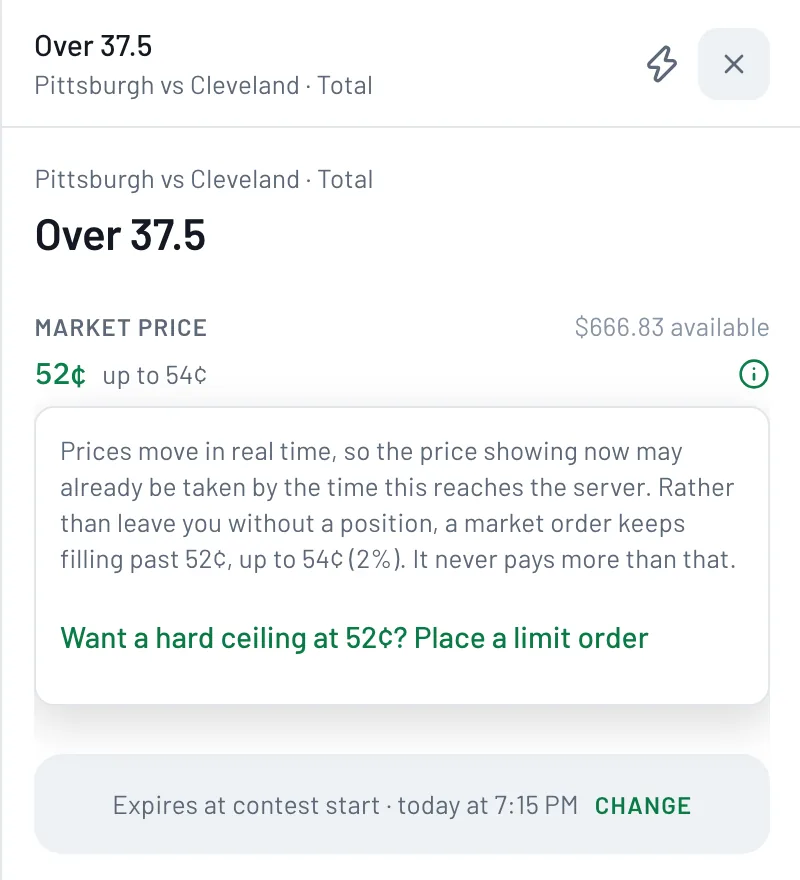
Tap a price to open the ticket. A market order shows a price and an "up to" ceiling. Prices move fast, so it keeps filling past the shown price up to that ceiling (2% by default, set by the collar in Account > Trading preferences) and never pays more.
- 7
Choose an order type
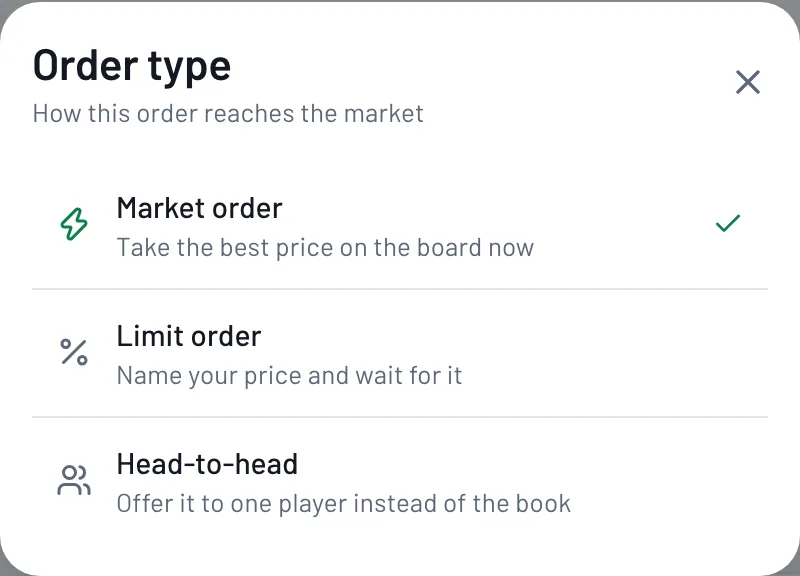
The icon at the top of the ticket switches the order type: Market order takes the best price now, Limit order names your price and waits for it, and Head-to-head offers it to one player instead of the book.
- 8
Set your price with a limit order
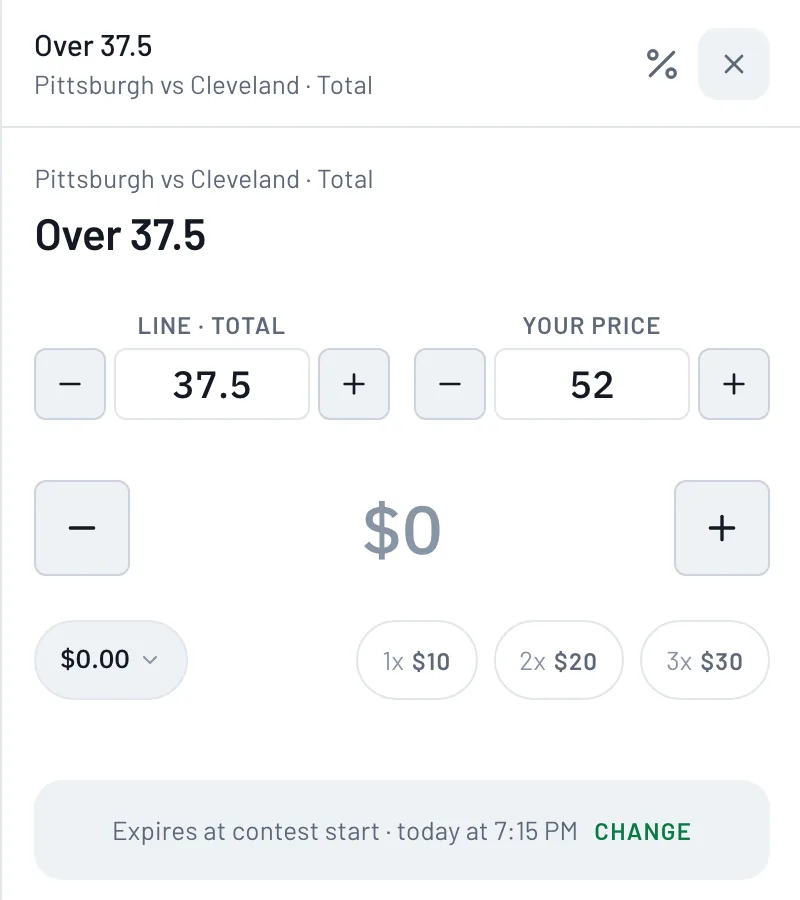
A limit order adds Your price (and, on spreads and totals, the line). Your order joins the order book and fills when someone takes the other side at your number.
- 9
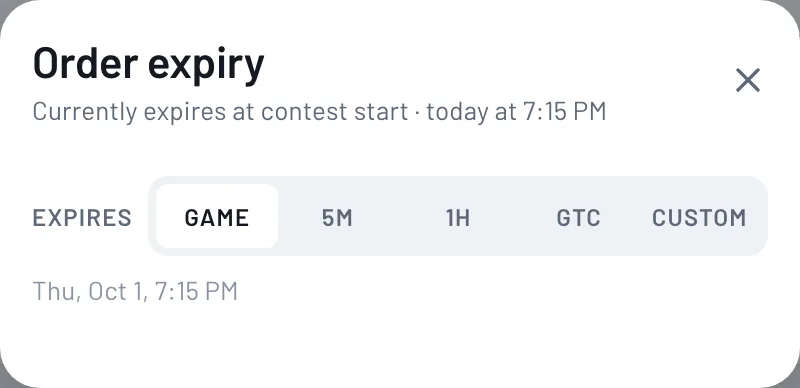
Choose when it expires
Tap Change on the expiration to pick Game (the default, when the event starts), 5 minutes, 1 hour, GTC (stays open until you cancel it) or a custom time. Anything unfilled when it expires goes back to your wallet.
Tips
- •A tight spread means it's cheap to get in and out. A wide one means you may do better with a limit order.
- •Watch the dollars next to each price. That's how much you can bet before the price moves.
- •Recent trades and price history show where the market has actually traded, not just what's being offered.
Questions
What does the spread % mean?+
It's how far the best price on each side adds up past 100¢. If one side is 50¢ and the other is 52¢, that's a 2% spread. Smaller is better for bettors.
Why didn't my whole bet fill at the price I saw?+
You can only take the dollars waiting at a price. A market order then moves to the next prices, up to its ceiling (2% by default). Use a limit order if you want a hard cap.
What happens to an order that never fills?+
When it expires, the unfilled amount goes back to your wallet. Nothing is lost.
Expected outcome
You'll know where each price comes from, how much you can bet at it, and when to take a price versus name your own.
Try it on BettorEdge.
Create your account and follow along in the app. Sign up for a shot at up to $100. No deposit needed.
Questions? Ask on r/BettorEdge, where the BettorEdge team answers.