
Social
How to Create a Group on BettorEdge
Start a group for your friends, league or community: name it, and you get a private space with standings, your group's contests and bets.
Before you start
- •Groups are a home base for your crew: standings, contests and bets in one place.
- •New groups start invite-only with standings on. You can change both later.
Prerequisites
- 1
Open Groups and tap New group
Go to Groups in the menu and tap New group.
- 2
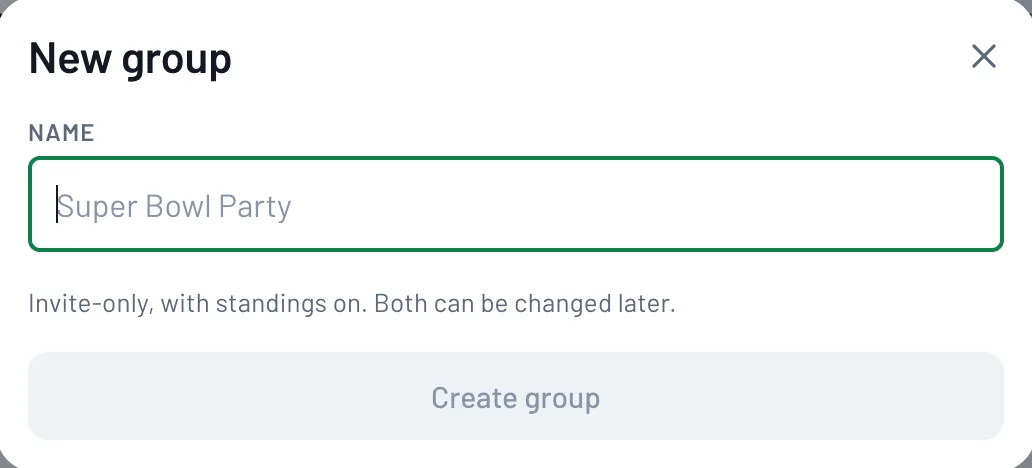
Name it and create it
Type a name and tap Create group. It starts invite-only, with standings on. Both can be changed later.
- 3
Invite your people
Open your new group and invite members. Because it's invite-only, people join through your invite.
Tips
- •Pick a name your friends will recognize, like your league or group chat name.
- •Running a pool or squares? Create it inside your group so everyone finds it in one place.
Questions
Can I make my group public?+
Groups start invite-only, and that can be changed later.
Can I join someone else's group?+
Yes. Use Join on the Groups page.
Expected outcome
Your group exists and you're its owner, ready to invite people and run contests in it.
Try it on BettorEdge.
Create your account and follow along in the app. Sign up for a shot at up to $100. No deposit needed.
Questions? Ask on r/BettorEdge, where the BettorEdge team answers.