
How to Enter a Contest on BettorEdge
Join a pick'em, bracket, squares board, calcutta, flash market or trivia contest: browse what's open, read the rules, and join.
Before you start
- •Contests include pick'ems, brackets, squares, calcuttas, flash markets and trivia.
- •Each contest shows its entry, prize pool, player count and when it closes before you join.
Prerequisites
- •A BettorEdge account.
- •Location turned on for paid contests.
- 1
Open Contests and browse what's open
Go to Contests. Open to join lists everything you can enter; filter by Pick'em, Brackets, Squares, Calcuttas, Flash or Trivia. Each card shows the entry, players, prize pool and time left.
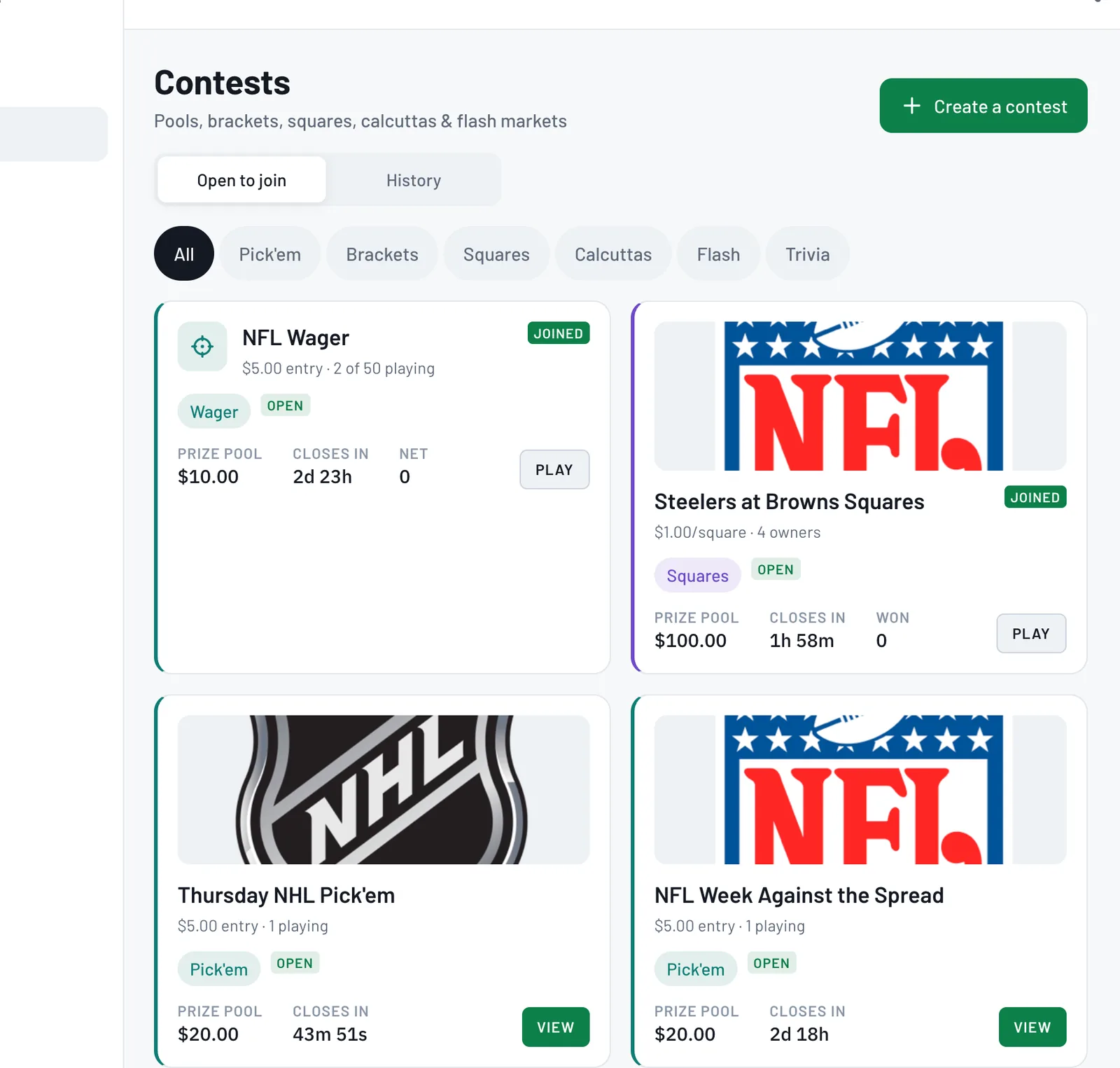
- 2
Open a contest and check the details
Tap View to open it. You'll see the description, prize pool, entry and players, plus Rules. Paid contests ask you to confirm your location first.
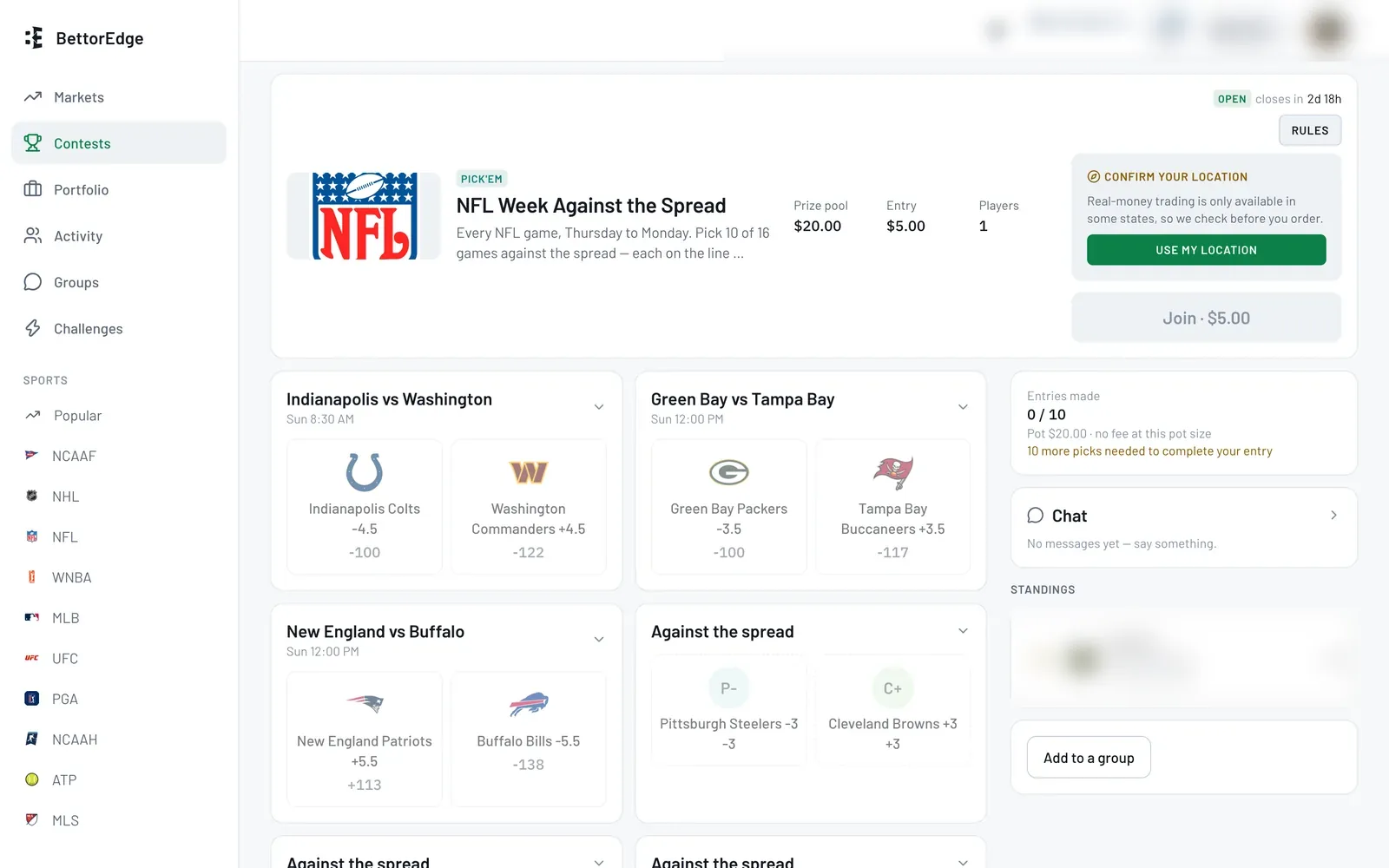
- 3
Join, then make your picks
Tap Join to enter. Then make your picks (or claim your squares) before the contest locks. Joined contests show Play so you can come back and update them.
Tips
- •Read Rules first: they explain how picks lock and how the prize pool pays out.
- •Your contests show up on the Markets page too, so you can jump back in fast.
Questions
How do contests pay out?+
Each contest sets its payout, for example Winner takes all, Top three (50/30/20), Double up or Top ten. It's shown in the contest's rules.
Can I run my own contest?+
Yes. Tap Create a contest on the Contests page.
Why does it ask for my location?+
Real-money contests are only available in some states, so BettorEdge checks before you join.
Expected outcome
You're entered, and the contest shows as Joined in your list.
Try it on BettorEdge.
Create your account and follow along in the app. Sign up for a shot at up to $100. No deposit needed.
Questions? Ask on r/BettorEdge, where the BettorEdge team answers.