
How to Post and Share Your Bets on BettorEdge
Post your take to the people who follow you, share a trade so someone takes the other side, and control who sees your bets.
Before you start
- •Activity is your feed: posts and trades from the people you follow, plus a Discover tab.
- •You decide who sees your trades. Hide a single trade, or change the default in Account > Privacy.
Prerequisites
- 1
Write a post in Activity
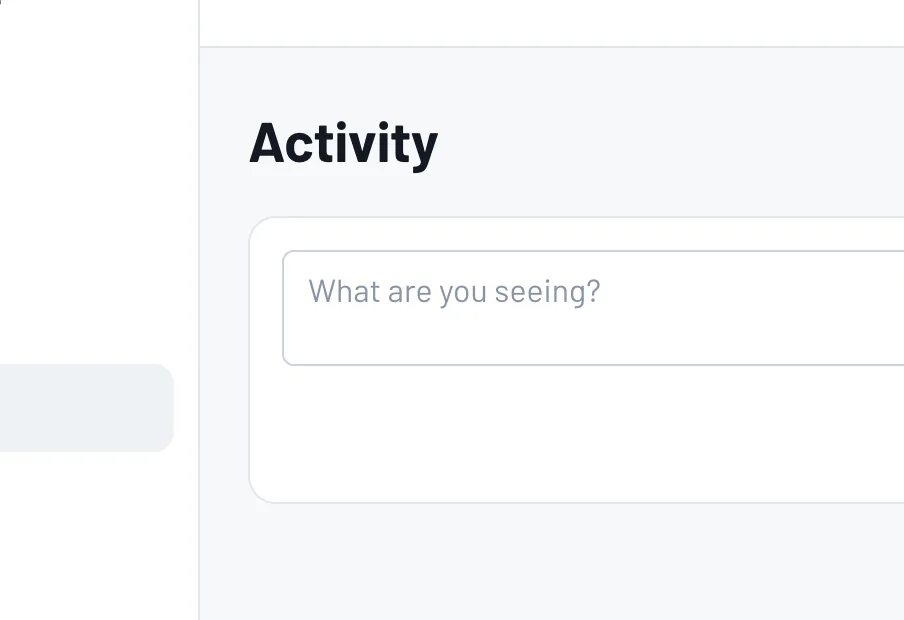
Open Activity and type in the box ("What are you seeing?"). Tap Post to share it with the people who follow you.
- 2
Share a trade
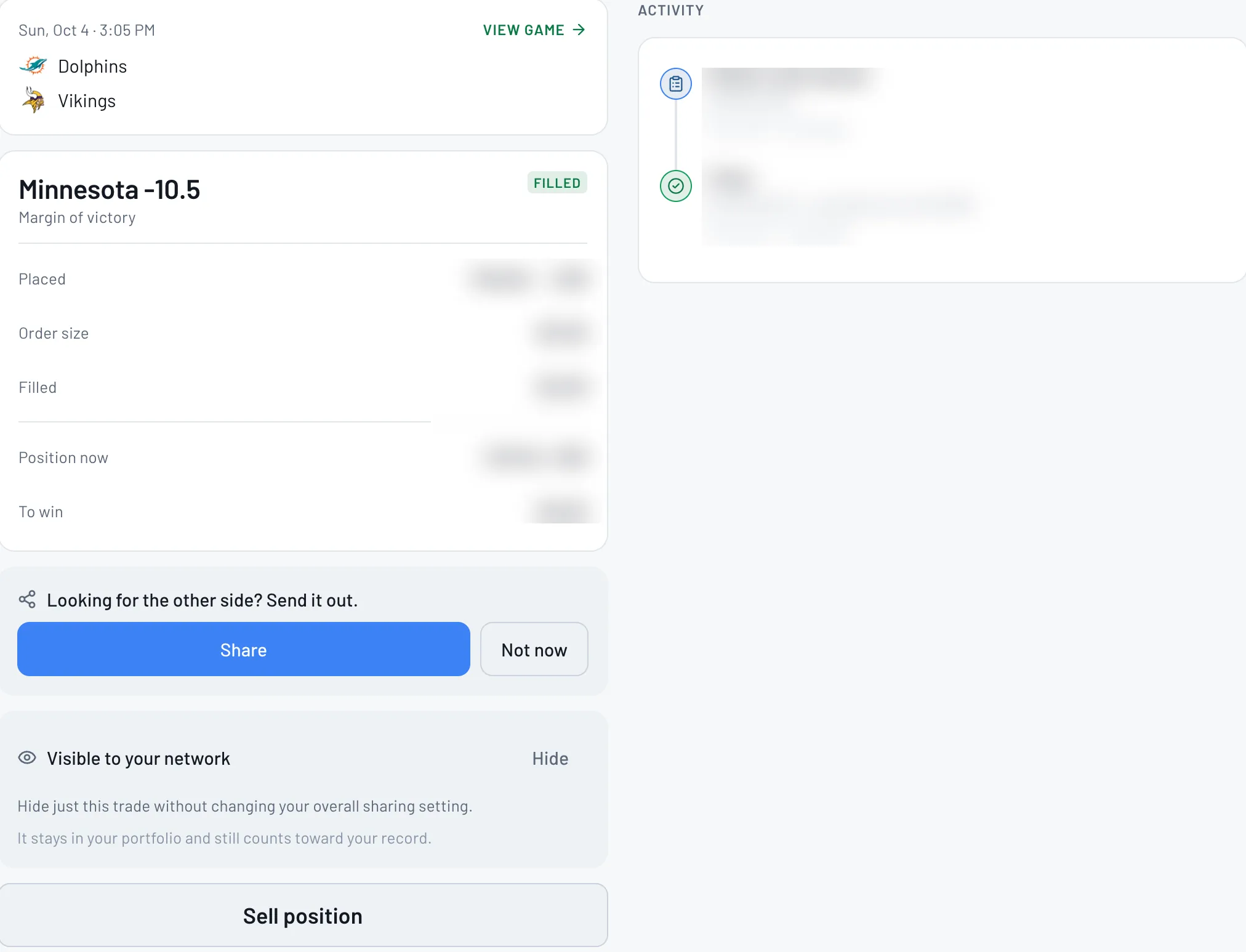
Open any trade in Portfolio. Under "Looking for the other side? Send it out.", tap Share to post it so someone can take the other side.
- 3
Hide a trade, or change who sees them
On the same trade, Hide keeps just that trade off your network's feed without changing your overall setting. It stays in your portfolio and still counts toward your record. To change the default, go to Account > Privacy (who can see your trades).
Tips
- •Follow a few active bettors from Activity so your feed fills up.
- •Sharing a trade is the fastest way to find someone for the other side.
Questions
Who sees my posts?+
People in your network, in their Activity feed.
Does hiding a trade remove it from my record?+
No. It stays in your portfolio and still counts toward your record.
Expected outcome
Your post or trade is in front of your network, and your sharing is set the way you want.
Try it on BettorEdge.
Create your account and follow along in the app. Sign up for a shot at up to $100. No deposit needed.
Questions? Ask on r/BettorEdge, where the BettorEdge team answers.