
How to See Your BettorEdge Transaction History
See every deposit and withdrawal in your wallet, plus your gains and losses from betting in Portfolio → History.
Before you start
- •Money in and out (deposits and withdrawals) is in your wallet.
- •How your bets did (net P&L, return, record) is in Portfolio → History.
Prerequisites
- 1
Open your wallet
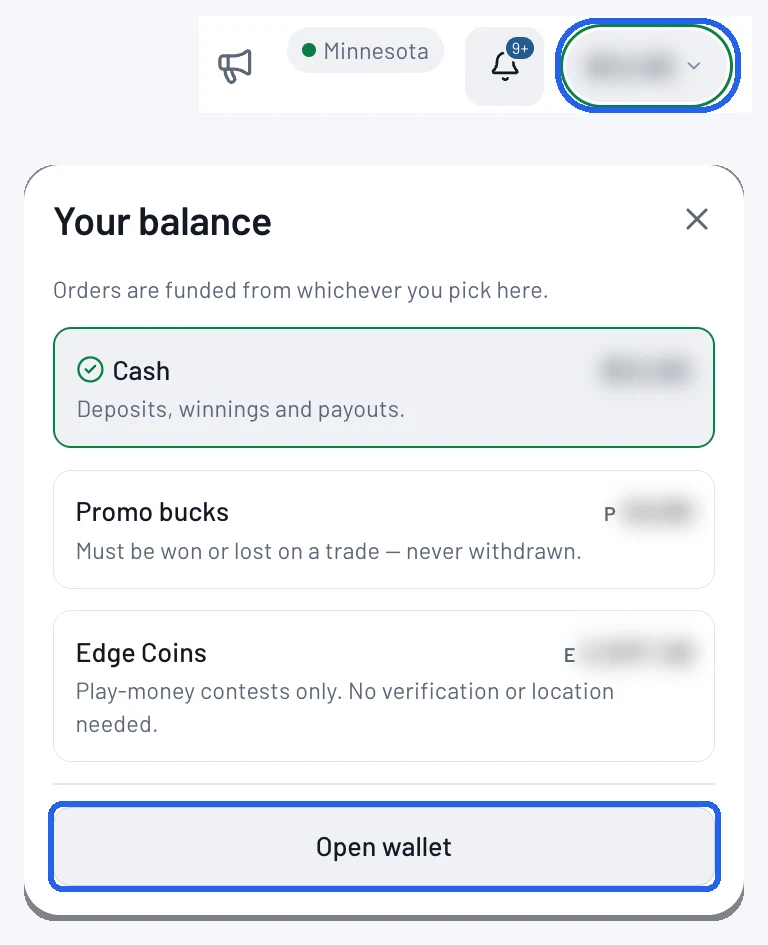
Tap your balance at the top right of the screen. In Your balance, tap Open wallet.
- 2
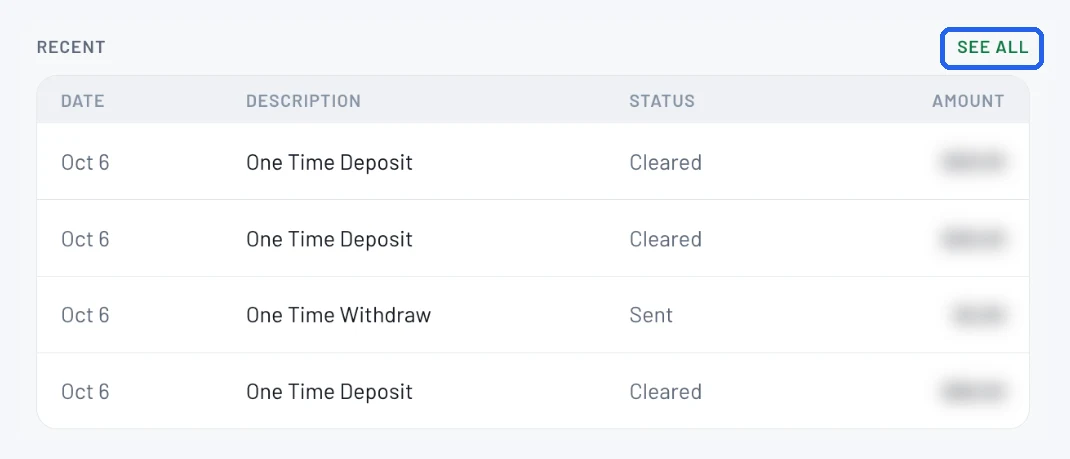
Tap See all next to Recent
Your latest deposits and withdrawals show under Recent. Tap See all for the full list.
- 3
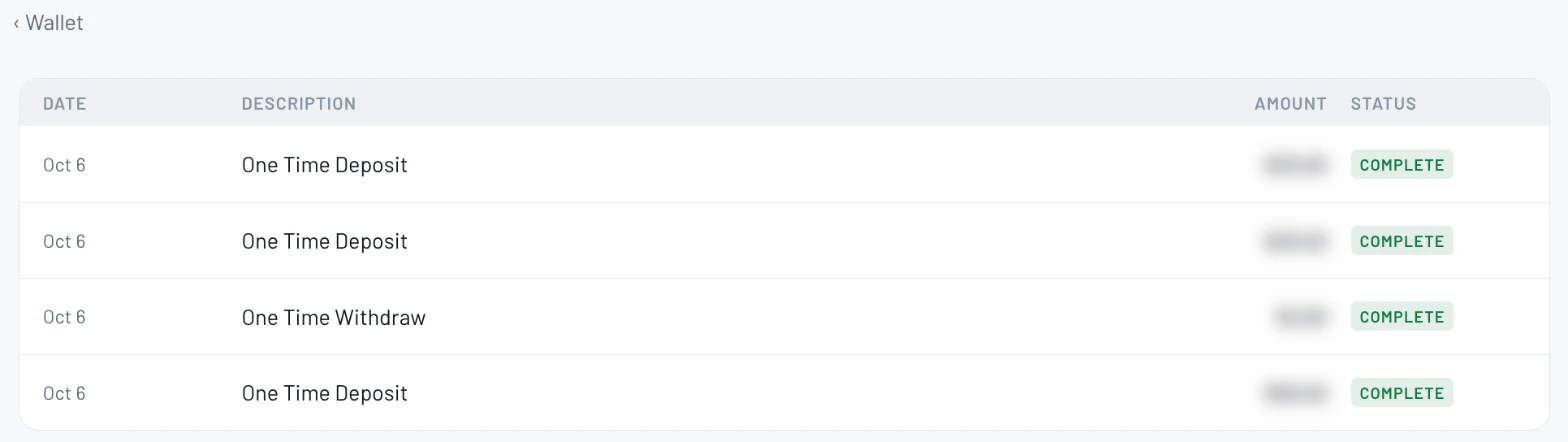
Review every deposit and withdrawal
Each line shows the date, what it was (deposit or withdrawal), the amount and its status. Complete means it's done.
- 4
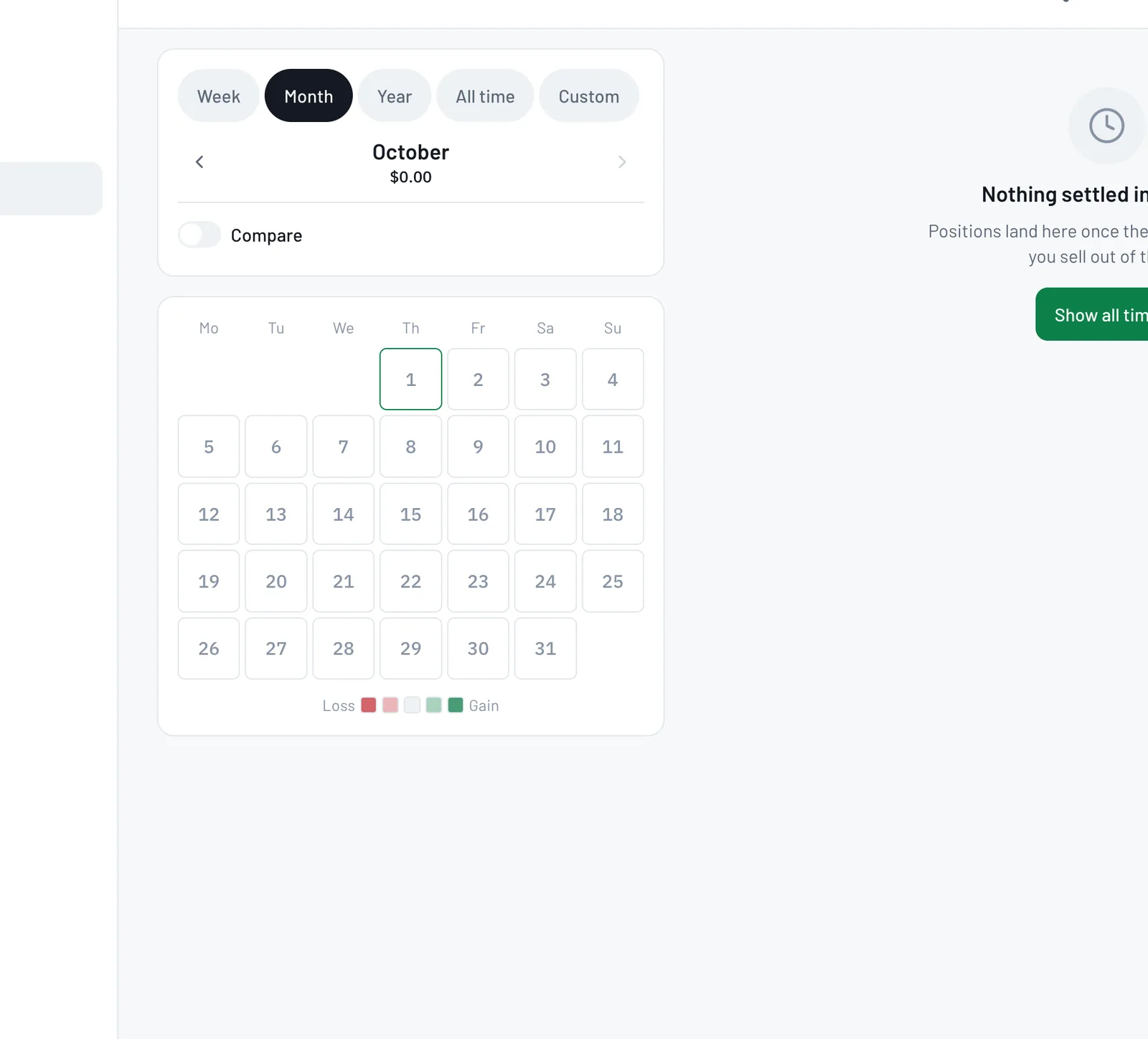
See your results in Portfolio → History
For how your bets did, open Portfolio and tap History. Pick Week, Month, Year, All time or a custom range to see your net P&L, return, win rate and record, with a calendar of winning and losing days.
Tips
- •Anything not marked Complete is still processing.
- •To see what you're up or down, use History's Month, Year or All time view.
Questions
Where do I see my deposits and withdrawals?+
In your wallet: tap your balance, Open wallet, then See all next to Recent.
Where do I see if I'm up or down?+
Portfolio → History. Choose All time for your full record.
Can I get a statement for a specific period?+
History lets you pick any custom date range. For anything else, email support@bettoredge.com.
Expected outcome
You can see every deposit and withdrawal with its date, amount and status, and your betting results for any period.
Try it on BettorEdge.
Create your account and follow along in the app. Sign up for a shot at up to $100. No deposit needed.
Questions? Ask on r/BettorEdge, where the BettorEdge team answers.