
How to Set Spending Limits on BettorEdge (Responsible Gaming)
Set a daily, weekly or monthly spending limit on BettorEdge, or snooze your account for a break. Both take a few taps from your wallet.
Before you start
- •Limits and snooze live in your wallet, under each payment method.
- •Once set, a limit can't be raised until its period ends. Pick a number you're comfortable holding to.
Prerequisites
- •A BettorEdge account with a payment method added.
- 1
Open your wallet
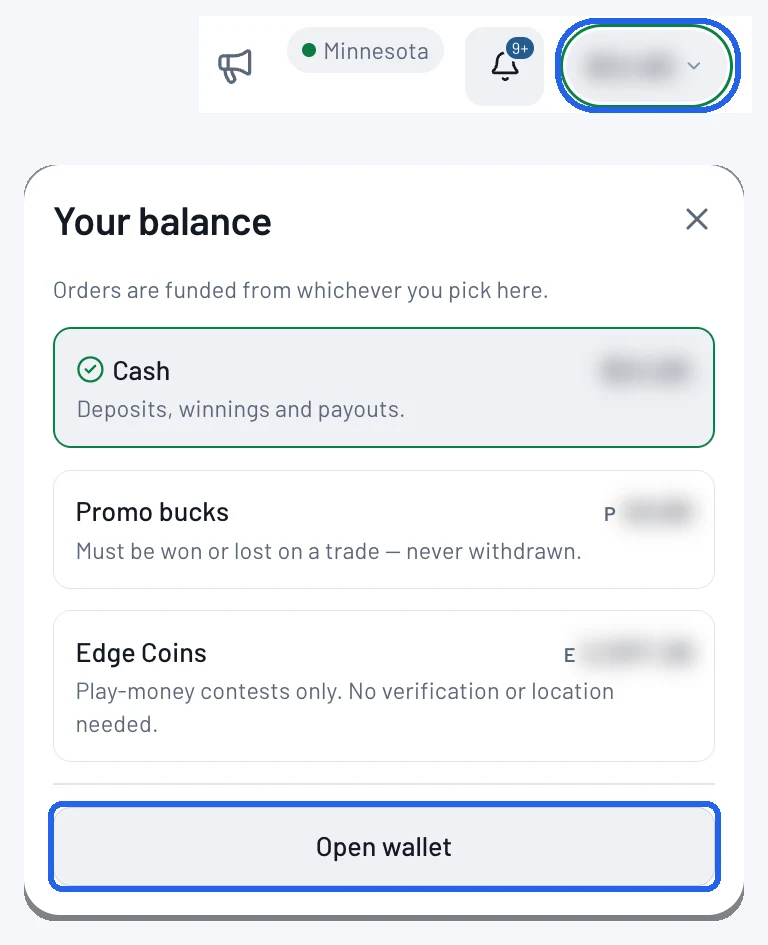
Tap your balance at the top right of the screen. In Your balance, tap Open wallet.
- 2
Tap a payment method
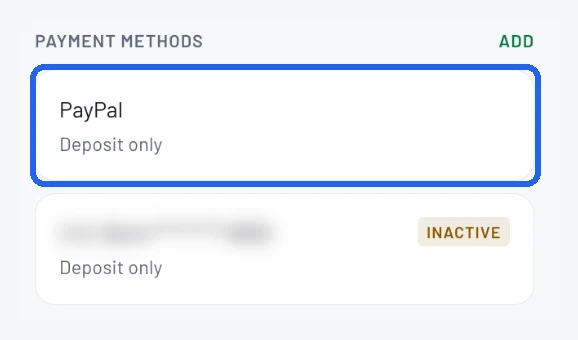
Under Payment methods, tap one of your payment methods, for example PayPal or your bank.
- 3
Tap Set Limit
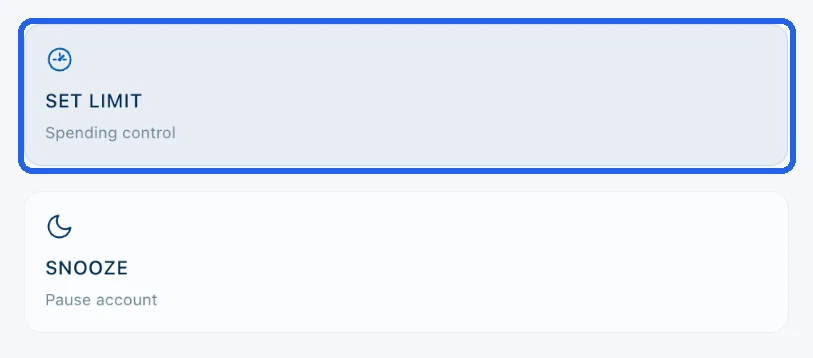
You'll see two options: Set Limit (spending control) and Snooze (pause account). Tap Set Limit.
- 4
Choose an amount and how often
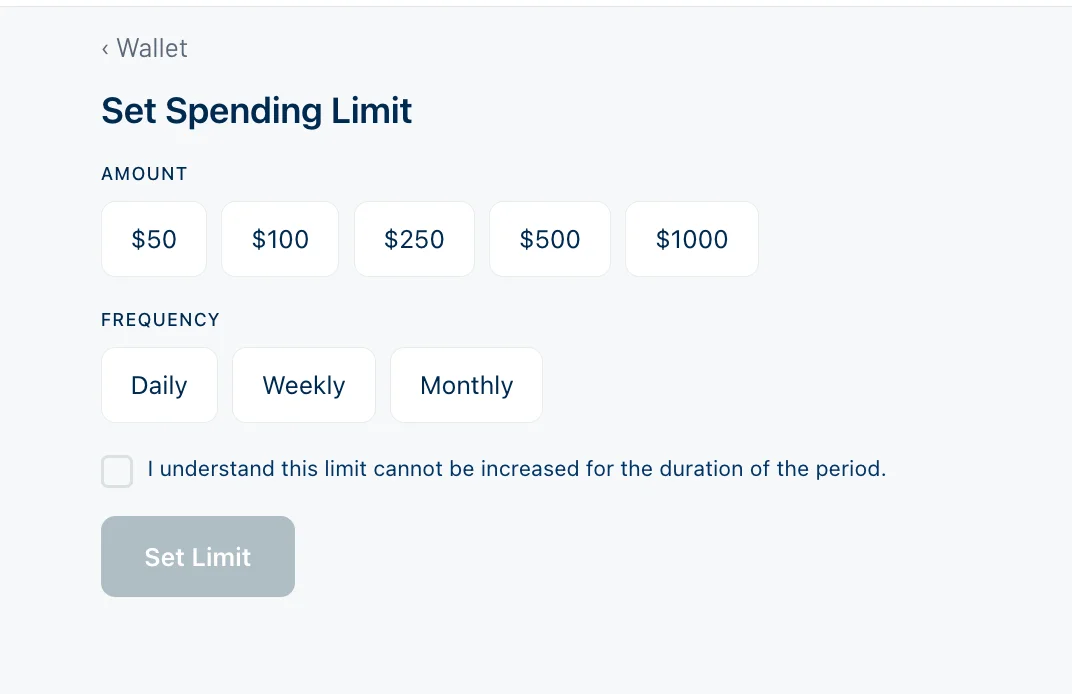
Pick an amount ($50, $100, $250, $500 or $1,000) and a frequency: Daily, Weekly or Monthly. Tick the box confirming the limit can't be increased for the rest of the period, then tap Set Limit.
- 5
Or snooze your account for a break
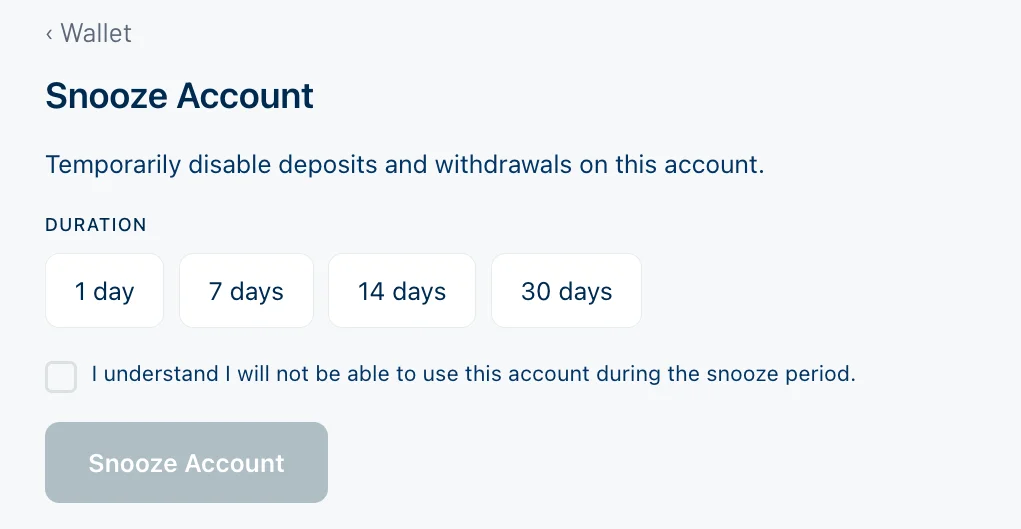
Want time off instead? On the payment method screen, tap Snooze and choose 1, 7, 14 or 30 days. Snoozing turns off deposits and withdrawals, and you won't be able to use the account until the snooze ends. Tick the box and tap Snooze Account.
Tips
- •Not sure what to pick? Start with a weekly limit at what you'd spend on a night out.
- •Need a longer break than 30 days, or a full self-exclusion? Email support@bettoredge.com and we'll put it in place quickly.
- •BettorEdge also sets its own deposit and withdrawal limits from your account history. You'll see those under All limits in the wallet.
Questions
Can I raise my limit?+
Not until the period ends. A daily limit resets the next day, a weekly limit the next week and a monthly limit the next month.
What does snoozing do?+
It pauses deposits and withdrawals for the time you pick (1, 7, 14 or 30 days). You can't use the account until the snooze ends.
How do I self-exclude?+
Email support@bettoredge.com. Self-exclusion requests are handled first.
Expected outcome
You have a spending limit in place for the day, week or month, or your account is snoozed for the break you chose.
Try it on BettorEdge.
Create your account and follow along in the app. Sign up for a shot at up to $100. No deposit needed.
Questions? Ask on r/BettorEdge, where the BettorEdge team answers.